
WooCommerce Products Tab for Elementor WordPress Plugin

- Description
- Reviews
- FAQ
Are you struggling to present all your vital product information on a single WooCommerce page? The default WooCommerce layout often limits your ability to display comprehensive details without overwhelming your customers. This challenge can lead to frustrated users, missed sales opportunities, and a less-than-optimal shopping experience. What if you could elegantly organize endless product data, specifications, reviews, and related content, all within a clean, tabbed interface?
Enter the WooCommerce Products Tab for Elementor WordPress Plugin. This powerful tool empowers you to create custom, dynamic tabs for your product pages directly within the familiar Elementor visual builder. Say goodbye to cluttered layouts and hello to an organized, conversion-focused product display. This plugin is designed for e-commerce store owners, web developers, and agencies looking to elevate their online stores with superior product page customization.
Unlock Dynamic Product Page Customization with Elementor
The WooCommerce Products Tab for Elementor WordPress Plugin is your ultimate solution for crafting professional and highly informative product pages. It seamlessly integrates with Elementor, providing a drag-and-drop interface to build and manage custom product tabs. This means you can add any type of content – from detailed specifications and user guides to video tutorials and FAQs – without writing a single line of code.
Enhance the user experience by neatly categorizing information. This approach not only improves readability but also encourages deeper engagement with your product offerings. Ultimately, a well-organized product page contributes significantly to higher conversion rates and customer satisfaction.
Key Features of WooCommerce Products Tab for Elementor WordPress Plugin
Discover the core functionalities that make this plugin indispensable for any serious WooCommerce store. These features are designed to give you complete control over your product page layout and content.
- Elementor Integration: Design and manage custom product tabs directly within the intuitive Elementor page builder, using its powerful widgets.
- Unlimited Custom Tabs: Add as many tabs as you need for each product, ensuring all relevant information is easily accessible without clutter.
- Rich Content Support: Populate your tabs with various content types, including text, images, videos, shortcodes, custom fields, and even Elementor templates.
- Conditional Display Options: Control which tabs appear based on specific product categories, tags, or even individual products, for highly targeted content.
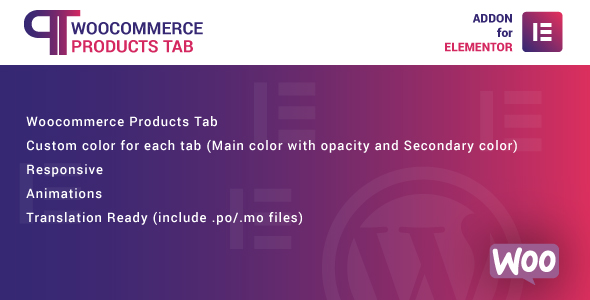
- Responsive Design Ready: All custom tabs are fully responsive, ensuring your product information looks perfect on any device, from desktops to mobile phones.
- Customizable Styling: Take full control over the appearance of your tabs, including typography, colors, borders, and spacing, to match your brand’s aesthetic.
- Global and Product-Specific Tabs: Create tabs that apply universally across all products, or design unique tabs for individual product pages.
In-Depth Feature Analysis: Elevating Your Product Display
Let’s dive deeper into some of the most impactful features that set the WooCommerce Products Tab for Elementor WordPress Plugin apart. These functionalities are crucial for any e-commerce business aiming for excellence.
Seamless Elementor Integration for Effortless Design
The power of the WooCommerce Products Tab for Elementor WordPress Plugin lies in its native integration with Elementor. If you’re already familiar with Elementor, you’ll feel right at home. This integration allows you to leverage Elementor’s drag-and-drop interface and vast widget library to build the content for each tab.
Imagine creating a “Specifications” tab using Elementor’s table widget or an “Installation Guide” tab with images and videos. You can design complex layouts within each tab, ensuring your product data is presented beautifully and logically. This visual editor approach drastically cuts down development time and empowers even non-coders to create stunning product information sections.
Dynamic & Rich Content Management
Gone are the days of static, uninspiring product descriptions. With this plugin, each tab becomes a canvas for dynamic and engaging content. You’re not limited to just plain text; you can embed YouTube videos, add detailed image galleries, display downloadable PDFs, or even integrate testimonials via shortcodes.
This flexibility is paramount for products that require extensive explanations or visual demonstrations. For example, a tech product might have tabs for “Technical Specs,” “User Reviews,” and “Video Demos.” An apparel product could feature “Size Guide,” “Material & Care,” and “Styling Tips.” The ability to house diverse content types within organized tabs significantly enhances the user experience and provides comprehensive pre-purchase information.
Conditional Display for Targeted Information
Not all information is relevant to every product or customer. The WooCommerce Products Tab for Elementor WordPress Plugin addresses this with intelligent conditional display options. You can configure tabs to appear only for specific product categories, tags, or even individual products.
Consider a scenario where you sell both digital and physical products. You can create a “Shipping Information” tab that only appears for physical products, or a “Download Instructions” tab exclusively for digital goods. This level of control ensures that customers only see the information most pertinent to their chosen product, reducing cognitive load and improving navigation. It’s a powerful way to streamline information architecture and personalize the shopping journey.
Who Can Benefit from WooCommerce Products Tab for Elementor WordPress Plugin?
This versatile plugin is an essential asset for a wide range of users within the e-commerce ecosystem. Its features cater to different needs, all focused on improving product presentation and sales.
- E-commerce Store Owners: Perfect for those who want to present detailed product information cleanly without custom coding. Improve customer engagement and reduce support queries by answering common questions directly on the product page.
- Freelance WordPress Developers: A fantastic tool to add value to client projects. Deliver highly customized, professional WooCommerce stores quickly and efficiently, impressing clients with dynamic product layouts.
- Web Design Agencies: Streamline your workflow and offer advanced product page solutions to your clients. The Elementor integration allows for consistent design and rapid deployment across multiple projects.
- Marketing Professionals: Use custom tabs to strategically place marketing messages, calls-to-action, or even upsell/cross-sell suggestions within relevant product sections, boosting conversion rates.
- Bloggers & Content Creators with Stores: Ideal for those selling digital products or merchandise who need to provide extensive guides, FAQs, or background stories for their items in an organized fashion.
Why Choose This Version of WooCommerce Products Tab for Elementor WordPress Plugin?
When selecting tools for your WordPress site, choice abounds. However, this version of the WooCommerce Products Tab for Elementor WordPress Plugin offers compelling advantages, particularly for those who value freedom and cost-effectiveness.
Unmatched Freedom and Flexibility
This plugin is released under the General Public License (GPL). What does this mean for you? It means you gain unparalleled freedom. You can install and use this powerful plugin on an unlimited number of websites without any restrictive licensing keys or activation limits. Whether you manage one store or a dozen, you have the full capability to deploy this plugin everywhere you need it.
This freedom extends to customization. You have the liberty to modify the code to suit your specific project requirements, confident in the knowledge that you own your site and your tools. It’s about empowering you, the developer and store owner, with complete control.
A Cost-Effective, High-Value Solution
Proprietary software often comes with recurring annual fees, per-site licenses, and hidden costs that can quickly add up. This GPL version of the WooCommerce Products Tab for Elementor WordPress Plugin offers a significant financial advantage. You make a single investment for a feature-rich, high-quality plugin that you can use indefinitely across all your projects.
This model eliminates the worry of license expirations or escalating costs as your business grows. It’s a smart, long-term investment for any forward-thinking e-commerce professional. You get premium functionality without the premium price tag or ongoing financial commitment.
Safe, Tested, and Reliable Code
Concerns about security and code quality are valid in today’s digital landscape. Rest assured, this plugin is sourced from legitimate GPL releases, ensuring you receive clean, safe, and reliable code. GPL software benefits from community scrutiny, often leading to robust and well-maintained solutions.
You can deploy this plugin with confidence, knowing it integrates seamlessly with WooCommerce and Elementor without introducing vulnerabilities. Focus on building your business, not on worrying about the integrity of your tools.
Frequently Asked Questions (FAQ) about WooCommerce Products Tab for Elementor WordPress Plugin
We understand you might have questions before integrating a new tool into your critical e-commerce setup. Here are answers to some common inquiries about the WooCommerce Products Tab for Elementor WordPress Plugin.
Does WooCommerce Products Tab for Elementor WordPress Plugin work with the latest version of WooCommerce?
Yes, this plugin is designed to be fully compatible with the latest stable versions of WooCommerce. We ensure it integrates seamlessly, providing a robust solution for your product pages without conflicts. Regular updates keep it aligned with WooCommerce developments.
Are updates included with this version of the plugin?
Absolutely. You receive all future updates for the WooCommerce Products Tab for Elementor WordPress Plugin. This ensures ongoing compatibility with WordPress, WooCommerce, and Elementor, along with access to new features and performance improvements as they are released. Updates are crucial for security and functionality.
Can I add different content types (text, images, videos) to each tab?
Yes, that’s one of the core strengths of the WooCommerce Products Tab for Elementor WordPress Plugin. Leveraging Elementor’s capabilities, you can insert virtually any content type into your custom tabs. This includes text blocks, images, videos, shortcodes, custom fields, and even entire Elementor templates for sophisticated layouts.
Is this plugin safe to use on my live store?
Yes, the plugin is safe for your live store. It is sourced from official GPL releases, meaning the code is clean, free from malicious elements, and fully functional. We prioritize the integrity and security of the software we provide to ensure your peace of mind.
How does the WooCommerce Products Tab for Elementor WordPress Plugin handle product variations?
The plugin integrates smartly with WooCommerce product variations. You can create tabs that display information relevant to the main product, or, depending on your setup, use Elementor’s dynamic tags to pull variation-specific data into tabs if you configure your content that way. It offers flexibility to present information effectively for variable products.
Do I need an Elementor Pro license to use this plugin effectively?
While Elementor Pro offers additional widgets and features that can enhance your tab content, the WooCommerce Products Tab for Elementor WordPress Plugin works perfectly with the free version of Elementor. You can still create rich, custom tabs using the standard Elementor widgets available in the free version. Elementor Pro simply expands your design possibilities.
What if I need support or encounter an issue with the plugin?
While this GPL version doesn’t come with direct developer support (as that’s tied to proprietary licenses), you benefit from the vast Elementor and WooCommerce community. For technical issues, detailed documentation is often available, and general WordPress development forums are excellent resources. Our goal is to provide a reliable, self-sufficient tool.
Can I create global tabs that appear on all products, as well as product-specific tabs?
Absolutely. The WooCommerce Products Tab for Elementor WordPress Plugin gives you the flexibility to create both global tabs that apply across your entire product catalog and unique tabs tailored to specific products. This allows for efficient content management while still providing granular control where needed.
Is the WooCommerce Products Tab for Elementor WordPress Plugin translation-ready?
Yes, the plugin is built with translation in mind. It follows standard WordPress internationalization practices, making it compatible with translation plugins like WPML and Loco Translate. This ensures you can easily translate your tab titles and content for a global audience.
Elevate Your WooCommerce Product Pages Today
The WooCommerce Products Tab for Elementor WordPress Plugin is more than just an add-on; it’s a transformative tool for your e-commerce business. By providing a structured, engaging, and comprehensive way to display product information, you’re not just organizing content – you’re enhancing the entire customer journey.
Improve conversions, reduce bounce rates, and empower your customers with all the details they need to make informed purchasing decisions. With the freedom of GPL and the power of Elementor, you’re investing in a solution that will grow with your store. Get started today and redefine your WooCommerce product pages.
Q: Do I need a license key?
A: No. All products are Pre-Activated. You can use 100% of the Premium features immediately.
Q: Can I use the One-Click Demo Import?
A: Yes, absolutely! We ensure the demo import feature works perfectly.
Q: Can I use the products on multiple websites?
A: Absolutely. The GPL license allows use on unlimited domains.
Q: Are the files safe?
A: Yes. All files are scanned by McAfee and VirusTotal before uploading.
Share Now!
Related Products




Related Products



Same Contributor



Featured Products


