
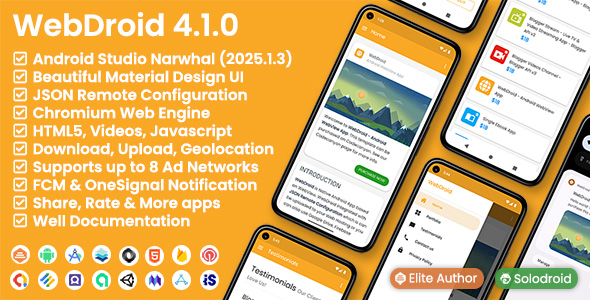
WebDroid – Android WebView App

- Description
- Reviews
- FAQ
Unlock the full potential of your online presence by transforming your website into a dynamic native Android application. With **WebDroid – Android WebView App**, you can effortlessly convert any website into a high-performance Android application, delivering an exceptional mobile experience to your users. This powerful solution solves the critical problem of mobile accessibility and user engagement, allowing you to reach a broader audience directly through the Google Play Store.
No complex coding is required. WebDroid – Android WebView App provides a streamlined path to mobile app ownership, ensuring your brand stays competitive in today’s mobile-first world. Experience the freedom and flexibility of a GPL-licensed product designed for seamless integration and robust performance.
Key Features of WebDroid – Android WebView App
Discover the core functionalities that make WebDroid an indispensable tool for your mobile strategy. These features are engineered to enhance user experience, boost engagement, and provide powerful monetization options.
- Instant Website to App Conversion: Transform any responsive website into a fully functional Android application with just a few clicks.
- Powerful Push Notifications: Keep your users engaged with targeted messages and updates, driving traffic back to your app.
- AdMob Integration for Monetization: Easily integrate Google AdMob to generate revenue from your application through various ad formats.
- Fully Customizable UI & Branding: Tailor the app’s appearance, splash screen, and icons to perfectly match your brand identity.
- Offline Capabilities & Error Handling: Provide a smooth user experience even with limited internet connectivity, alongside robust error management.
- Deep Linking Support: Direct users to specific content within your app, enhancing navigation and user flow.
- Material Design Compliant: Benefit from a modern, intuitive user interface that adheres to Android’s design guidelines.
In-Depth Feature Analysis
Let’s dive deeper into some of the most impactful features that set WebDroid – Android WebView App apart. These capabilities are crucial for creating a successful, engaging, and profitable mobile application.
Seamless Website to App Conversion
The primary power of WebDroid lies in its ability to effortlessly convert your existing website into a native Android app. This means you don’t need to rebuild your entire platform from scratch. Simply input your website URL, and WebDroid handles the complexities of wrapping your content into an app container. It’s a game-changer for businesses and individuals looking to establish a strong mobile presence without extensive development costs or timelines.
This feature ensures that all the rich content, interactive elements, and functionalities of your website are preserved within the app. Users get a consistent experience, whether they are browsing on your website or interacting with your app. It’s the ultimate solution for quick deployment and maintaining a unified brand experience across all platforms.
Powerful Push Notifications for Engagement
In today’s competitive digital landscape, engaging your audience is paramount. WebDroid – Android WebView App empowers you with robust push notification capabilities. This allows you to send timely alerts, promotions, news, or updates directly to your users’ devices, even when they are not actively using your app.
Push notifications are a proven method for increasing user retention and driving re-engagement. You can notify users about new blog posts, product launches, special offers, or critical updates, ensuring they never miss out. This direct communication channel helps foster loyalty and keeps your brand top-of-mind, significantly boosting your app’s active user base.
Monetization Ready with AdMob Integration
Turning your app into a revenue stream is straightforward with WebDroid’s integrated AdMob support. Google AdMob allows you to display various ad formats—such as banner ads, interstitial ads, and rewarded video ads—within your application. This provides a flexible and powerful way to monetize your user base without disrupting their experience.
Setting up AdMob is simple, allowing you to quickly start generating income from your app downloads and user activity. This feature is particularly valuable for content creators, bloggers, and e-commerce sites looking for additional revenue channels. WebDroid ensures that your app is not just a tool for engagement but also a potential source of passive income.
Who Is WebDroid – Android WebView App For?
WebDroid is a versatile solution designed to meet the needs of a wide array of users and businesses. Its ease of use and powerful features make it ideal for anyone looking to enter the mobile app market quickly and efficiently.
Perfect for Small Businesses & Startups
For small businesses and startups operating on tight budgets, WebDroid offers an incredibly cost-effective way to launch an Android app. Instead of investing heavily in custom app development, you can leverage your existing website. This allows you to quickly establish a mobile presence, reach new customers, and compete with larger enterprises.
Ideal for Bloggers & Content Creators
Bloggers, news portals, and content creators can significantly expand their reach and audience engagement with a dedicated mobile app. WebDroid allows you to deliver your content directly to your subscribers’ devices, offering a more immersive reading experience. Combine this with push notifications, and you have a powerful tool to drive traffic and build a loyal readership.
A Must-Have for E-commerce Stores
E-commerce businesses can greatly benefit from WebDroid – Android WebView App. A dedicated shopping app enhances the user experience, often leading to higher conversion rates and repeat purchases. Features like push notifications for sales and abandoned cart reminders become incredibly effective. Your customers get a faster, more focused shopping environment.
Essential for Agencies & Freelancers
Web development agencies and freelance developers can use WebDroid as a rapid development tool for client projects. It’s perfect for delivering mobile app solutions quickly and affordably. Offer your clients a native Android app without the typical overheads, allowing you to take on more projects and expand your service offerings.
Why Choose This GPL-Licensed WebDroid Version?
When considering your options for turning your website into an Android app, the GPL-licensed version of WebDroid offers unparalleled advantages. It’s not just about getting the software; it’s about gaining freedom, flexibility, and long-term value.
Unmatched Cost-Effectiveness
Unlike proprietary licenses that often come with recurring fees or per-project costs, the GPL (General Public License) provides you with the software once, for unlimited use. This means you can use WebDroid – Android WebView App for multiple projects, client work, or personal ventures without incurring additional licensing fees. It’s a significant saving over time, especially for agencies or developers with numerous projects.
Freedom to Use, Modify, and Distribute
The GPL license empowers you with four essential freedoms: the freedom to run the program for any purpose, the freedom to study how it works and adapt it to your needs, the freedom to redistribute copies, and the freedom to distribute copies of your modified versions. This means you have full control. You can customize the code to fit unique requirements, ensure seamless integration with specific platforms (like WordPress), and truly make the app your own.
Secure & Auditable Codebase
With GPL software, the source code is openly available. This transparency fosters a more secure environment as the code can be reviewed and audited by a wider community. Any potential vulnerabilities are often identified and patched more quickly than in closed-source alternatives. You gain peace of mind knowing you’re building your mobile presence on a robust and community-vetted foundation.
No Vendor Lock-in
Choosing a GPL-licensed product like WebDroid means you’re not tied to a single vendor or their restrictive terms. You have the flexibility to maintain, update, or even further develop your app independently. This ensures your mobile strategy remains agile and future-proof, free from the constraints often associated with proprietary software solutions.
Frequently Asked Questions about WebDroid – Android WebView App
Here are answers to common questions about WebDroid – Android WebView App, covering everything from its capabilities to licensing and support.
What does ‘GPL licensed’ mean for WebDroid – Android WebView App users?
Being GPL licensed means you gain significant freedoms and benefits. You can use WebDroid – Android WebView App on an unlimited number of projects, modify its code to suit your specific needs, and even redistribute your modified versions (under the same GPL license). It translates to cost savings, complete control over your app’s functionality, and freedom from vendor lock-in.
How often are updates provided for WebDroid – Android WebView App?
We are committed to providing regular updates for WebDroid – Android WebView App. These updates include compatibility improvements for the latest Android versions, bug fixes, performance enhancements, and new features. Access to these updates ensures your app remains modern, secure, and fully functional, keeping pace with the evolving mobile landscape.
Is WebDroid – Android WebView App safe and secure for my users?
Absolutely. WebDroid – Android WebView App is developed with security best practices in mind. As a WebView app, it primarily displays your secure website content. The GPL nature of the software also means its code can be openly reviewed, promoting transparency and faster identification of any potential issues. We recommend ensuring your source website uses HTTPS for maximum user data protection.
Can WebDroid – Android WebView App integrate with any WordPress website?
Yes, WebDroid – Android WebView App is designed to work seamlessly with any responsive website, including those built on WordPress. As long as your WordPress site is optimized for mobile viewing, WebDroid will accurately display its content and functionality within the app. It’s an excellent solution for turning your WordPress blog, e-commerce store, or portfolio into a native Android application.
What kind of push notifications does WebDroid – Android WebView App support?
WebDroid – Android WebView App supports various types of push notifications, typically integrated through services like Firebase. You can send text-based notifications, rich media notifications (with images), and even notifications that deep link to specific pages within your app. This flexibility allows for highly effective and engaging communication with your app users.
Is it possible to customize the splash screen and app icon in WebDroid – Android WebView App?
Yes, extensive customization options are a core feature of WebDroid – Android WebView App. You have full control over the app’s branding, including easily changing the splash screen, app icon, app name, and even the color scheme. This ensures your app perfectly aligns with your brand identity and provides a professional, cohesive user experience.
Does WebDroid – Android WebView App support deep linking for specific content?
Indeed. WebDroid – Android WebView App comes with robust deep linking capabilities. This means you can create links that directly open a specific page or section within your app, rather than just launching the app to its homepage. Deep linking greatly enhances user navigation, allowing for targeted content delivery from external sources like emails or social media posts.
Can I monetize my app built with WebDroid – Android WebView App using AdMob?
Yes, monetization through Google AdMob is a built-in feature of WebDroid – Android WebView App. You can easily configure your AdMob account details within the app to display various ad types, such as banner and interstitial ads. This provides a straightforward way to generate revenue from your app downloads and user engagement, making your app a profitable asset.
What are the system requirements to build an app with WebDroid – Android WebView App?
To build and compile your app using WebDroid – Android WebView App, you will typically need Android Studio installed on your computer. Basic knowledge of using Android Studio for project setup and compilation is recommended. The app itself is designed to run on a wide range of Android devices, supporting modern Android OS versions to ensure broad compatibility.
Is an internet connection always required for apps built with WebDroid – Android WebView App?
While the core functionality of a WebView app relies on displaying web content (which requires an internet connection), WebDroid – Android WebView App includes features for improved offline experience. This can include custom error pages for when there’s no internet, or potentially caching mechanisms for certain content. Your users will still need an internet connection to access dynamic content and receive push notifications, but the app handles connectivity gracefully.
Start Building Your Android App Today!
Don’t let the complexity of app development deter you. WebDroid – Android WebView App offers a powerful, flexible, and cost-effective solution to launch your presence on the Android platform. Embrace the freedom of GPL and provide your users with the native mobile experience they expect. Download WebDroid today and transform your website into an engaging Android application!
Q: Do I need a license key?
A: No. All products are Pre-Activated. You can use 100% of the Premium features immediately.
Q: Can I use the One-Click Demo Import?
A: Yes, absolutely! We ensure the demo import feature works perfectly.
Q: Can I use the products on multiple websites?
A: Absolutely. The GPL license allows use on unlimited domains.
Q: Are the files safe?
A: Yes. All files are scanned by McAfee and VirusTotal before uploading.
Share Now!
Related Products
 Hooko – Live streaming, One to One video call, Chat, Feed$7.00
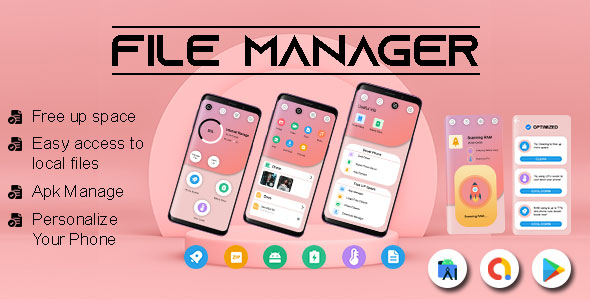 File Manager File Explorer – USB OTG File Manager – Solid Explorer File Manager – Android App$5.00
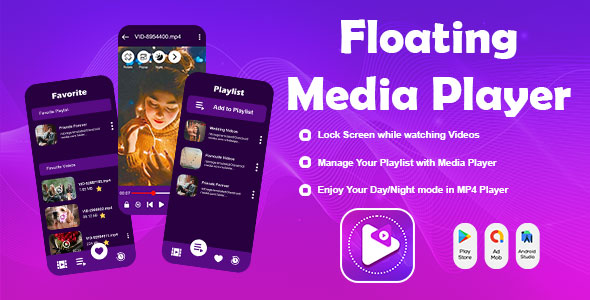 Floating Media Player – Floating Video Player – All Formats Video Player – Android Player – Float$5.00
 Female Stretching Exercises – Android (Kotlin)$5.00
 Ovulation – Period Tracker – Period Calendar – Cycle Tracker – Fertility Tracker Diary$5.00



Related Products
Same Contributor


Featured Products


