
Vision – Interactive Image Map Builder for WordPress
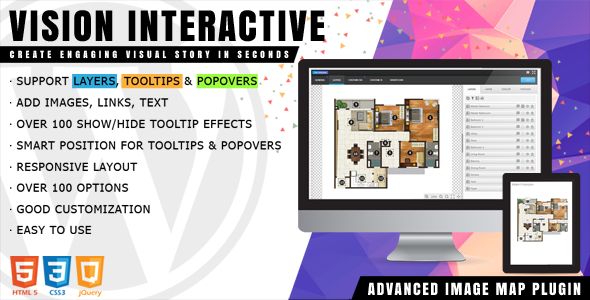
- Description
- Reviews
- FAQ
Bring Your Images to Life with Vision – Interactive Image Map Builder for WordPress
Are your website’s images just sitting there, taking up space? Static images are a missed opportunity for engagement. They can be beautiful, but they can’t tell the full story or guide your users to take action.
Imagine turning a simple floor plan into a clickable, informative tour. Or transforming a product photo into an interactive feature showcase. With Vision – Interactive Image Map Builder for WordPress, you can do exactly that. This powerful plugin allows you to add hotspots, tooltips, and interactive elements to any image, making your visual content more engaging and valuable than ever before.
Stop settling for boring images. Start creating dynamic, interactive experiences that captivate your audience and drive results.
Key Features of Vision Image Map Builder
Vision is packed with professional features designed to be both powerful and incredibly easy to use. Here’s what makes it the best choice for creating your interactive image maps:
- Intuitive Visual Editor: A true drag-and-drop interface lets you build complex maps without writing a single line of code.
- Advanced Hotspot Shapes: Go beyond simple dots. Draw custom polygon shapes, circles, or rectangles to perfectly match any area on your image.
- Rich Content Tooltips & Popovers: Embed text, images, videos, and even buttons inside your tooltips using a familiar WYSIWYG editor.
- Full SVG Support: Import your own SVG files and make their paths clickable, perfect for detailed diagrams, charts, and custom illustrations.
- Fully Responsive Design: Your interactive maps will look and work perfectly on all devices, from large desktops to small mobile screens.
- Multi-Level Maps: Create maps with multiple floors or layers, allowing users to navigate between different levels of your image.
- Extensive Styling Options: Customize every aspect of your map, including hotspot colors, opacity, borders, shadows, and animations.
In-Depth Feature Analysis
Let’s dive deeper into the features that make Vision a game-changer for WordPress users.
Intuitive Drag-and-Drop Visual Editor
Forget complicated settings pages and confusing interfaces. Vision features a beautiful, front-end visual editor that shows you exactly what you’re building in real-time. You can draw, resize, and position your hotspots directly on your image.
This “what you see is what you get” approach dramatically speeds up your workflow. You can create a professional-looking interactive map in minutes, not hours. It’s the perfect solution for both beginners and seasoned developers who value efficiency.
Powerful Hotspots: Polygons, Circles, and More
The true power of an image map lies in its hotspots. Vision gives you complete control by offering multiple shape options. Use simple circles for points of interest or rectangles for larger areas.
For ultimate precision, the polygon tool is your best friend. You can draw custom, multi-point shapes to outline specific rooms in a floor plan, countries on a map, or components in a product diagram. This level of detail makes your interactive image incredibly accurate and user-friendly.
Rich Content Tooltips & Popovers
An interactive map is only as good as the information it provides. Vision allows you to create stunning tooltips and popovers that go far beyond plain text. Using the integrated TinyMCE editor, you have total creative freedom.
You can easily add formatted text, high-resolution images, YouTube or Vimeo videos, and call-to-action buttons. This feature turns a simple hotspot into a rich, multimedia experience, perfect for product showcases, virtual tours, or educational content.
Who Can Benefit from Interactive Image Maps?
Vision is a versatile tool that adds value to a wide range of websites and projects. Here’s who can get the most out of it:
For Real Estate Agents & Developers
Showcase properties like never before. Create interactive floor plans where users can click on each room to see photos, videos, and details. Highlight key features of a new development on a site map.
For E-commerce Store Owners
Make your product photos work harder. Add hotspots to a product image that link directly to the purchase page for each item shown. Highlight specific features with rich tooltips containing videos and specs.
For Bloggers & Content Creators
Enhance your articles and guides with interactive diagrams, charts, and maps. Explain complex topics visually by allowing readers to explore your images and discover more information on their own terms.
For Agencies & Freelance Developers
Deliver incredible value to your clients without bloating the budget. With the freedom to use Vision on unlimited client websites, you can offer a premium, interactive feature as part of your standard web design package.
The Smart Choice: Freedom, Value, and Safety
Why choose this version of Vision? We believe in providing you with maximum value and freedom. When you download from us, you get more than just a powerful plugin; you get a smarter way to build websites.
- Unbeatable Value: Get access to the exact same premium plugin, but at a fraction of the original price. This allows you to invest your budget where it matters most.
- Freedom to Use: Our downloads are under the GPL, which gives you the freedom to install and use the plugin on as many websites as you need, including for your clients.
- Safe and Secure Code: We provide you with the original, untouched code. The files are 100% free from malware or any malicious modifications, ensuring your website remains secure.
Frequently Asked Questions about Vision
Here are answers to some common questions about the Vision – Interactive Image Map Builder for WordPress.
Does Vision work with page builders like Elementor or Divi?
Yes, absolutely. Vision integrates seamlessly with all modern page builders, including Elementor, Divi, WPBakery, Beaver Builder, and the native WordPress Block Editor (Gutenberg). You can add your interactive map to any page using a simple shortcode.
Can I create complex shapes, like for a floor plan or a world map?
Yes. This is one of Vision’s strongest features. The polygon hotspot tool allows you to draw completely custom, point-by-point shapes. This is perfect for accurately outlining irregular areas like countries, property lots, or specific parts of a machine.
Are the interactive maps created with Vision responsive on mobile devices?
Yes, all maps created with Vision are fully responsive. The plugin automatically scales your image and hotspots to fit any screen size, ensuring a flawless user experience on desktops, tablets, and smartphones.
How do I receive updates for the Vision plugin?
Once you download the plugin, you can check our site for new versions. When an update is released by the original developer, we make it available for you to download. You can then update the plugin manually on your WordPress site to get the latest features and security patches.
Is the code for Vision – Interactive Image Map Builder for WordPress safe and clean?
Absolutely. Your website’s security is our top priority. We provide the 100% original, untouched plugin files as released by the developer. The code is under the GPL and is free from any malware, ads, or malicious scripts.
Can I use this plugin on multiple websites for myself or my clients?
Yes, you can. Because the plugin is licensed under the GPL, you have the freedom to use it on an unlimited number of websites. This makes it an incredibly cost-effective solution for developers and agencies building sites for multiple clients.
What kind of content can I add to the tooltips or popovers?
You have immense flexibility. The built-in editor allows you to add headings, paragraphs, bulleted lists, images, and embedded videos from services like YouTube or Vimeo. You can even add custom HTML for things like buttons or contact forms, turning your tooltip into a powerful call-to-action.
Q: Do I need a license key?
A: No. All products are Pre-Activated. You can use 100% of the Premium features immediately.
Q: Can I use the One-Click Demo Import?
A: Yes, absolutely! We ensure the demo import feature works perfectly.
Q: Can I use the products on multiple websites?
A: Absolutely. The GPL license allows use on unlimited domains.
Q: Are the files safe?
A: Yes. All files are scanned by McAfee and VirusTotal before uploading.
Share Now!
Related Products





Related Products



Same Contributor


Featured Products


