
Video Editor – Next

- Description
- Reviews
- FAQ
Transform Your WordPress Site into a Video Editing Powerhouse
Are you tired of the clunky workflow for video content? Exporting from WordPress, editing on your desktop, and re-uploading is slow and inefficient. It’s time to bring professional video editing directly into your dashboard with Video Editor – Next.
Video Editor – Next is a revolutionary WordPress plugin that provides a complete, browser-based video editing suite. It integrates seamlessly with your Media Library, allowing you or your users to create stunning, engaging videos without ever leaving your website. This is the ultimate tool for modern content creation.
Stop wasting time with complicated software and empower your workflow. Create social media clips, product showcases, and user-generated content with unparalleled ease and speed. This is the future of video on WordPress.
Key Features of Video Editor – Next
This plugin is packed with professional-grade features designed to be intuitive for beginners yet powerful enough for experts. Here’s what makes Video Editor – Next stand out:
- Intuitive Timeline Editor: Drag, drop, trim, and arrange video clips, audio tracks, and images on a familiar, multi-layered timeline.
- Rich Media Elements: Easily add and customize text overlays, static images, watermarks, and shapes to brand your videos.
- Extensive Effects & Transitions: Access a library of professional filters, effects, and transitions to give your videos a polished, dynamic look.
- Audio Editing Tools: Add background music, voiceovers, or sound effects. Adjust volume levels and trim audio clips to perfectly match your visuals.
- Flexible Export Options: Render and export your finished videos in various resolutions and formats, ready for the web, social media, or your media library.
- Frontend & Backend Modes: Use the editor in the WordPress admin dashboard or embed a frontend editor for your users to create their own content.
- WordPress Media Library Integration: Directly import videos, images, and audio from your existing WordPress Media Library and save finished projects back to it.
In-Depth Feature Analysis
Let’s dive deeper into the core components that make Video Editor – Next an essential tool for any serious WordPress publisher.
The Powerful & Intuitive Timeline Editor
The heart of any video editor is its timeline, and Video Editor – Next delivers a best-in-class experience. It uses a layer-based system, allowing you to stack video clips, images, text, and audio tracks with precision. You can easily trim the start and end of any clip, split clips into multiple parts, and rearrange them with simple drag-and-drop actions.
This no-code video editing approach makes composition incredibly fast. You can visualize your entire project at a glance, ensuring perfect timing and synchronization between your visual and audio elements. It’s a seamless process that removes the technical barriers to creative video production.
Seamless WordPress & Media Library Integration
This plugin wasn’t just built *for* WordPress; it was built *into* WordPress. Its deep integration with the Media Library is a game-changer. You can instantly access all your existing media assets without needing to upload them again.
Once your video is complete, you can export it directly back into the Media Library. From there, it’s ready to be embedded into any post, page, or product using the standard WordPress workflow. This tight integration saves you countless hours and streamlines your entire content creation pipeline.
Frontend Editor for User-Generated Content
Imagine empowering your community to create and submit their own videos directly on your site. Video Editor – Next includes a powerful frontend mode that you can embed anywhere using a simple shortcode. This is perfect for membership sites, online course platforms, or community forums.
Users get access to a streamlined version of the editor, allowing them to upload their own clips, add text, and create content. You maintain full control over the features and export settings. This opens up a world of possibilities for engaging, user-generated video campaigns.
Who is This Plugin For?
Video Editor – Next is a versatile tool that provides immense value to a wide range of users.
Perfect for Content Creators & Bloggers
Quickly create engaging video clips for your articles, tutorials, and social media channels. Add branded intros, lower thirds, and call-to-action overlays to increase engagement and drive traffic. Stop struggling with external software and keep your entire workflow inside WordPress.
A Game-Changer for E-commerce Stores
Create stunning product demo videos, video testimonials, and promotional ads directly from your WooCommerce dashboard. Showcase your products from every angle, add feature callouts with text overlays, and boost your conversion rates with compelling video content.
Essential for Agencies & Developers
Deliver incredible value to your clients by providing them with a built-in tool to manage their own video content. The frontend editor allows you to build custom solutions for user-generated content, contests, or internal training platforms, setting your projects apart from the competition.
Why Download Our Version of Video Editor – Next?
You have choices when acquiring WordPress tools. Here’s why our offering provides the best value and flexibility for smart creators and businesses.
The Freedom of the GPL License
Our download is distributed under the General Public License (GPL). This means you have the freedom to use the software on as many websites as you wish, for personal or client projects. There are no restrictive licenses or domain limitations holding you back.
Unbeatable Cost-Effective Solution
Premium plugins come with premium price tags, often involving recurring annual subscriptions. We provide access to the exact same powerful software at a fraction of the cost. This allows you to allocate your budget to other critical areas of your business while still using top-tier tools.
Clean, Secure, and Verified Code
We ensure that every plugin we provide is 100% original and free from any malicious code or advertising. You get the authentic, powerful software, just without the bundled premium support. It’s the smartest way to build your toolkit on a budget.
Frequently Asked Questions (FAQ)
What video formats does Video Editor – Next support for import?
Video Editor – Next supports all standard web-friendly video formats that your browser can play, including MP4, WebM, and Ogg. For the best compatibility and performance, we recommend using MP4 (H.264) files.
Will I receive updates for Video Editor – Next?
Yes. As a member, you will have access to all future updates for Video Editor – Next for as long as your subscription is active. We regularly update our repository to ensure you have the latest and greatest versions of the software.
Is the video rendering process done on my server?
No, and this is a key advantage. Video Editor – Next uses advanced browser-based technology (FFMPEG.WASM) to perform all rendering and encoding directly within the user’s browser. This means there is no heavy load on your server, making the plugin suitable for all types of web hosting, including shared hosting.
Is it safe to use a GPL version of this plugin?
Absolutely. We provide the original, unaltered code as released by the developer under the GPL. Our files are scanned and verified to be free from malware or any security vulnerabilities. You are getting the authentic plugin, simply without the developer’s direct support channel.
Can I create vertical videos for social media like TikTok or Instagram Reels?
Yes, you can. The editor allows you to set custom resolutions and aspect ratios for your projects. You can easily configure a 9:16 vertical canvas to create perfectly formatted videos for mobile-first social media platforms.
Does Video Editor – Next work with page builders like Elementor or Divi?
The plugin operates primarily within the WordPress dashboard or via a shortcode. The shortcode for the frontend editor is compatible with all major page builders, allowing you to easily embed it into any page, post, or template you build with Elementor, Divi, Beaver Builder, or the Block Editor.
What’s the difference between your version and buying from CodeCanyon?
The core plugin is identical. The primary difference is support and pricing. When you buy from the original developer, you pay a higher price which includes their direct technical support. Our version, offered under the GPL, gives you the exact same plugin at a much lower price but does not include developer support. For many users who don’t need hand-holding, this is a significantly more cost-effective option.
Q: Do I need a license key?
A: No. All products are Pre-Activated. You can use 100% of the Premium features immediately.
Q: Can I use the One-Click Demo Import?
A: Yes, absolutely! We ensure the demo import feature works perfectly.
Q: Can I use the products on multiple websites?
A: Absolutely. The GPL license allows use on unlimited domains.
Q: Are the files safe?
A: Yes. All files are scanned by McAfee and VirusTotal before uploading.
Share Now!
Related Products
 File Manager – Manage all your files | iOS App | Swift | InApp Purchase | AdMob Support$8.00
 Web2App for IOS – Quickest Feature-Rich IOS Webview$8.00
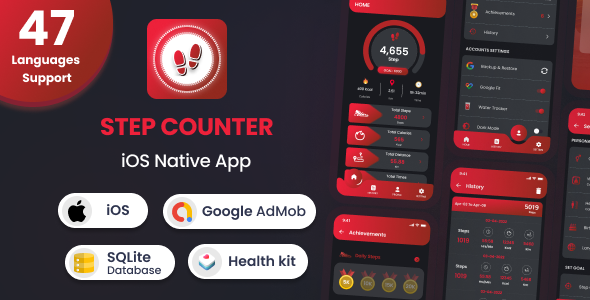 Step Counter – iOS Native Mobile App (47 Languages)$6.00
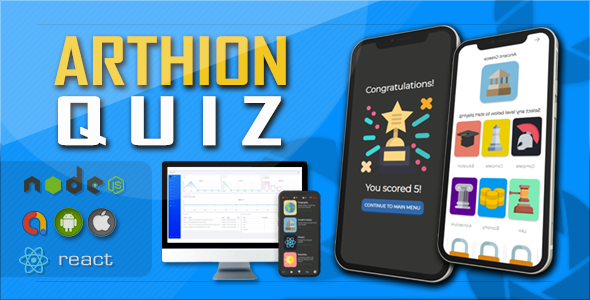 Arthion AIO Quiz with monetisation iOS Android Web Native$8.00
 SkyControls SwiftUI Design UI kit$8.00



Related Products
Same Contributor


Featured Products


