
Ultimate POS – Best ERP, Stock Management, Point of Sale & Invoicing application

- Description
- Reviews
- FAQ
Streamline Your Entire Business with One Powerful Application
Are you tired of juggling multiple software tools to run your business? One for sales, another for inventory, and perhaps spreadsheets for accounting? The Ultimate POS – Best ERP, Stock Management, Point of Sale & Invoicing application is the unified solution designed to eliminate this chaos and centralize your operations.
This powerful system combines a user-friendly Point of Sale (POS) interface with robust Enterprise Resource Planning (ERP) features. It’s built to simplify your daily tasks, from tracking sales and managing stock to handling invoices and generating detailed reports. Stop wasting time and money on disconnected systems and gain complete control over your business today.
Core Features of Ultimate POS
Ultimate POS is packed with features that empower small and medium-sized businesses to operate with the efficiency of a large enterprise. It’s more than just a POS; it’s a complete business management ecosystem.
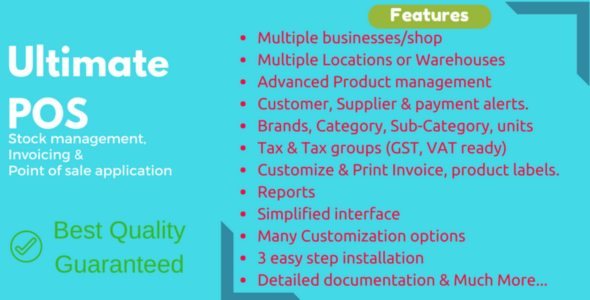
- All-in-One Dashboard: Get a 360-degree view of your business, including sales trends, purchase statistics, and top-selling products, all from one intuitive screen.
- Multi-Location Management: Seamlessly manage multiple stores or warehouses from a single installation. Track stock, manage staff, and view reports for each location independently or as a whole.
- Comprehensive Product Management: Handle single products, variable products (with different sizes or colors), and combo products. Easily add brands, categories, and units for precise inventory control.
- Advanced Point of Sale (POS): A clean, fast, and responsive POS screen designed for quick billing. It supports keyboard shortcuts, barcode scanners, and multiple payment options.
- Integrated Stock & Purchase Management: Keep your inventory accurate with purchase order management, stock transfer capabilities, and automated low-stock alerts.
- In-Depth Reporting: Make data-driven decisions with access to dozens of reports, including Profit & Loss, sales representative reports, stock reports, and tax summaries.
- Customer & Supplier Management: Build a complete database of your customers and suppliers. Track purchase history, manage credit limits, and view payment histories to improve relationships.
In-Depth Feature Analysis
Let’s dive deeper into the three pillars that make Ultimate POS the go-to choice for thousands of businesses.
Advanced Point of Sale (POS) & Invoicing
The POS module is the heart of your retail operation, and Ultimate POS excels here. The interface is designed for speed and simplicity, reducing checkout times and minimizing staff training. You can easily search for products, add customers to a sale, apply discounts, and process payments through multiple methods like cash, card, or credit.
Beyond the sale, the system automatically generates professional invoices and receipts. It also includes features for managing sales returns and layaway orders, providing a complete sales workflow that adapts to your business needs.
Complete Stock & Inventory Control
Say goodbye to stockouts and overstocking. Ultimate POS gives you granular control over your inventory. You can add new stock through detailed purchase orders, automatically updating inventory levels and accounting records. The system even calculates product purchase prices based on FIFO (First-In, First-Out) to give you accurate profit reports.
Managing variations is simple. Whether you sell t-shirts in different sizes and colors or electronics with varying specs, you can track each variation as a unique stock item. Set reorder levels for each product to receive automatic low-stock alerts, ensuring you never miss a sale due to an empty shelf.
Integrated ERP & Business Management
This is what separates Ultimate POS from simple POS systems. It’s a true ERP that centralizes all your business data. The integrated accounting module tracks all your income and expenses, giving you a real-time Profit & Loss statement. You can manage user roles and permissions, giving cashiers, managers, and accountants access only to the information they need.
The Customer Relationship Management (CRM) features allow you to track customer purchase history and manage credit. This data is invaluable for marketing and building customer loyalty. Ultimate POS truly provides the operational backbone your business needs to grow and scale efficiently.
Who is Ultimate POS Perfect For?
This versatile application is designed to fit a wide range of business models. If you manage physical products and sales, Ultimate POS can transform your operations.
- Retail Stores: Perfect for electronics shops, clothing boutiques, grocery stores, and any retail environment that requires fast billing and accurate inventory.
- Restaurants & Cafes: Manage tables, process orders, and track ingredient stock with specialized features for the food and beverage industry.
- Multi-Location Businesses: Ideal for franchises or businesses with multiple branches. Centralize your management and get a consolidated view of your entire operation.
- Service & Repair Centers: Manage job sheets, track repair statuses, and handle billing for service-based businesses like mobile repair shops or computer technicians.
- Warehouses & Distributors: Use the powerful stock management features to track large inventories, manage suppliers, and fulfill orders efficiently.
Why Download Our Version of Ultimate POS?
You have choices, so why is this the smartest one for your business? We provide access to premium, powerful software under the General Public License (GPL), which translates into incredible benefits for you.
Unbeatable Value & Cost Savings
Proprietary SaaS solutions for ERP and POS systems can cost hundreds or even thousands of dollars per year. By downloading our version of Ultimate POS, you get access to the exact same powerful, feature-rich code for a small, one-time fee. This frees up your capital to invest back into growing your business.
The Freedom to Use and Customize
Because the software is GPL-licensed, you have the freedom to use it on as many business locations or websites as you need. You are not locked into a per-site license. Furthermore, you or your developer have the freedom to inspect and customize the code to perfectly fit your unique business processes.
Safe, Verified, and Original Code
We take your business security seriously. Every file we provide is 100% original, unmodified, and free from any malware or malicious code. We download directly from the original developer and pass the clean files on to you, giving you peace of mind and a secure foundation for your business operations.
Frequently Asked Questions (FAQ)
Is Ultimate POS a WordPress plugin or a standalone application?
Ultimate POS is a standalone application built with PHP (using the Laravel framework). It is not a WordPress plugin and needs to be installed on its own domain or subdomain on a web server that meets the system requirements (PHP, MySQL, etc.).
Can I manage multiple business locations with this system?
Absolutely. Multi-location support is one of the core features of Ultimate POS. You can add and manage multiple branches or warehouses, transfer stock between them, and generate reports for individual locations or the entire business combined.
Does Ultimate POS support different user roles and permissions?
Yes, it has a robust user management system. You can create different roles like Admin, Cashier, or Manager and assign specific permissions to each role. This ensures that employees can only access the features and data relevant to their job.
How do I receive updates for Ultimate POS?
When you purchase from us, you get access to updates for one year. As soon as we receive a new version from the original developer, we test it and make it available for you to download from your account. This ensures you stay up-to-date with the latest features and security patches.
Is it safe to use this GPL version for my business?
Yes, it is completely safe. We provide the original, untouched code as released by the developer under the GPL. We run security scans to ensure the files are clean, so you can confidently run your business on this powerful and secure platform.
Can I integrate a thermal printer or barcode scanner?
Yes. The POS interface is designed to work with standard hardware. You can connect and use a barcode scanner for quick product entry and a thermal receipt printer for generating invoices and receipts for your customers.
Why is your price so much lower than the official CodeCanyon price?
Our business model is different. We purchase the developer license and redistribute the software under the GPL, as is our right. We don’t offer direct technical support from the original developer, which allows us to offer the exact same powerful software at a significantly reduced price. It’s the perfect choice for users who are comfortable with self-installation or can hire a developer for setup.
Q: Do I need a license key?
A: No. All products are Pre-Activated. You can use 100% of the Premium features immediately.
Q: Can I use the One-Click Demo Import?
A: Yes, absolutely! We ensure the demo import feature works perfectly.
Q: Can I use the products on multiple websites?
A: Absolutely. The GPL license allows use on unlimited domains.
Q: Are the files safe?
A: Yes. All files are scanned by McAfee and VirusTotal before uploading.
Share Now!
Related Products


Related Products


Same Contributor



Featured Products


