
Taber – Tabs for Elementor
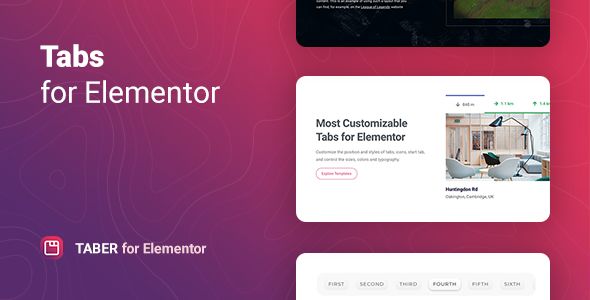
- Description
- Reviews
- FAQ
Unlock Advanced Content Organization with Taber – Tabs for Elementor
Are you struggling to display complex information on your WordPress site without overwhelming your visitors? Standard Elementor tabs are great, but they have limits. When you need to organize detailed product features, extensive documentation, or layered service offerings, you need a more powerful solution.
Meet Taber – Tabs for Elementor, the ultimate addon for creating sophisticated, beautiful, and highly functional tabbed content. This powerful widget extends Elementor’s capabilities, allowing you to build clear, user-friendly layouts that keep your audience engaged. Say goodbye to cluttered pages and hello to elegant, organized content.
With Taber, you can transform how users interact with your information. It’s not just another tabs widget; it’s a complete content organization system designed to improve user experience and boost conversion rates.
Key Features of Taber for Elementor
Taber is packed with features that give you complete control over your content’s presentation and performance. Here’s a glimpse of what makes it the best choice for your Elementor toolkit:
- Nested Tabs: Create advanced content hierarchies with tabs inside other tabs for ultimate organization.
- Vertical & Horizontal Layouts: Choose between classic horizontal tabs or modern vertical tabs to best suit your page design.
- AJAX-Powered Content Loading: Improve page speed by loading tab content only when it’s clicked, ensuring a faster initial load time.
- Deep Linking & URL Control: Link directly to a specific tab from any URL, guiding users exactly where they need to go.
- Advanced Styling & Custom Icons: Customize every aspect of your tabs, from colors and typography to borders and spacing. Use Font Awesome, SVG, or image icons.
- Fully Responsive & Mobile-Friendly: Ensure your tabs look and work perfectly on any device, with specific controls for desktop, tablet, and mobile views.
- WCAG 2.0 Accessible: Build inclusive websites with tabs that are compliant with modern accessibility standards, making your content available to everyone.
In-Depth Look: The Features That Set Taber Apart
Let’s dive deeper into the three standout features that make Taber an indispensable tool for any serious Elementor user. These capabilities go far beyond basic tabs, providing solutions to real-world design challenges.
Unleash Content Possibilities with Nested Tabs
The single most powerful feature of Taber is its ability to create nested tabs. This means you can place a set of tabs inside the content area of another tab. This opens up a world of possibilities for organizing complex data structures.
Imagine you have a product page. Your main tabs could be “Description,” “Features,” and “Technical Specs.” Within the “Features” tab, you could have a nested set of tabs for “Software,” “Hardware,” and “Connectivity.” This level of hierarchy keeps your page clean while providing immense detail to interested users. It’s perfect for documentation, online courses, and detailed service breakdowns.
Boost Page Speed with AJAX Content Loading
Website performance is critical for both SEO and user experience. Heavy pages with lots of content can load slowly, causing visitors to leave. Taber solves this problem with intelligent AJAX-powered content loading.
When enabled, this feature ensures that the content within a tab is only loaded from the server when a user actually clicks on it. This dramatically reduces the initial page load time, as the browser doesn’t have to render hidden content. A faster site leads to better Google rankings, lower bounce rates, and happier users.
Enhance User Experience with Deep Linking
Have you ever wanted to send a user directly to a specific piece of information hidden within a tab? With Taber’s Deep Linking feature, you can. The plugin automatically assigns a unique URL hash to each tab.
This allows you to create links that open a page and automatically activate a specific tab. It’s incredibly useful for customer support (e.g., “See the ‘Shipping’ tab on our FAQ page”), marketing campaigns, and creating a seamless navigation experience across your site. You guide users precisely where they need to be, removing friction and improving clarity.
Who Needs Taber for Elementor?
Taber is a versatile tool that benefits a wide range of WordPress users. If you use Elementor to build websites, you can leverage Taber to create better, more organized content.
Perfect for Freelancers and Agencies
Deliver more sophisticated and professional websites to your clients. Use Taber to neatly organize complex service offerings, case studies, and company information. The freedom to use it on multiple projects makes it an incredibly cost-effective addition to your development toolkit.
A Must-Have for eCommerce Stores
Clean up cluttered product pages. Use Taber to elegantly separate product descriptions, technical specifications, customer reviews, shipping policies, and size guides. A well-organized product page directly contributes to higher conversion rates.
Ideal for Bloggers and Content Creators
Structure long-form articles, tutorials, and guides in a more digestible format. Break down complex topics into logical sections using tabs, allowing readers to easily navigate to the parts that interest them most. This improves read-time and on-page engagement.
Why Choose This Version of Taber?
You have choices when it comes to acquiring WordPress plugins. Here’s why our GPL-licensed download of Taber – Tabs for Elementor is the smartest choice for developers, agencies, and entrepreneurs.
Unbeatable Value and Freedom
Official licenses often come with limitations—one site, one year of updates, and a high price tag. Our offering provides a different path. You get the full, complete version of the plugin under the GPL, giving you the freedom to use it on as many websites as you need, including client projects.
This model is significantly more cost-effective, allowing you to allocate your budget to other critical areas of your business. It’s the perfect way to access premium tools without the premium price.
Safe, Clean, and Original Code
We understand the importance of security. Every plugin we provide is 100% original, untouched, and free from any malware or malicious code. You are downloading the exact same file distributed by the original developer.
We simply redistribute the software under the General Public License (GPL), which legally allows us to do so. You can build your websites with confidence, knowing your foundation is secure and reliable.
Frequently Asked Questions (FAQ)
Is Taber – Tabs for Elementor compatible with the latest WordPress and Elementor versions?
Yes. The plugin is designed to work seamlessly with the latest versions of WordPress, Elementor, and Elementor Pro. We regularly update our files to ensure you have access to a version that maintains compatibility and includes the latest features.
Can I put an Elementor template or other complex widgets inside a Taber tab?
Absolutely. The content area of each tab functions like a mini Elementor editor. You can drag and drop any Elementor widget, including image carousels, forms, post grids, or even saved Elementor templates, directly into a tab. This gives you unlimited flexibility in your content design.
How do the vertical tabs behave on mobile devices?
Taber provides excellent responsive controls. For vertical tabs on smaller screens, you can choose to have them automatically convert to a more mobile-friendly horizontal layout or an accordion/toggle format. This ensures your content remains easy to navigate on any device.
Does Taber support right-to-left (RTL) languages?
Yes, the plugin is fully compatible with RTL languages like Arabic and Hebrew. The tab order and text alignment will automatically adjust to provide a natural user experience for RTL-based websites.
Is it safe to use this GPL version of the plugin on my website?
Yes, it is completely safe. The file you download is the original plugin, created by the developer and released under the GPL. It contains no modifications, ads, or malicious code. You are getting a clean, functional, and secure product.
Will I receive automatic updates for Taber?
Because you are not purchasing a license key from the original developer, you will not receive automatic in-dashboard updates. However, we provide you with access to all future updates as they are released. You can simply download the new version from your account and update the plugin manually on your WordPress site.
Why is this plugin available at such a low price?
Our business model is based on the redistribution of software under the GNU General Public License (GPL). This license allows for the free sharing and modification of software. We charge a small fee to cover our costs for acquiring, curating, and storing the plugins, making premium tools affordable for everyone.
Q: Do I need a license key?
A: No. All products are Pre-Activated. You can use 100% of the Premium features immediately.
Q: Can I use the One-Click Demo Import?
A: Yes, absolutely! We ensure the demo import feature works perfectly.
Q: Can I use the products on multiple websites?
A: Absolutely. The GPL license allows use on unlimited domains.
Q: Are the files safe?
A: Yes. All files are scanned by McAfee and VirusTotal before uploading.
Share Now!
Related Products






Related Products



Same Contributor


Featured Products


