
SecurePass – Password generator App | ADMOB, FIREBASE, ONESIGNAL

- Description
- Reviews
- FAQ
Launch Your Own Profitable Security App in Days, Not Months
In today’s digital world, online security is not a luxury; it’s a necessity. Millions of users are actively seeking tools to protect their digital lives. With the SecurePass – Password generator App | ADMOB, FIREBASE, ONESIGNAL source code, you can meet this demand head-on and launch a high-quality, monetized mobile application without writing a single line of code from scratch.
This isn’t just a template; it’s a complete, ready-to-launch business in a box. It solves the biggest problems for app entrepreneurs: massive development costs, long timelines, and the challenge of monetization. SecurePass provides a robust, feature-packed foundation for your next successful app venture.
Core Features of the SecurePass App
SecurePass is engineered with the end-user and the app owner in mind. Every feature is designed for maximum utility, security, and profitability.
- Advanced Password Generation Engine: Empower users to create virtually unbreakable passwords with customizable options, including length, uppercase, lowercase, numbers, and special symbols.
- Built-in Monetization with Google AdMob: Start earning from day one. The app comes pre-integrated with multiple AdMob ad formats, including Banner, Interstitial, Native, and App Open ads for a diversified revenue stream.
- Powerful User Engagement via OneSignal: Keep your users coming back. Send targeted push notifications to announce new features, share security tips, or promote offers directly through the integrated OneSignal SDK.
- Robust Firebase Backend Integration: Understand your users and improve your app with a full suite of Firebase tools. Includes Analytics, Crashlytics for bug tracking, and Remote Configuration for on-the-fly updates.
- Modern, Clean UI with Material Design 3: Deliver a premium user experience with a stunning interface built on Google’s latest design principles. Includes seamless support for both light and dark modes.
- Secure Local Password History: Users can securely save their generated passwords on their device for easy access. This feature operates entirely offline, ensuring maximum user privacy.
- Ready to Publish & Easy to Reskin: Built on clean, well-documented Kotlin code, this Android Studio project is incredibly easy to customize. Change the name, logo, colors, and package name to make it uniquely yours.
A Deeper Look at Key Functionality
Let’s explore the three pillars that make SecurePass a superior choice for any developer or entrepreneur.
Complete Monetization with Google AdMob
Why build an app if it can’t generate revenue? SecurePass is designed for profitability from the ground up. We’ve integrated the most effective Google AdMob ad formats to help you maximize your earning potential.
The strategic placement of Banner, Interstitial, and Native ads ensures high visibility without compromising the user experience. The App Open ad provides an immediate monetization opportunity every time a user launches the app. This comprehensive ad strategy turns your user base into a reliable source of passive income.
Powerful Backend & Analytics with Firebase
A successful app isn’t just launched; it’s managed and optimized. SecurePass gives you the tools to do just that with its deep Firebase integration. Use Firebase Analytics to understand user behavior, identify popular features, and make data-driven decisions.
When issues arise, Firebase Crashlytics provides real-time crash reports, allowing you to fix bugs before they impact your app’s rating. Furthermore, Firebase Remote Config lets you tweak app settings and content without needing to push a new update to the Play Store, giving you incredible agility.
Effortless Customization & Reskinning
Your brand is unique, and your app should be too. The SecurePass source code is built for easy white-labeling. The entire project is developed in Kotlin, the modern standard for Android development, ensuring performance and maintainability.
The code is clean, well-commented, and comes with comprehensive documentation. Even with basic Android Studio knowledge, you can easily change the app’s color scheme, logo, icons, and all text strings. This allows you to create a completely new, branded app and publish it to the Google Play Store in a fraction of the usual time.
Who is This App Source Code For?
This powerful tool is perfect for a wide range of individuals and businesses looking to enter the mobile app market efficiently.
- Aspiring App Entrepreneurs: Launch your first professional Android app without the risk and expense of hiring a development team.
- Freelance Developers: Use SecurePass as a high-quality boilerplate to quickly build and deliver security apps for your clients, saving you hundreds of hours.
- Digital Agencies: Diversify your revenue streams by publishing a portfolio of utility apps. Reskin SecurePass for different niches and markets.
- Marketers & Businesses: Create a branded utility app as a value-add for your customers, reinforcing your brand’s commitment to security.
Why Choose This GPL-Licensed Version?
Downloading the SecurePass source code from us offers distinct advantages you won’t find elsewhere. We focus on providing incredible value and freedom.
Unbeatable Price & Value
Developing a feature-rich application like SecurePass from scratch would cost thousands of dollars and months of work. Our price gives you access to the exact same high-quality code for a tiny fraction of the cost. This is the most cost-effective way to launch a premium app.
The Freedom to Innovate and Learn
Because this product is under a GPL license, you have the freedom to use it as you see fit. You can modify the code, use it as a learning tool to study professional Kotlin development, or deploy it for multiple personal or commercial projects. There are no restrictive license keys or limitations on how you can use the creative code.
Safe, Verified, and Original Code
We understand that security is paramount, especially for a password generator app. We guarantee that the source code you download is 100% original and has been scanned for any security vulnerabilities or malware. You can build and publish with confidence, knowing your foundation is secure.
Frequently Asked Questions (FAQ)
What version of Android Studio is required for SecurePass?
The SecurePass source code is built to be compatible with the latest stable versions of Android Studio. We recommend using Android Studio Giraffe or a newer version for the best experience, as it includes all the necessary Gradle plugins and SDK tools.
Can I change the AdMob ad unit IDs easily?
Absolutely. The AdMob ad unit IDs are centralized in a single configuration file within the project. The included documentation provides clear, step-by-step instructions on where to find this file and how to replace the demo IDs with your own.
Will I receive updates for the SecurePass app source code?
Yes. When you purchase from us, you get access to all future updates for this item for free. As the original developer releases new versions with bug fixes or new features, we make them available for you to download from your account dashboard.
Are the Firebase and OneSignal integrations mandatory to use the app?
No, they are not. While these integrations provide powerful features, the core password generation functionality works entirely offline. If you choose not to use analytics or push notifications, you can simply skip configuring them, and the app will still be fully functional.
Is it safe to use this code for a commercial app on the Google Play Store?
Yes, it is completely safe. The code is clean, original, and adheres to Google Play’s developer policies. The GPL license allows for commercial use, so you can confidently publish your customized version of the app and monetize it.
Do I need a license key to use the SecurePass app after downloading?
No. Our GPL-licensed products do not require any license keys for activation or use. Once you download the source code, you have the freedom to use it immediately without any restrictions or dependencies on external license servers.
Q: Do I need a license key?
A: No. All products are Pre-Activated. You can use 100% of the Premium features immediately.
Q: Can I use the One-Click Demo Import?
A: Yes, absolutely! We ensure the demo import feature works perfectly.
Q: Can I use the products on multiple websites?
A: Absolutely. The GPL license allows use on unlimited domains.
Q: Are the files safe?
A: Yes. All files are scanned by McAfee and VirusTotal before uploading.
Share Now!
Related Products
 Loyalty Reward Points Stamps Earning Customer Membership Saving Free Incentives Store Locator Finder$8.00
 Tile Connect – Unity Complete Game$6.00
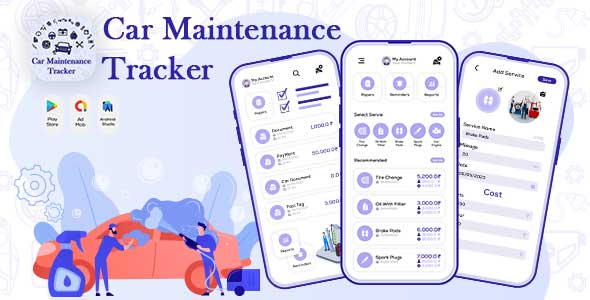 Vehicle Maintenance Tracker – Mileage Tracker – Vehicle Log – Car Maintenance App – Car Services$5.00
 Live Mic To Speaker – Bluetooth Mic To Speaker – Live Mobile Mic – Mic Amplifier$5.00
 Correct Spelling Grammar Check with AdMob Ads Android$5.00


Related Products
Same Contributor

Featured Products


