
Osteo Accordion for Elementor

- Description
- Reviews
- FAQ
Unlock Elegant Content Organization with Osteo Accordion for Elementor
Are you struggling to present large amounts of information clearly on your WordPress site? Cluttered pages can overwhelm visitors and hurt your site’s engagement and search engine rankings. This is where Osteo Accordion for Elementor steps in as your ultimate solution.
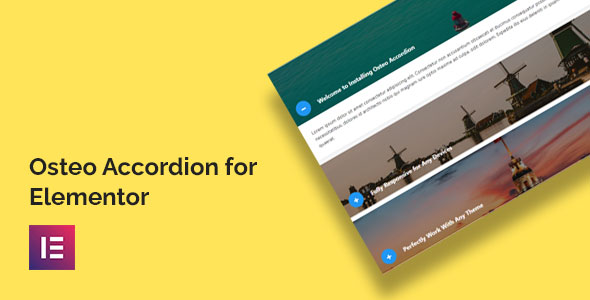
This powerful Elementor add-on empowers you to create stunning, interactive accordions that elegantly organize content. Say goodbye to information overload and hello to a seamless user experience. With Osteo Accordion for Elementor, you can transform complex data into easily digestible sections, making your website more professional and user-friendly.
Enhance your site’s structure, improve readability, and keep your visitors engaged longer. It’s the perfect tool for creating comprehensive FAQ sections, detailed product descriptions, service outlines, and much more.
Key Features of Osteo Accordion for Elementor
Discover the core functionalities that make Osteo Accordion for Elementor an indispensable tool for any Elementor user. These features are designed to give you maximum control and flexibility.
- Intuitive Drag-and-Drop Interface: Easily add and customize accordions directly within the Elementor visual builder. No coding required.
- Fully Responsive Design: Your accordions will look perfect on any device, from desktops to tablets and smartphones, ensuring a consistent user experience.
- Extensive Customization Options: Control every visual aspect, including colors, typography, icons, borders, and spacing, to match your brand’s aesthetic.
- Multiple Accordion Styles: Choose from various pre-designed layouts and animate options to find the perfect fit for your content and design.
- Dynamic Content Support: Integrate with Elementor Pro to display dynamic content within your accordion items, perfect for advanced use cases like knowledge bases.
- SEO-Friendly Structure: Proper HTML semantics for improved search engine visibility, especially for FAQ schemas.
- Lightweight & Performance Optimized: Built with clean code to ensure minimal impact on your website’s loading speed.
In-Depth Feature Analysis
Unrivaled Customization for Pixel-Perfect Design
With Osteo Accordion for Elementor, you gain complete control over the visual presentation of your content. This level of customization ensures your accordions seamlessly blend with your website’s existing design or stand out as a unique element.
You can fine-tune every detail, from the background color of inactive and active states to the typography of titles and content. Choose from a vast library of Google Fonts, adjust font sizes, weights, and line heights for optimal readability. You also have full control over border styles, shadows, and padding, allowing for a truly bespoke look.
Beyond basic styling, Osteo Accordion for Elementor allows you to select custom icons for the accordion toggles. This includes options for icon position (left or right), size, and color. The ability to precisely match your brand’s identity is paramount for a professional website, and this plugin delivers exactly that.
Seamless Responsiveness Across All Devices
In today’s mobile-first world, ensuring your website looks and functions flawlessly on every device is non-negotiable. Osteo Accordion for Elementor is built from the ground up with responsiveness in mind, guaranteeing an optimal viewing experience for all your visitors.
Whether your users are browsing on a large desktop monitor, a tablet, or a compact smartphone, your accordions will automatically adapt. This includes intelligent resizing of elements, appropriate spacing adjustments, and touch-friendly interactions. You won’t need to manually configure separate settings for different screen sizes.
This inherent responsiveness not only improves user experience but also positively impacts your SEO. Search engines prioritize mobile-friendly websites, and Osteo Accordion for Elementor helps you meet those critical performance metrics. Deliver a consistent, accessible, and professional experience to every visitor, regardless of their device.
Boost SEO and User Experience with Semantic Structure
Organizing content effectively with accordions isn’t just about aesthetics; it’s a powerful strategy for both SEO and user experience. Osteo Accordion for Elementor is designed with semantic HTML, which helps search engines better understand your content.
For instance, using accordions for FAQ sections can be particularly beneficial. Google often pulls these into rich snippets, directly answering user queries in search results. The clear, hierarchical structure provided by accordions makes it easier for search engine crawlers to parse your information, potentially leading to higher rankings and increased organic traffic.
From a user perspective, accordions prevent content overload by hiding less immediately critical information until needed. This reduces visual clutter and allows users to quickly find the specific answers or details they’re looking for. A positive user experience, characterized by easy navigation and information retrieval, often translates into lower bounce rates and higher engagement, which are further positive signals for SEO.
Who Is Osteo Accordion for Elementor Perfect For?
This versatile Elementor add-on caters to a wide range of users and website types, significantly enhancing content presentation and user interaction.
- Freelance Web Designers: Quickly build professional-looking websites for clients with complex content needs, saving valuable development time.
- Digital Marketing Agencies: Create high-converting landing pages and service pages with clearly organized information, improving client results.
- E-commerce Stores: Display detailed product specifications, shipping information, size guides, and FAQs without overwhelming product pages.
- Bloggers & Content Creators: Break down lengthy articles into digestible sections, making content more engaging and easier to read.
- Small Business Owners: Present services, testimonials, pricing, and contact information efficiently, enhancing their online presence.
- Online Educators & Course Creators: Organize course modules, lesson details, and supplementary materials in an accessible and structured format.
- Anyone Using Elementor: If you’re already leveraging Elementor for your website, Osteo Accordion is a natural and powerful extension to your toolkit.
Why Choose This Version of Osteo Accordion for Elementor?
When considering an Elementor add-on like Osteo Accordion, you have options. Choosing our version provides significant advantages, especially if you value flexibility, affordability, and the ability to build without limits.
This version of Osteo Accordion for Elementor offers you the freedom to use it on an unlimited number of websites. Whether you’re a freelancer managing multiple client sites or an agency building a portfolio of projects, this means unparalleled value. You acquire a powerful tool once and deploy it everywhere you need it, eliminating recurring license fees for each new project.
Beyond the cost-effectiveness, you gain peace of mind knowing you’re using code that adheres to open-source principles. This means the underlying code is often more transparent and robust. You’re investing in a solution that empowers you to create exceptional web experiences without vendor lock-in or restrictive usage terms.
This approach significantly reduces your long-term operational costs and gives you the autonomy to manage your projects as you see fit. Embrace the power of Osteo Accordion for Elementor and build with complete creative and financial freedom.
Frequently Asked Questions about Osteo Accordion for Elementor
Here are some common questions about Osteo Accordion for Elementor, covering its functionality, compatibility, and usage.
Does Osteo Accordion for Elementor work with the latest version of Elementor?
Yes, Osteo Accordion for Elementor is regularly updated to ensure full compatibility with the latest stable versions of both Elementor and Elementor Pro. We strive to keep the plugin current, so you can leverage new Elementor features alongside your accordions.
Can I use custom icons for the accordion toggles?
Absolutely! Osteo Accordion for Elementor provides extensive options for icon customization. You can choose from Elementor’s default icon libraries, Font Awesome, or even upload your own custom SVG icons to perfectly match your design aesthetic.
Is Osteo Accordion for Elementor optimized for page load speed?
Yes, performance is a key consideration. Osteo Accordion for Elementor is built with clean, lightweight code to minimize its impact on your website’s loading speed. It only loads necessary scripts and styles when an accordion is present on the page, ensuring optimal performance.
How does this version of Osteo Accordion for Elementor handle updates?
While this version offers significant freedom, you will need to manually update the plugin. We recommend regularly checking for new versions on our platform to ensure you have the latest features, bug fixes, and security enhancements.
Can I use dynamic content within the accordion items?
Yes, if you are using Elementor Pro, you can leverage its dynamic content features within the content area of your Osteo Accordion items. This allows for advanced use cases, such as displaying custom field data or post content dynamically.
Is it safe to use this version of Osteo Accordion for Elementor on client websites?
Absolutely. Our version of Osteo Accordion for Elementor is derived from the original, legitimate software. It is fully functional and safe to use on client websites without any restrictions. This gives you the freedom to build and deploy without additional licensing concerns.
What kind of support is available for Osteo Accordion for Elementor?
While we provide the product for its benefits, direct technical support from the original developer is not included with this version. However, you can often find extensive documentation, community forums, and tutorials online for Elementor add-ons, which can be very helpful for common queries.
Can I create nested accordions with Osteo Accordion for Elementor?
While Osteo Accordion for Elementor excels at creating single-level accordion structures, Elementor’s nesting capabilities allow for creative solutions. You can place an entire Elementor template, which might contain another accordion, within an accordion item if designed carefully.
Does Osteo Accordion for Elementor include any animation options?
Yes, it offers various animation and transition options for when accordion items expand or collapse. You can control the speed and easing of these animations to create a smooth and engaging user experience, adding a touch of professionalism to your content.
What if I encounter an issue or bug with Osteo Accordion for Elementor?
We strive to provide fully functional and stable products. If you believe you’ve encountered a bug, please check for the latest version first. Many issues are resolved in updates. For more complex problems, Elementor’s robust community and documentation are excellent resources.
Q: Do I need a license key?
A: No. All products are Pre-Activated. You can use 100% of the Premium features immediately.
Q: Can I use the One-Click Demo Import?
A: Yes, absolutely! We ensure the demo import feature works perfectly.
Q: Can I use the products on multiple websites?
A: Absolutely. The GPL license allows use on unlimited domains.
Q: Are the files safe?
A: Yes. All files are scanned by McAfee and VirusTotal before uploading.
Share Now!
Related Products


Related Products


Same Contributor


Featured Products


