
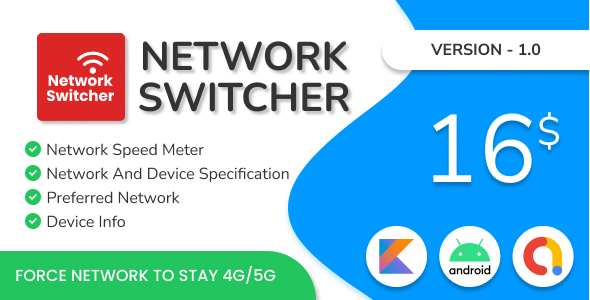
Network Switcher Kotlin App – Admob, Kotlin

- Description
- Reviews
- FAQ
Unlock a Powerful Mobile Utility with the Network Switcher Kotlin App
Are you looking to launch a practical and in-demand Android application? The Network Switcher Kotlin App – Admob, Kotlin provides a complete, ready-to-launch solution for developers and entrepreneurs. This app template solves a common user problem: the need for quick and easy access to network settings.
In a world of complex menus, this app offers a streamlined shortcut, allowing users to toggle WiFi, Mobile Data, and other connection settings directly. Built with modern Kotlin and integrated with Google AdMob, it’s not just a utility; it’s a monetizable business-in-a-box.
Get instant access to the full source code and build your own powerful utility app for the Google Play Store today. This is the smart, cost-effective way to get started in the app development world.
Key Features of the Network Switcher App
This Android Studio project is packed with essential features designed for both a great user experience and easy developer customization. Here’s what makes it stand out:
- Modern Kotlin Codebase: Built entirely in Kotlin, the preferred language for modern Android development, ensuring performance, safety, and maintainability.
- AdMob Monetization Ready: Comes with pre-integrated AdMob banner and interstitial ads. Simply add your Ad ID to start generating revenue immediately.
- Clean & Intuitive UI: A minimalist and user-friendly interface that makes navigating and switching network settings incredibly simple for any user.
- Android Studio Compatible: The full source code is provided in a clean Android Studio project, making it easy to open, edit, and compile.
- Splash Screen: Includes a professional splash screen to enhance your app’s branding and provide a smooth loading experience for users.
- Rate App & Share App Functionality: Encourage user engagement and organic growth with built-in prompts to rate the app on the Play Store and share it with friends.
- Privacy Policy Included: A necessary component for Google Play compliance, the privacy policy section is already set up for you to link to your own.
In-Depth Feature Analysis
Let’s dive deeper into the core components that make this app template a powerful tool for any developer.
Built for Effortless Monetization with AdMob
The primary goal for many app publishers is revenue generation. The Network Switcher Kotlin App is engineered for this purpose from the ground up. It seamlessly integrates Google AdMob, the leading mobile advertising platform.
The implementation includes both banner ads for constant visibility and interstitial ads for high-impact impressions at key moments in the user journey. The code is structured so that you only need to replace the placeholder Ad IDs with your own to activate monetization. This turnkey solution saves you hours of development time and lets you focus on marketing your app.
Developed with Modern, Clean Kotlin
Say goodbye to legacy Java projects. This app is built using 100% Kotlin, Google’s official language for Android development. This means you benefit from concise syntax, null safety features that prevent common crashes, and improved performance.
The source code follows modern Android development practices, making it clean, readable, and easy to modify. Whether you want to reskin the app with your own branding or add new features, the logical structure of the project will make the process smooth and efficient. This is a perfect learning tool for those new to Kotlin or a solid foundation for experienced developers.
A Focus on Superior User Experience (UX)
A utility app’s success depends on its simplicity and effectiveness. This app template provides a direct shortcut to the phone’s core network settings pages. Due to modern Android security restrictions, apps can no longer toggle data programmatically, but this app provides the next best thing: a one-tap shortcut to the exact system screen.
This saves users from navigating through multiple complex menus. The clean interface, combined with a fast-loading splash screen and intuitive buttons, ensures a frustration-free experience that will keep users coming back.
Who is the Network Switcher App For?
This versatile app template is the perfect starting point for a wide range of individuals and goals.
Android Developers & Freelancers
Stop building from scratch. Use this robust Kotlin template as a foundation for your next utility app. Save hundreds of development hours and deliver high-quality, monetizable apps to your clients or for your own portfolio faster than ever.
Digital Entrepreneurs
Want to enter the lucrative app market without a massive upfront investment in custom development? This source code allows you to launch a proven and useful app on the Google Play Store quickly. Just reskin it, add your AdMob keys, and you’re ready to publish.
Students & Aspiring Developers
Learn modern Android development by studying a real-world application. Analyze a clean Kotlin codebase, understand how AdMob is properly implemented, and see how a complete project is structured for release on the Play Store. It’s a practical and affordable way to enhance your skills.
Why Choose Our GPL-Licensed Version?
You have choices when acquiring app source code. Here’s why our version of the Network Switcher Kotlin App – Admob, Kotlin offers unparalleled value and freedom.
Incredible Cost Savings
Get the exact same high-quality code and functionality as the original developer’s version, but at a fraction of the price. We make premium tools accessible to everyone, from students to established agencies, without compromising on quality.
The Freedom of GPL
This product is distributed under the GNU General Public License (GPL). This doesn’t just mean it’s affordable; it means you have the freedom to use it on as many projects as you wish. There are no restrictive single-site licenses or ongoing subscription fees. You buy it once and have the freedom to innovate.
Verified Safe and Original Code
We ensure that the files you download are 100% original and free from any malware or modifications. You receive the authentic source code, allowing you to build your application with complete peace of mind and security.
Frequently Asked Questions
What do I need to edit this app?
You will need the latest version of Android Studio, which is the official IDE for Android development. The project is self-contained, and all necessary Gradle files are included. A basic understanding of Kotlin and XML for layout modifications is recommended.
Can I change the app name, package name, and icons?
Absolutely. That’s the primary purpose of this template. The project is structured to make rebranding simple. You can easily change the application name, package ID (essential for publishing on Google Play), app icon, and color scheme through Android Studio’s standard refactoring and resource tools.
How do I integrate my own AdMob ad units?
The process is very straightforward. Inside the source code, there is a dedicated configuration file (usually `strings.xml` or a separate constants file) where the placeholder AdMob IDs are stored. You simply need to replace these placeholders with your own Banner and Interstitial Ad Unit IDs from your AdMob account.
Will I receive updates for this app template?
Yes. Whenever the original author releases an update, we make it available for you to download from your account at no additional cost. This ensures your app can stay compatible with the latest Android versions and development practices.
Is this app compliant with Google Play Store policies?
The template is built following standard Android development guidelines. However, you are responsible for ensuring your final published app complies with all Google Play policies, including providing a valid privacy policy and ensuring ad implementation is not intrusive.
Is it safe to use this GPL-licensed source code?
Completely. The GPL is a widely used and respected open-source license. We provide you with the original, untouched code from the developer. It’s a secure and legitimate way to access premium software while respecting the principles of open-source distribution.
Do you provide technical support for coding issues?
To keep our prices incredibly low, we do not provide direct technical or coding support. We provide the original, working source code and guarantee it’s authentic. For customization help, you would need to rely on your own development knowledge or hire a freelancer.
Q: Do I need a license key?
A: No. All products are Pre-Activated. You can use 100% of the Premium features immediately.
Q: Can I use the One-Click Demo Import?
A: Yes, absolutely! We ensure the demo import feature works perfectly.
Q: Can I use the products on multiple websites?
A: Absolutely. The GPL license allows use on unlimited domains.
Q: Are the files safe?
A: Yes. All files are scanned by McAfee and VirusTotal before uploading.
Share Now!
Related Products
 CV Maker and Resume Builder App$5.00
 ImageAI AI Art Generator with AdMob Ads Android$5.00
 Loops Photo Motion Live Wallpaper – Moving Pictures – 3D Pictures Animation – 3D Photo Motion Maker$5.00
 DIY Emoji Maker For – Make Emoji From Your Face – Personal Animated – Create Sticker Emoji – Admob$5.00
 Bubble Cash Rewards – Play & Win Laravel Admin$5.00



Related Products
Same Contributor


Featured Products


