
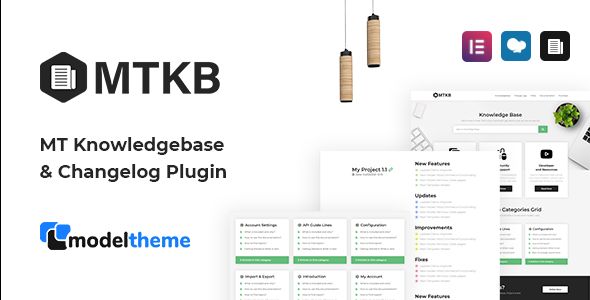
MT Knowledgebase & Changelog WordPress Plugin
- Description
- Reviews
- FAQ
Build Trust and Reduce Support Tickets with the MT Knowledgebase & Changelog WordPress Plugin
Are you tired of answering the same customer questions over and over? Do you struggle to effectively communicate new features and bug fixes for your products? The MT Knowledgebase & Changelog WordPress Plugin is the ultimate all-in-one solution designed to solve these exact problems, transforming your customer support and product communication.
This powerful plugin allows you to create a beautiful, searchable, and professional-grade knowledgebase directly on your WordPress site. At the same time, it provides a streamlined way to publish and display detailed changelogs for your software, themes, or plugins. Empower your users with self-service support and keep them informed about your product’s evolution.
Stop losing time to repetitive support requests and start building a valuable resource that your customers will love. This plugin is your key to better documentation, happier users, and a more efficient workflow.
Key Features of the MT Knowledgebase & Changelog Plugin
This plugin is packed with features to help you create a world-class documentation and update system. Here are some of the highlights that set it apart:
- Dedicated Post Types: Keeps your knowledgebase articles and changelog entries separate from your regular blog posts and pages for better organization.
- Lightning-Fast AJAX Search: Provides instant, live search results as users type, helping them find answers in seconds without leaving the page.
- Built-in Voting System: Allows users to vote articles as “helpful” or “not helpful,” giving you valuable feedback to improve your documentation.
- Automatic Table of Contents: Generates a table of contents for your articles based on headings, making long-form guides easy to navigate.
- Page Builder Friendly: Enjoy seamless integration with the WordPress Block Editor (Gutenberg) and popular page builders like Elementor for total design freedom.
- Fully Customizable Design: Easily control colors, layouts, slugs, and other display settings directly from the WordPress customizer to match your brand perfectly.
- SEO-Optimized Structure: Built with search engine optimization in mind, helping your valuable support content rank higher in Google and attract more organic traffic.
In-Depth Feature Analysis
Let’s dive deeper into the three most impactful features that make this plugin an essential tool for any serious business or developer.
Powerful AJAX Live Search Engine
The core of any great knowledgebase is its searchability. The MT Knowledgebase plugin includes a sophisticated AJAX-powered search bar that delivers instant results. As a user begins typing their query, relevant articles appear immediately below the search box.
This functionality dramatically improves the user experience by eliminating page reloads and providing immediate answers. By helping users find solutions on their own, you significantly reduce the number of incoming support tickets, freeing up your team to focus on more complex issues.
Seamless Page Builder Integration
Forget being locked into a rigid, predefined layout. This plugin was built for the modern WordPress ecosystem and offers deep integration with both the native Gutenberg block editor and the industry-leading Elementor page builder. It provides dedicated widgets and blocks to display your knowledgebase and changelog content anywhere on your site.
This means you have complete creative control. You can design stunning, on-brand documentation pages using the familiar drag-and-drop tools you already know and love. No coding skills are required to create a professional and highly functional help center.
Integrated User Feedback and Voting
How do you know if your documentation is actually helpful? The MT Knowledgebase plugin solves this with a simple yet powerful built-in voting system. At the end of each article, users can click a thumbs-up or thumbs-down icon to provide instant feedback.
This data is invaluable. It allows you to quickly identify your most successful articles and, more importantly, pinpoint which documents are confusing or incomplete. By focusing your efforts on improving low-rated articles, you can continuously enhance the quality of your support portal and increase customer satisfaction.
Who is This Plugin Perfect For?
The versatility of the MT Knowledgebase & Changelog plugin makes it an ideal choice for a wide range of users.
For Plugin & Theme Developers
Provide professional documentation for your products. Use the changelog feature to clearly communicate version updates, new features, and bug fixes, which builds customer confidence and trust.
For SaaS and Software Companies
Create a comprehensive help center or support portal for your application. Reduce churn by empowering users to find answers to their questions 24/7 without needing to contact your support team.
For E-commerce Stores
Build a detailed FAQ and help section covering topics like shipping, returns, product usage, and payment issues. A great knowledgebase can reduce pre-sale questions and cart abandonment.
For Digital Agencies and Freelancers
Offer a powerful, cost-effective documentation solution to your clients. This plugin is a fantastic value-add that helps your clients manage their own customer support more efficiently.
Why Download Our Version? The Smart Choice
You have options, so why choose this version of the MT Knowledgebase & Changelog WordPress Plugin? The answer is a combination of unmatched value and freedom.
- Incredible Cost-Effectiveness: Access the exact same premium plugin with all its powerful features, but at a significantly lower price point. This allows you to allocate your budget to other essential areas like marketing or development.
- The Freedom of the GPL License: You are not restricted by “per-site” license keys. Use this plugin on one website, ten websites, or a hundred websites—for yourself or your clients. The freedom is yours.
- Safe, Verified, and Original Code: We provide the authentic code distributed by the original developer under the GPL. Our files are 100% free from malware, viruses, or any malicious modifications, ensuring the security of your website.
- Empower Your Growth: By choosing a more affordable solution without sacrificing quality, you gain a competitive advantage. Reinvest the savings to scale your business faster and more efficiently.
Frequently Asked Questions (FAQ)
Does MT Knowledgebase & Changelog Plugin work with popular themes like Avada or Astra?
Absolutely. The plugin is built using WordPress standards and is designed to be compatible with all well-coded themes, including major players like Avada, Astra, Divi, and OceanWP. It also offers specific integration with Elementor, which is a core feature of many modern themes.
Can I customize the colors, fonts, and layout to match my brand?
Yes. The plugin provides extensive customization options directly within the WordPress Customizer. You can easily adjust colors, typography, layout styles, and even the URL slugs for your knowledgebase and changelog sections to ensure a seamless look and feel with the rest of your site.
Does this plugin help with SEO for my support articles?
It certainly does. The plugin creates clean, crawlable URLs and uses a proper HTML structure that search engines like Google can easily understand. By creating high-quality, helpful content in your knowledgebase, you can rank for long-tail keywords your customers are searching for, driving valuable organic traffic to your site.
How do I receive updates for the plugin?
When you purchase from us, you get access to all future updates for one year. We regularly check for new versions from the original author and make them available for you to download directly from your account dashboard on our website. This ensures your plugin remains secure and compatible.
Is it safe to use this GPL version of the MT Knowledgebase plugin?
Yes, it is completely safe. We acquire and redistribute the original, untouched plugin files directly from the developer. The code is not altered in any way, meaning it is just as secure as purchasing from the original source. We guarantee our files are 100% free of malware and viruses.
Can I import existing posts or pages into the knowledgebase format?
The plugin uses custom post types (‘knowledgebase’ and ‘changelog’). While there isn’t a one-click import button, you can easily use a free post-type converter plugin to change your existing posts or pages to the new format. This process is straightforward and allows you to migrate existing content quickly.
What kind of support is included with this purchase?
We provide technical support related to the installation and setup of the plugin on your WordPress website. While we cannot provide author-specific support for feature usage (e.g., “how do I use this feature?”), we ensure the plugin installs and works as described. The plugin’s own comprehensive documentation will guide you on its features.
Q: Do I need a license key?
A: No. All products are Pre-Activated. You can use 100% of the Premium features immediately.
Q: Can I use the One-Click Demo Import?
A: Yes, absolutely! We ensure the demo import feature works perfectly.
Q: Can I use the products on multiple websites?
A: Absolutely. The GPL license allows use on unlimited domains.
Q: Are the files safe?
A: Yes. All files are scanned by McAfee and VirusTotal before uploading.
Share Now!
Related Products




Related Products



Same Contributor



Featured Products


