
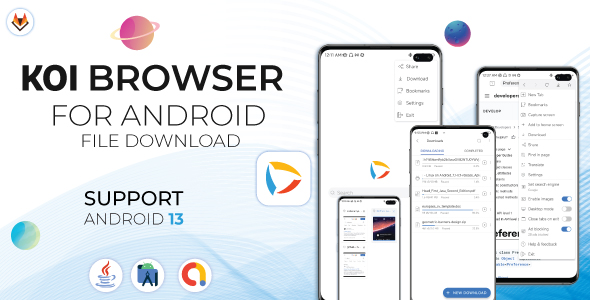
Koi Private Browser – Incognito Browser – Secure Browser and Adblock

- Description
- Reviews
- FAQ
Reclaim Online Privacy: Launch Your Own Secure Mobile Browser App
In today’s digital world, users are tired of constant tracking, intrusive ads, and their data being harvested. They are actively seeking safer alternatives. With the Koi Private Browser – Incognito Browser – Secure Browser and Adblock app source code, you can provide the ultimate solution and tap into this massive market.
This isn’t just another browser template; it’s a complete, feature-rich foundation for building a high-performance, privacy-first Android browser. Stop building from scratch and start with a professional codebase designed for security, speed, and easy monetization. Give your users the clean, fast, and secure browsing experience they deserve.
Key Features of Koi Private Browser
Empower your next app project with a suite of powerful, in-demand features. This source code is packed with everything you need to launch a competitive private browser on the Google Play Store.
- Powerful Built-in AdBlock: Automatically blocks annoying ads, pop-ups, and banners for a faster, cleaner web experience.
- Advanced Tracker Blocking: Prevents invasive advertising and analytics trackers from following users across the web.
- True Incognito Mode: All browsing data, including history, cookies, and session information, is instantly wiped upon exit.
- Optimized for Speed: A lightweight and efficient codebase ensures swift startup times and smooth page loading, even on older devices.
- Multi-Tab Management: An intuitive interface allows users to easily manage multiple tabs without performance loss.
- Developer-Ready & Easy to Reskin: Built with clean, well-commented code, making customization and rebranding in Android Studio a breeze.
- AdMob Monetization Ready: Seamlessly integrate Google AdMob ads to generate revenue from your app right out of the box.
A Deeper Look at Core Functionality
Let’s explore the three pillars that make the Koi Private Browser source code a superior choice for developers and entrepreneurs.
Advanced Ad & Tracker Protection
The built-in ad blocker is more than a simple filter. It utilizes robust, updated filter lists to effectively eliminate most forms of online advertising. This directly translates to a better user experience.
Pages load significantly faster, mobile data consumption is reduced, and the risk of malvertising (malicious ads) is neutralized. By offering this powerful feature, your app instantly becomes more attractive than standard mobile browsers.
A Truly Private Browsing Experience
Many browsers offer a “private mode” that still leaves traces behind. Koi Private Browser is designed from the ground up for true anonymity. When a user closes the app, there is zero persistence of their activity.
This means no history logs, no leftover cookies, and no cached files are saved on the device. It provides users with genuine peace of mind, knowing their online activities remain completely private and confidential.
Effortless Customization and Monetization
This source code is an incredible asset for any developer. The project is meticulously organized and structured for easy modification within Android Studio. You can quickly change the app’s name, color scheme, logo, and package name to create a unique product.
Furthermore, the pre-integrated AdMob functionality saves you hours of development time. Simply add your own Ad IDs, and you’re ready to start earning revenue. The freedom provided by the GPL license means you can build, modify, and launch without restrictive single-use licenses.
Who is This App Source Code For?
The Koi Private Browser codebase is a versatile tool for a wide range of creators and businesses in the mobile app space.
- App Entrepreneurs: The perfect starting point for launching a new venture in the high-demand privacy and utility app market.
- Indie Developers: Create a passive income stream with a polished, professional app without investing months in development.
- Development Agencies: Use this as a reliable boilerplate to rapidly build custom browsers for clients, saving time and increasing profitability.
- Marketers & Businesses: Launch a branded browser for your company or community, providing a useful tool that keeps your brand visible.
Why Choose Our GPL-Licensed Version?
You have choices when acquiring app source code. Here’s why our version of Koi Private Browser – Incognito Browser – Secure Browser and Adblock provides unmatched value.
The Freedom to Build Without Limits
Standard licenses from marketplaces often restrict you to a single end product. That’s incredibly limiting. Our GPL-licensed version gives you the freedom to use the code on as many projects as you wish. Build one app or a hundred—the choice is yours.
Incredible Cost-Effectiveness
Why pay a premium price for a restricted license? We provide the exact same high-quality, original code at a fraction of the cost. This allows you to allocate your budget to other crucial areas, like marketing your new app, instead of expensive licensing fees.
Safe, Verified, and Original Code
We ensure that the code you download is 100% original and free from any malware or modifications. You get the professional, secure foundation you need to build a trustworthy application for your users. Peace of mind is built-in.
Frequently Asked Questions (FAQ)
Is the Koi Private Browser source code compatible with the latest version of Android Studio?
Yes, absolutely. The code is maintained to be compatible with the latest stable releases of Android Studio. We ensure you can import the project and begin customization without facing compatibility issues or gradle errors.
How difficult is it to reskin the app and change the branding?
It’s designed to be straightforward for anyone with basic Android development knowledge. Key assets like logos and color values are centrally located, and the documentation provides clear guidance on where to make changes for a complete rebrand.
Will I receive future updates for this app source code?
When you purchase from us, you get access to updates for one year. We regularly check for new versions from the original developer and make them available to you, ensuring your app can benefit from the latest security patches and features.
Can I integrate other ad networks besides AdMob?
Yes. While the code comes with a pre-built AdMob integration for convenience, the code is fully accessible. A competent developer can modify the source to integrate any other mobile ad network of their choice, such as Meta Audience Network or AppLovin.
Is it safe to use this GPL-licensed code for a commercial app on the Play Store?
Of course. The code we provide is the original, secure code from the developer. The GPL license grants you the legal freedom to modify, use, and distribute your creations. Building a successful commercial app is a fantastic and intended use for this product.
Does the ad blocker use standard filter lists that can be updated?
Yes, the ad blocker functionality is built upon standard, publicly available filter lists. This ensures a high degree of effectiveness. The codebase can also be modified by a developer to point to different or updated filter list sources as needed.
Q: Do I need a license key?
A: No. All products are Pre-Activated. You can use 100% of the Premium features immediately.
Q: Can I use the One-Click Demo Import?
A: Yes, absolutely! We ensure the demo import feature works perfectly.
Q: Can I use the products on multiple websites?
A: Absolutely. The GPL license allows use on unlimited domains.
Q: Are the files safe?
A: Yes. All files are scanned by McAfee and VirusTotal before uploading.
Share Now!
Related Products
 Medieval Blast – (Unity – Admob – Game)$5.00
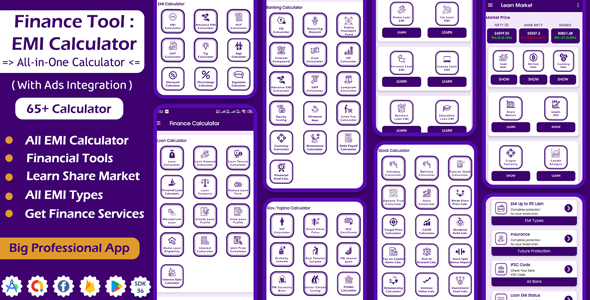 Finance Tool – EMI Calculator – Learn Share Market – Android App with Ads Integration$5.00
 BillHost: All-in-One Web Hosting Billing Management Solution | Affiliate Program | Payment Gateways$5.00
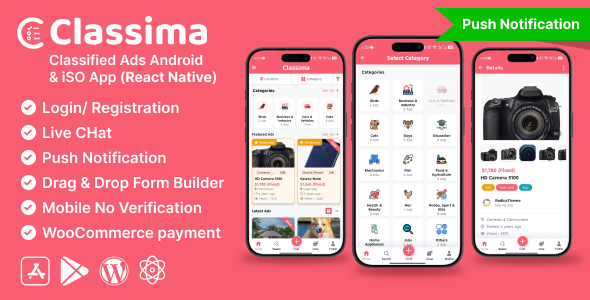 Classima – Classified ads Android & iOS App$8.00
 Chat AI: AI Assistant Chatbot App | Prompt Helper$5.00



Related Products
Same Contributor



Featured Products


