
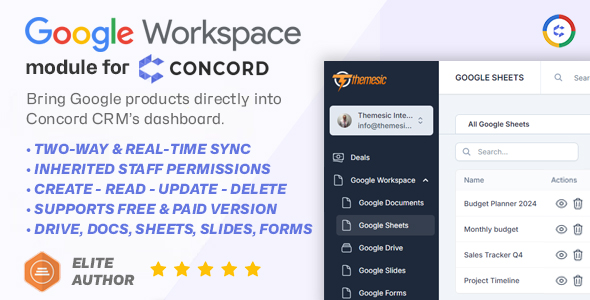
Google Workspace Integration Module for Concord CRM – Google Drive, Sheets, Docs, Forms & Slides

- Description
- Reviews
- FAQ
Unify Your Workflow: The Ultimate Google Workspace Integration Module for Concord CRM
Are you tired of switching between tabs? Do you waste valuable time manually copying data from Google Sheets to your CRM? The constant back-and-forth between your sales hub and your productivity suite kills efficiency and creates room for error.
Meet the definitive solution. The Google Workspace Integration Module for Concord CRM – Google Drive, Sheets, Docs, Forms & Slides is a powerful tool designed to bridge the gap between your CRM and your favorite Google apps. It automates tedious tasks, centralizes your documents, and gives your team a single source of truth.
Stop juggling applications and start closing deals. This integration brings the full power of Google’s collaborative tools directly into your Concord CRM dashboard, creating a seamless and productive environment.
Core Features at a Glance
Unlock unparalleled efficiency with a suite of powerful integrations. This module is more than just a connector; it’s a complete workflow automation engine for your sales and client management processes.
- Google Drive Integration: Directly attach files and create dedicated client folders from within Concord CRM.
- Automated Google Forms Lead Capture: Instantly create new contacts and deals in your CRM whenever a Google Form is submitted.
- Dynamic Google Sheets Sync: Automatically add new rows to Google Sheets for new deals, contacts, or companies for advanced reporting.
- Google Docs Template Generation: Create and link customized Google Docs (like proposals or contracts) for any record in your CRM.
- Google Slides Presentation Creation: Generate tailored sales presentations from templates directly linked to a deal or company.
- Secure OAuth 2.0 Authentication: Connect your Google Account with confidence using industry-standard secure protocols.
- Centralized Document Access: Keep all client-related files, documents, and presentations neatly organized and accessible within the relevant CRM record.
In-Depth Feature Analysis
Let’s explore how the three most powerful features of this module will revolutionize your daily operations and boost your team’s productivity.
Automated Lead Capture with Google Forms
Imagine your lead generation process on autopilot. With this integration, you can connect any Google Form directly to Concord CRM. When a potential customer fills out your contact or inquiry form, the magic happens instantly.
The module automatically creates a new contact, a new deal, and even associated activities in your pipeline. This eliminates manual data entry, reduces the risk of human error, and ensures your sales team can follow up on new leads in record time. It’s the most efficient way to turn website visitors into qualified leads without lifting a finger.
Centralized Document Management in Google Drive
Say goodbye to scattered files and chaotic folders. The Google Drive integration brings order to your document management. You can link any existing Google Drive file or folder to a contact, company, or deal record in Concord CRM.
Even better, you can configure the module to automatically create a new, dedicated Google Drive folder for each new client or deal. All your contracts, proposals, notes, and assets are stored in one logical place, accessible directly from the CRM interface. This ensures your entire team has access to the right documents at the right time, creating a seamless and professional client experience.
Powerful Reporting with Google Sheets
Unlock the data in your CRM for powerful analysis and reporting. This module allows you to push data from Concord CRM to Google Sheets automatically. For example, you can create a rule that adds a new row to a specific spreadsheet every time a deal is marked as “Won”.
This feature is perfect for creating custom sales dashboards, sharing progress with stakeholders who don’t have CRM access, or performing complex data analysis. It turns your static CRM data into a dynamic, shareable, and actionable resource for business intelligence.
Who is This Module For?
This integration is a game-changer for any individual or team using Concord CRM. It’s built to enhance productivity across various industries.
- Sales Teams: Streamline your sales pipeline by automating lead entry and centralizing all deal-related documents for quick access.
- Marketing Agencies: Manage client projects, proposals, and campaign assets seamlessly. Use Google Forms to capture leads from landing pages directly into your CRM.
- Freelancers & Consultants: Keep all client communications, contracts, and project files organized in one place, linking your work directly to your client records.
- Real Estate Agents: Organize property documents, client agreements, and contracts within Concord CRM, ensuring every detail is tracked and accessible.
- Small Business Owners: Maximize efficiency with a small team by automating data entry and creating a unified hub for all customer information and files.
Why Download Our Version? The Freedom & Value Advantage
You have choices, so why choose this one? We believe in providing exceptional value and freedom, powered by the GPL license.
The Most Cost-Effective Choice
Get the exact same premium functionality and robust features found in the official version but at a significantly lower price. Our model allows you to invest your savings back into other critical areas of your business without compromising on quality.
Freedom to Innovate
This module is released under the GNU General Public License (GPL). This means you have the freedom to use, modify, and customize the code to perfectly fit your company’s unique workflow. You are not locked into a restrictive license or a single vendor.
Safe, Clean, and Original Code
We provide you with the original, untouched files. Our products are 100% free from malware, viruses, and advertisements. You get a clean, secure, and stable integration you can trust for your business-critical operations.
Frequently Asked Questions
Does the Google Workspace Integration Module for Concord CRM work with the latest version?
Yes. We ensure our modules are tested and compatible with the latest stable releases of Concord CRM. We regularly update our products to maintain seamless functionality as the core CRM evolves.
How does the Google Forms integration map fields to Concord CRM?
The module provides an intuitive interface where you can map your Google Form questions to specific fields in Concord CRM. For example, you can map the “Email Address” field in your form directly to the “Contact Email” field in the CRM, ensuring data is captured accurately.
Is it safe to use this GPL version of the module?
Absolutely. We provide the original, unaltered code as released by the developer. The files are scanned and verified to be free of any malicious code, ensuring a secure and reliable experience. The GPL is a widely trusted, open-source license.
Can I link existing Google Drive folders to my Concord CRM records?
Yes, you can! The integration allows you to both create new folders automatically and link to existing files or folders in your Google Drive. This gives you complete flexibility in how you organize your documents.
Will I receive updates for this module?
Yes. When you purchase from us, you get access to all future updates for this item for one year. We typically release updates within 24-48 hours of their official release, ensuring you always have the latest features and security patches.
Do I need a separate license key to activate the module?
No, a license key is not required. The module is provided under the GPL and is pre-activated for your convenience. You can install it and start using its powerful features immediately.
What do I need to set up the connection to Google Workspace?
To connect Concord CRM to your Google Account securely, you will need to set up a project in the Google Cloud Console and generate API credentials (an OAuth 2.0 Client ID and Secret). The module’s documentation provides a step-by-step guide to walk you through this simple, one-time setup process.
Q: Do I need a license key?
A: No. All products are Pre-Activated. You can use 100% of the Premium features immediately.
Q: Can I use the One-Click Demo Import?
A: Yes, absolutely! We ensure the demo import feature works perfectly.
Q: Can I use the products on multiple websites?
A: Absolutely. The GPL license allows use on unlimited domains.
Q: Are the files safe?
A: Yes. All files are scanned by McAfee and VirusTotal before uploading.
Share Now!
Related Products
 KiviLabs- Complete Laboratory Management System with Booking$7.00
 SMA: Sales, Inventory, POS, CRM and eCommerce Solution with multiple Stores, Taxes & Payments$5.00
 Favorite Links Module For Perfex CRM$5.00
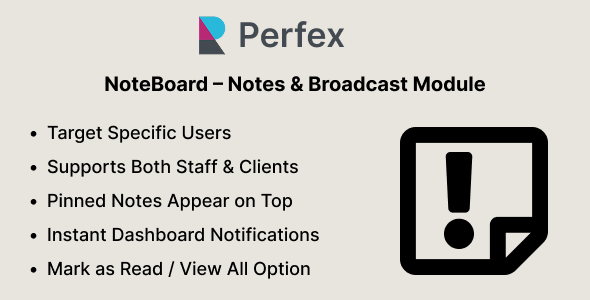 NoteBoard – Notes & Broadcast Module for Perfex CRM$5.00
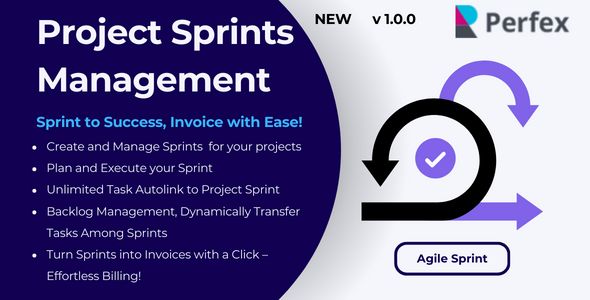 Project Sprints Management for Perfex$5.00




Related Products
Same Contributor


Featured Products


