
Backup Module for Tabletrack

- Description
- Reviews
- FAQ
Never Lose Your Tabletrack Data Again
Imagine spending hours, or even days, crafting the perfect dynamic tables with Tabletrack. Your product comparisons, data directories, or financial reports are flawless. Then, a server glitch, a user error, or a conflicting update wipes it all out. The Backup Module for Tabletrack is the essential insurance policy you need to prevent this digital disaster.
This powerful add-on provides a robust and reliable safety net specifically for your Tabletrack data. It allows you to create, schedule, and restore backups with incredible ease. Protect your hard work and ensure business continuity with just a few clicks.
Key Features at a Glance
The Backup Module for Tabletrack is designed for simplicity and power. Here’s what makes it an indispensable tool for any Tabletrack user:
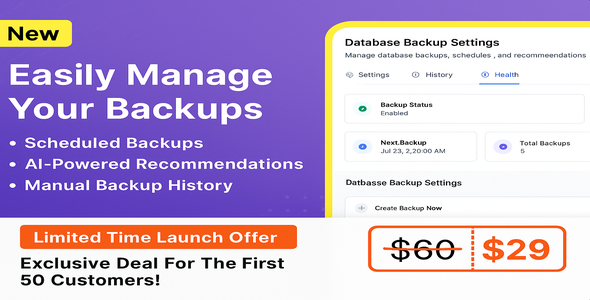
- Automated Scheduled Backups: Set your backups to run daily, weekly, or monthly. Protect your data automatically without ever lifting a finger.
- One-Click Manual Backups: Need to create a restore point before a major change? Generate a complete backup of your Tabletrack data instantly.
- Effortless Data Restoration: Restore your tables, columns, and settings to a previous state from a clear, dated list of available backups.
- Downloadable Backup Archives: Enhance your data security by downloading backup files for secure, offsite storage.
- Selective Backup Management: Easily view and delete old backups directly from your WordPress dashboard to keep your server clean.
- Seamless Tabletrack Integration: The module works perfectly within the existing Tabletrack interface, providing a familiar and intuitive user experience.
- Lightweight & Performance-Focused: Built to be efficient, this module protects your data without slowing down your website.
In-Depth Feature Analysis
Let’s dive deeper into the core features that provide complete peace of mind.
Set-and-Forget Automated Backups
The most powerful data protection strategy is one that runs consistently in the background. With this module, you can eliminate human error and forgetfulness. Simply choose a schedule that fits your needs—daily for high-traffic sites, weekly for regular updates, or monthly for more static data.
This automation ensures you always have a recent restore point available. It’s the ultimate defense against accidental data loss, giving you the confidence to manage your tables without fear. This consistent data protection is key to maintaining data integrity over time.
Instant One-Click Restore
Disaster recovery shouldn’t be complicated. If you accidentally delete a critical table or an import goes wrong, you need to get back online fast. The Backup Module for Tabletrack makes this process incredibly simple.
Navigate to the restore screen, view a list of all your available backups with clear timestamps, and click “Restore” on the version you need. The module handles the rest, rolling back your Tabletrack data to that exact point in time. This powerful rollback feature turns a potential catastrophe into a minor inconvenience.
Secure Offsite Backup Storage
A true backup strategy involves multiple locations. Relying solely on backups stored on your live server leaves you vulnerable to server-wide failures. This is why the ability to download your backup archives is so critical.
With a single click, you can download a `.zip` file containing your Tabletrack data. Store it on your local machine, upload it to a cloud service like Google Drive or Dropbox, or keep it on an external hard drive. This offsite storage method guarantees that your data is safe, no matter what happens to your website’s server.
Who Needs This Backup Module?
This module is a must-have for anyone who relies on the Tabletrack plugin for important data.
- E-commerce Store Owners: Protect your complex product specification tables, feature comparisons, and pricing charts from accidental deletion.
- Data-Driven Bloggers & Marketers: Safeguard your directory listings, review tables, and data visualizations that form the core of your content.
- Agencies & Freelance Developers: Provide an extra layer of security for your clients. Prevent difficult conversations by implementing a reliable disaster recovery plan for their Tabletrack data.
- Business & Financial Analysts: Ensure the integrity of your financial reports, statistical data tables, and internal logs created with Tabletrack.
Why Download Our Version?
You have choices, so why is this the smartest one for your business?
Unbeatable Value and Freedom
We believe powerful tools should be accessible. By leveraging the GPL license, we can offer you this premium Backup Module for Tabletrack at a fraction of the original price. You get the exact same powerful features without the hefty price tag or restrictive subscriptions.
This freedom allows you to use the module on multiple personal or client websites, making it a cost-effective solution for agencies and developers. It’s an investment in your data’s security that pays for itself.
100% Original and Secure Code
Your website’s security is our top priority. The file you download from us is the original, untouched code from the developer. We never inject ads, malware, or malicious scripts.
You receive clean, safe, and fully functional software, giving you the peace of mind that your website and its data are secure. We simply make premium tools more affordable under the freedom of the GPL.
Frequently Asked Questions
Does this module back up my entire WordPress site?
No, this is a specialized tool. The Backup Module for Tabletrack is designed specifically to back up the data created by the Tabletrack plugin. This includes your tables, columns, rows, and all associated settings. For full-site backups, you should use a dedicated WordPress backup plugin.
Is the Backup Module for Tabletrack compatible with the latest WordPress version?
Yes. We ensure that our plugins and modules are tested for compatibility with the latest stable versions of WordPress and the parent plugin, Tabletrack. You can confidently install it on your modern WordPress website.
How do I receive updates for this module?
When you purchase from us, you get access to updates for one year. As new versions are released by the original developer, we make them available for you to download from your account dashboard. This ensures you always have access to the latest features and security patches.
Can I automate backups to run every day?
Absolutely. The scheduling feature is a core part of the module. You can easily configure it to create backups automatically on a daily, weekly, or monthly basis, ensuring your data is always protected.
Is the code provided safe to use on my website?
Yes, completely. We provide the 100% original, unmodified code as released by the developer under the GPL. The software is free from any malware, viruses, or advertisements. Your website’s security is paramount.
What happens if I make a mistake and need to restore data?
Restoring data is a simple, one-click process. You can navigate to the backups list within your WordPress admin, choose the backup you want to restore from the list of available restore points, and click the ‘Restore’ button. The module will automatically revert your Tabletrack data to that saved state.
Why is this version so much more affordable?
We operate under the General Public License (GPL), the same license WordPress itself uses. This allows us to redistribute the original software at a much lower cost. You are paying for our service of acquiring, checking, and providing you with safe access to the software and its future updates, not for developer support or automatic updates that come with the original purchase.
Q: Do I need a license key?
A: No. All products are Pre-Activated. You can use 100% of the Premium features immediately.
Q: Can I use the One-Click Demo Import?
A: Yes, absolutely! We ensure the demo import feature works perfectly.
Q: Can I use the products on multiple websites?
A: Absolutely. The GPL license allows use on unlimited domains.
Q: Are the files safe?
A: Yes. All files are scanned by McAfee and VirusTotal before uploading.
Share Now!
Related Products
 Forkiva – Restaurant POS & Management System (Laravel + Vue.js)$7.00
 Social Media Automation – Manager, Publisher & Scheduler Plugin for Taskify$5.00
 GiftShop – Online Gift Purchase And Gift Sending Platform$5.00
 FinFunder – HYIP Investments and Crypto Trading on the Matrix Platform$5.00
 QuiziX – AI Quiz & Trivia Game | Laravel + Next.js Gamified Quiz Platform$5.00


Related Products
Same Contributor



Featured Products


