
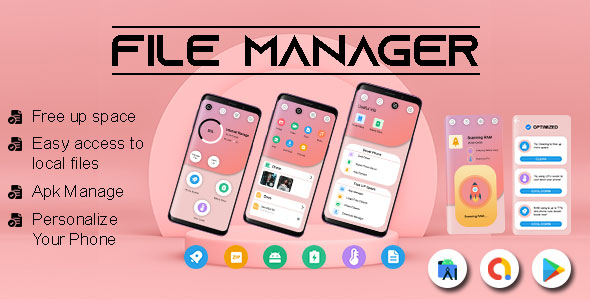
File Manager File Explorer – USB OTG File Manager – Solid Explorer File Manager – Android App

- Description
- Reviews
- FAQ
Unlock Ultimate Control with File Manager File Explorer – USB OTG File Manager – Solid Explorer File Manager – Android App
Are you struggling with cluttered Android storage? Do you find your device’s default file manager restrictive and difficult to navigate? Many users face challenges organizing photos, documents, and media across internal, external, and cloud storage.
The solution is here. Introducing the File Manager File Explorer – USB OTG File Manager – Solid Explorer File Manager – Android App. This powerful application transforms how you interact with your device’s file system.
Gain unparalleled control over your digital life, ensuring everything is exactly where you need it. Experience seamless file organization and management like never before.
Key Features of Our Advanced File Manager
Our File Manager File Explorer app offers a comprehensive suite of tools designed for efficiency and ease of use. It brings desktop-level file management to your Android device.
- Intuitive User Interface: Navigate your files with a clean, modern, and highly responsive design. Enjoy an experience reminiscent of top-tier file explorers.
- Comprehensive File Operations: Easily copy, paste, move, delete, rename, and create new folders. Manage your data with precision and speed.
- Robust USB OTG Support: Connect USB flash drives, external hard drives, and other USB devices directly to your Android. Access and transfer files effortlessly.
- Cloud & Network Storage Integration: Seamlessly connect to popular cloud services like Google Drive, Dropbox, OneDrive, and manage files on FTP, SFTP, and SMB servers.
- Powerful App Manager: Take control of your installed applications. Back up, uninstall, or manage app permissions directly from within the file manager.
- Storage Analysis & Cleaner: Identify large files, duplicate content, and unused apps. Free up valuable internal storage space with smart recommendations.
- Media Viewer & Player: Enjoy built-in support for viewing images, playing videos, and listening to audio files. No need to switch between multiple apps.
- Archive Support: Compress files into ZIP, RAR, or 7z formats. Extract content from archives with ease, streamlining your data management.
In-Depth Feature Analysis: Master Your Digital World
Let’s dive deeper into some of the most impactful features that make our File Manager File Explorer – USB OTG File Manager – Solid Explorer File Manager – Android App an indispensable tool for every Android user.
Seamless USB OTG & External Storage Management
The ability to manage external storage devices is a game-changer for many users. Our file manager excels in providing robust USB OTG (On-The-Go) support. This means you can connect various USB devices directly to your Android smartphone or tablet.
Imagine effortlessly transferring photos from a camera’s SD card reader. Or perhaps you need to access important documents stored on a USB flash drive. Our app makes these tasks simple and quick. It fully supports external storage, including SD cards and connected hard drives, providing a unified view of all your files.
This feature is vital for professionals, students, and anyone who frequently transfers data. It truly expands the capabilities of your mobile device, turning it into a powerful portable workstation. Enjoy unparalleled device connectivity and efficient file transfer.
Powerful File Organization & Data Management
Effective file organization is the cornerstone of a productive digital experience. Our File Manager File Explorer provides all the tools you need to keep your data perfectly structured. You can perform standard file operations with incredible ease and speed.
Copying large folders, moving multiple files, renaming documents, or deleting old media is intuitive. The app supports multiple selection, drag-and-drop functionality, and quick access to frequently used folders. This streamlines your daily tasks significantly.
Beyond basic operations, you can easily compress files to save space or extract content from downloaded archives. The built-in search function helps you locate any file instantly, no matter how deep it’s buried. This comprehensive data organization empowers you to maintain a clean and efficient file system.
Solid Explorer-Inspired User Experience & Advanced Tools
Drawing inspiration from leading file management solutions, our application offers a user experience that is both powerful and incredibly user-friendly. The intuitive design ensures that even advanced features are accessible to everyone. The dual-pane view, for instance, allows for efficient drag-and-drop operations between different directories or even network locations.
Beyond core file management, this app integrates several advanced tools. The App Manager lets you backup your APKs, uninstall applications, and monitor their storage usage. The Storage Analysis tool helps you visualize your storage consumption, identifying redundant files or large media that might be hogging space. This feature is crucial for performance optimization.
For tech enthusiasts, the File Manager File Explorer also offers robust root access capabilities. This allows you to explore the deepest corners of your Android system (with proper permissions), providing ultimate control. From themes to built-in viewers for various file types, the app is designed to enhance every aspect of your mobile file management.
Who Is This File Manager For?
The File Manager File Explorer – USB OTG File Manager – Solid Explorer File Manager – Android App is designed for a wide range of users. Its versatility makes it an essential tool for almost anyone with an Android device.
- Android Power Users: If you demand full control over your device’s file system, including root access and advanced networking capabilities, this app is for you.
- Content Creators & Professionals: Easily manage and transfer large media files, documents, and project data. Perfect for photographers, videographers, and business users on the go.
- Everyday Android Users: Looking for a better way to organize photos, free up space, and access files from various sources? This app offers a simpler, more powerful alternative to default file managers.
- Students & Educators: Manage research papers, lecture notes, and study materials across your device, cloud, and external drives with unparalleled ease.
- Tech Enthusiasts & Developers: Explore system files, manage app data, and troubleshoot your device efficiently with powerful, granular control.
Why Choose Our GPL-Licensed File Manager File Explorer?
In a world filled with subscription services and restrictive licenses, our approach stands apart. Choosing our File Manager File Explorer – USB OTG File Manager – Solid Explorer File Manager – Android App offers distinct advantages, thanks to its GPL license.
First and foremost, you gain unparalleled freedom. The General Public License (GPL) means you have the liberty to use this powerful app on as many personal devices as you own. There are no per-device licenses or recurring subscription fees to worry about. This translates into significant cost savings over time.
Secondly, GPL software promotes transparency and safety. The underlying code is openly available, fostering a community that scrutinizes and improves the software. This collaborative environment often leads to more robust, secure, and well-maintained applications. You benefit from code that has been reviewed and refined.
Finally, you receive a product built for long-term value. With our GPL-licensed version, you’re investing in a powerful tool that offers consistent performance and access to future updates. You’re not tied to a single vendor’s ecosystem, giving you greater control and flexibility. This is about empowering you with the best tools, without unnecessary limitations.
Frequently Asked Questions About Our File Manager
We understand you might have questions about our File Manager File Explorer. Here are some answers to commonly asked queries, addressing both general usage and the benefits of its GPL license.
What is File Manager File Explorer – USB OTG File Manager – Solid Explorer File Manager – Android App?
This is a comprehensive and advanced Android application designed to give you complete control over your device’s file system. It goes beyond basic file browsing, offering powerful features for organization, transfer, and management of files across internal storage, SD cards, USB OTG devices, and various cloud/network services. It provides an intuitive and efficient user interface for all your file management needs.
What does "GPL Licensed" mean for this Android App?
Being GPL Licensed means you benefit from the freedoms associated with open-source software. You are free to use this File Manager File Explorer on an unlimited number of your personal Android devices. It typically implies you have the freedom to study, modify, and distribute the software under the terms of the GPL. This offers immense flexibility and value, without the constraints of proprietary licensing models or recurring subscription costs.
How do I ensure I receive updates for this File Manager app?
To ensure you receive the latest features, security enhancements, and compatibility updates for your File Manager File Explorer – USB OTG File Manager – Solid Explorer File Manager – Android App, it’s crucial to download it from a reputable source that provides regular updates. We provide access to the most current, stable versions. Always check the source for update availability and instructions to keep your app optimized.
Is this File Manager File Explorer safe and secure to use on my Android device?
Yes, security is a top priority. Our File Manager File Explorer is developed with robust security practices. The nature of GPL software also contributes to its safety; the open availability of the code allows for community scrutiny, which can help identify and address vulnerabilities more quickly. Always obtain your app from a trusted provider to ensure you’re using an untampered, secure version.
Does this File Manager support cloud storage and network protocols like FTP?
Absolutely. Our File Manager File Explorer offers extensive support for various cloud storage services, including popular options like Google Drive, Dropbox, and OneDrive. It also seamlessly integrates with network protocols such as FTP, SFTP, and SMB. This allows you to manage files across all your digital locations directly from within the app, centralizing your storage management.
Can I manage files on my external SD card and USB OTG devices with this app?
Yes, this is a core strength of our application. The File Manager File Explorer provides comprehensive support for both external SD cards and USB OTG (On-The-Go) devices. You can effortlessly browse, copy, move, and delete files on connected USB flash drives, external hard drives, and SD cards, making it incredibly convenient for managing all forms of external storage directly from your Android device.
What Android versions are compatible with File Manager File Explorer?
The File Manager File Explorer – USB OTG File Manager – Solid Explorer File Manager – Android App is designed for broad compatibility across various Android versions. It is regularly updated to ensure optimal performance and feature availability on the latest Android releases. For specific version requirements, please refer to the product details provided by your download source, which will outline the minimum supported Android OS version.
Q: Do I need a license key?
A: No. All products are Pre-Activated. You can use 100% of the Premium features immediately.
Q: Can I use the One-Click Demo Import?
A: Yes, absolutely! We ensure the demo import feature works perfectly.
Q: Can I use the products on multiple websites?
A: Absolutely. The GPL license allows use on unlimited domains.
Q: Are the files safe?
A: Yes. All files are scanned by McAfee and VirusTotal before uploading.
Share Now!
Related Products
 Floating Media Player – Floating Video Player – All Formats Video Player – Android Player – Float$5.00
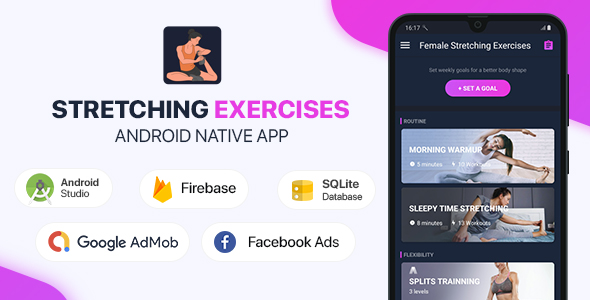 Female Stretching Exercises – Android (Kotlin)$5.00
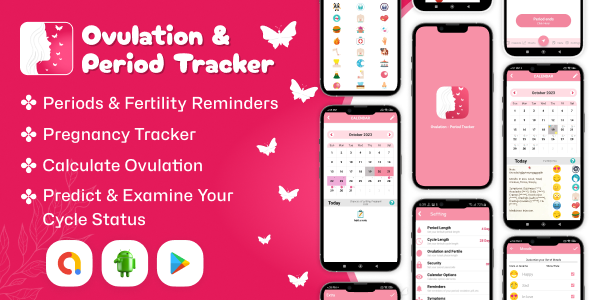 Ovulation – Period Tracker – Period Calendar – Cycle Tracker – Fertility Tracker Diary$5.00
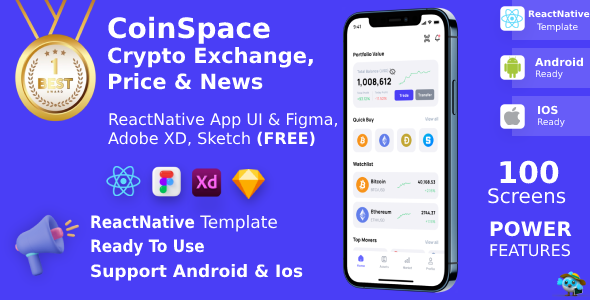 Crypto Currency App FIGMA + XD + SKETCh | UI Kit | ReactNative CLI | CoinSpace$5.00
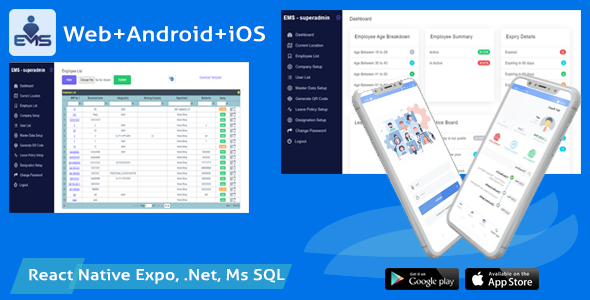 Employee Attendance Tracker (admin panel + employee mobile app) – EMS$7.00


Related Products
Same Contributor


Featured Products


