
Layered Heading for Elementor

- Description
- Reviews
- FAQ
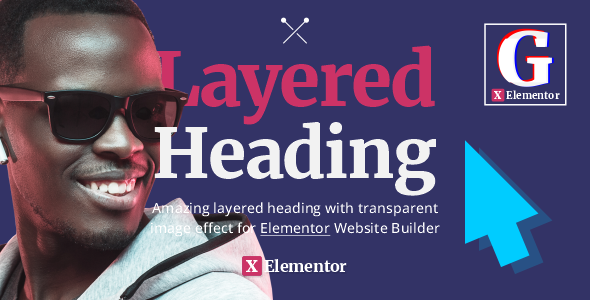
Are you tired of bland, uninspiring headings that fail to capture your audience’s attention? In today’s competitive digital landscape, a captivating headline isn’t just a suggestion; it’s a necessity. That’s where **Layered Heading for Elementor** comes in, revolutionizing the way you design and implement visually striking titles on your WordPress website.
This powerful Elementor addon solves the common problem of limited design flexibility, allowing you to craft dynamic, multi-layered headings that truly stand out. Gone are the days of static text. With Layered Heading for Elementor, you can transform ordinary titles into engaging focal points that instantly grab visitors and enhance user experience.
From subtle depth effects to bold, animated typography, this tool empowers web designers, developers, and content creators to push the boundaries of visual communication. Elevate your content and ensure your message is not just read, but felt, with truly unique heading designs.
Unleash Your Creativity: Key Features of Layered Heading for Elementor
Layered Heading for Elementor is packed with an impressive array of features designed to give you unparalleled control over your website’s typography and visual hierarchy. We believe in providing tools that empower your design process without unnecessary complexity.
- **Multi-Layered Design:** Create headings with multiple text layers, background elements, and shapes, each independently customizable for depth and visual interest.
- **Advanced Typography Controls:** Access a comprehensive suite of font options, sizes, weights, line heights, letter spacing, and more for every layer.
- **Dynamic Animations & Effects:** Apply entrance animations, hover effects, and parallax scrolling to individual layers, bringing your headings to life.
- **Responsive Design Options:** Ensure your layered headings look perfect on any device with granular control over responsiveness for each element.
- **Customizable Colors & Gradients:** Dive deep into styling with options for solid colors, linear gradients, radial gradients, and even image backgrounds for text.
- **Positioning & Z-Index Control:** Precisely position each layer using intuitive drag-and-drop or numerical inputs, managing their stacking order with Z-index.
- **Seamless Elementor Integration:** Enjoy a native Elementor editing experience, making design intuitive and efficient without custom code.
In-Depth Look at Core Functionalities
While every feature of Layered Heading for Elementor is crafted with precision, some stand out for their transformative potential. Let’s delve deeper into how these core functionalities empower your design workflow.
Revolutionary Multi-Layered Heading Design
The true power of Layered Heading for Elementor lies in its ability to create complex, multi-dimensional headings. Imagine a headline where each word or phrase occupies its own layer, interacting visually with others. This allows for stunning depth and artistic expression.
You can stack text over images, place icons behind text, or create intricate patterns using various shapes as heading backgrounds. Each layer can have its own unique styling, positioning, and animation, opening up a world of creative possibilities. This level of granular control is unmatched by standard Elementor heading widgets.
Advanced Typography and Styling Capabilities
Beyond simple text, Layered Heading for Elementor transforms your typography into a design element. Every single layer, whether it’s text or a shape, comes with extensive styling options. This includes full control over fonts, colors, gradients, and even text strokes.
You can define custom letter spacing, line height, and word spacing to perfect your visual hierarchy. Apply vibrant gradient overlays to text, giving your headings a modern and premium feel. The ability to fine-tune every typographic detail ensures your message is not just legible, but visually compelling on all devices.
Dynamic Animations and Interactive Effects
Static headings are a thing of the past. Layered Heading for Elementor brings your titles to life with a suite of dynamic animations and interactive effects. Engage your visitors from the moment they land on your page with subtle entrance animations for each heading layer.
You can set up hover effects that change colors, scale, or rotate elements, adding an interactive dimension to your headlines. Imagine a call-to-action heading that subtly pulses or changes color when a user hovers over it. These visual cues enhance user engagement and guide visitors through your content effectively.
Who Can Benefit from Layered Heading for Elementor?
This versatile Elementor addon is designed for anyone looking to elevate their web design and create more impactful digital experiences. Its flexibility and ease of use make it an indispensable tool for a wide range of professionals.
- **Freelance Web Designers:** Quickly create stunning hero sections and product titles for clients, delivering high-end designs efficiently.
- **Digital Agencies:** Standardize sophisticated heading styles across multiple client projects, saving time and maintaining brand consistency.
- **E-commerce Store Owners:** Craft eye-catching product titles, promotional banners, and category headings that drive conversions and improve visual merchandising.
- **Bloggers & Content Creators:** Make your articles more engaging with visually arresting titles and section headings that break up text and maintain reader interest.
- **Marketing Professionals:** Design compelling calls-to-action and campaign headlines that stand out and command attention on landing pages.
- **WordPress Developers:** Integrate advanced heading functionality into custom themes and client sites without writing a single line of code.
Why Choose This Version of Layered Heading for Elementor?
When it comes to enhancing your Elementor toolkit, choice matters. Our commitment is to provide you with a premium experience, focusing on value, freedom, and reliable performance.
This version of Layered Heading for Elementor offers you the full power of this exceptional addon without the typical commercial restrictions. You gain the freedom to use it on as many websites as you manage, without recurring license fees or limitations per domain. This is especially beneficial for agencies and freelancers with multiple client projects.
You receive the exact same, clean, and safe code as the original developer, ensuring full compatibility and optimal performance with your existing WordPress and Elementor setup. We prioritize providing robust solutions that empower your creativity, rather than limiting it with complex licensing structures. Enjoy premium features, updates, and peace of mind, all while saving significantly on development costs.
Frequently Asked Questions About Layered Heading for Elementor
We understand you might have questions about integrating Layered Heading for Elementor into your workflow. Here are some common inquiries to help you get started.
Does Layered Heading for Elementor require Elementor Pro?
No, Layered Heading for Elementor is designed to work seamlessly with both the free version of Elementor and Elementor Pro. While Elementor Pro offers additional design capabilities, this addon functions independently to enhance your heading designs within either environment.
How do I install Layered Heading for Elementor?
Installation is straightforward, just like any other WordPress plugin. Simply download the plugin file, navigate to ‘Plugins’ > ‘Add New’ in your WordPress dashboard, click ‘Upload Plugin’, choose the downloaded file, and activate it. The new widget will then appear in your Elementor editor.
Will I receive updates for Layered Heading for Elementor?
Yes, we provide regular updates for Layered Heading for Elementor to ensure compatibility with the latest versions of WordPress and Elementor, introduce new features, and address any potential bugs. You will receive notifications for available updates directly through our platform.
Is Layered Heading for Elementor compatible with my current theme?
Layered Heading for Elementor is built to be theme-agnostic. It works by integrating directly with Elementor’s canvas, meaning it should be compatible with any well-coded WordPress theme that supports Elementor. If you encounter any theme-specific issues, our support team is ready to assist.
Can I use Layered Heading for Elementor on multiple websites?
Absolutely. One of the significant benefits of this version is the freedom to use Layered Heading for Elementor on an unlimited number of websites. There are no restrictions based on domain count or additional licensing fees, making it an incredibly cost-effective solution for developers and agencies.
Is the code for Layered Heading for Elementor safe and clean?
Yes, we ensure that the code provided for Layered Heading for Elementor is identical to the original developer’s release. It is clean, secure, and free from malicious code. We prioritize delivering reliable software that integrates safely into your WordPress ecosystem.
Can I create responsive layered headings for mobile devices?
Certainly. Layered Heading for Elementor offers comprehensive responsive controls. You can adjust the visibility, positioning, sizing, and even font properties of each layer specifically for desktop, tablet, and mobile views, ensuring your designs look perfect on every screen size.
Are there pre-built templates or presets included?
While Layered Heading for Elementor provides the tools to create endless designs from scratch, Elementor’s native save/reuse features allow you to save your custom layered heading designs as templates. This lets you quickly deploy your favorite styles across different pages or projects.
Ready to transform your website’s headings? Download Layered Heading for Elementor today and begin crafting designs that truly capture attention and communicate with impact.
Q: Do I need a license key?
A: No. All products are Pre-Activated. You can use 100% of the Premium features immediately.
Q: Can I use the One-Click Demo Import?
A: Yes, absolutely! We ensure the demo import feature works perfectly.
Q: Can I use the products on multiple websites?
A: Absolutely. The GPL license allows use on unlimited domains.
Q: Are the files safe?
A: Yes. All files are scanned by McAfee and VirusTotal before uploading.
Share Now!
Related Products



Related Products

Same Contributor


Featured Products


