
Crawler – Ticker Plugin for Elementor

- Description
- Reviews
- FAQ
In today’s fast-paced digital world, capturing visitor attention instantly is paramount. Static content often falls short, leading to missed opportunities and lower engagement. Websites need dynamic elements that convey urgent information or highlight key content without overwhelming the user interface. This is where a powerful, flexible solution becomes essential for any modern WordPress site.
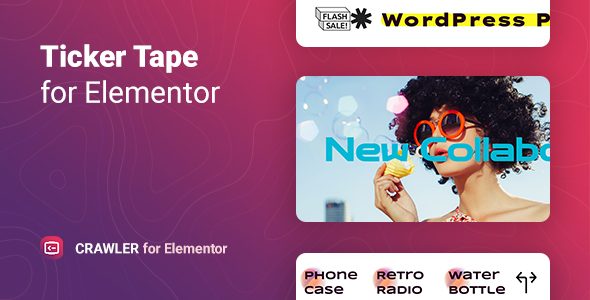
Introducing Crawler – Ticker Plugin for Elementor, the ultimate tool designed to bring dynamic, scrolling content to life on your WordPress website. This innovative plugin seamlessly integrates with Elementor, allowing you to create stunning and highly customizable news tickers, breaking news alerts, stock market updates, or promotional announcements with unparalleled ease. Elevate your site’s interactivity and ensure your most important messages are always seen, driving better engagement and conversions.
Unlock Dynamic Content with Crawler – Ticker Plugin for Elementor
Are you looking to add a professional news ticker or a captivating announcement bar to your Elementor-powered website? Crawler – Ticker Plugin for Elementor provides the perfect solution. It empowers you to display crucial information in an engaging, scrolling format, ensuring your visitors never miss an update. This intuitive Elementor widget is built for speed, flexibility, and ultimate control, making it a must-have for any serious webmaster or business.
Forget about complex coding or struggling with limited design options. With Crawler, you can effortlessly design responsive, eye-catching tickers that blend seamlessly with your brand’s aesthetic. From real-time data feeds to custom content, this plugin offers the versatility you need to keep your audience informed and your website dynamic. Experience the freedom of a truly customizable and high-performance ticker solution.
Key Features of Crawler – Ticker Plugin for Elementor
Crawler is packed with features designed to give you complete control over your dynamic content display. It’s not just a simple scrolling text; it’s a comprehensive solution for interactive messaging. Here are some of the standout capabilities that make Crawler – Ticker Plugin for Elementor an indispensable tool:
- Seamless Elementor Integration: Drag-and-drop functionality directly within your favorite page builder for intuitive setup and live editing.
- Highly Customizable Design: Full control over typography, colors, backgrounds, scroll speed, direction, and pause on hover.
- Multiple Content Sources: Display manual text, posts, custom post types, WooCommerce products, or even dynamic content from custom fields.
- Responsive & Mobile-Friendly: Ensures your tickers look perfect and perform flawlessly on any device, from desktops to smartphones.
- Advanced Animation Options: Choose from various entrance and exit animations to make your content truly pop and grab attention.
- Lightweight & Performance Optimized: Built with clean code to ensure minimal impact on your website’s loading speed and overall performance.
- Flexible Positioning & Styling: Place your ticker anywhere on your page and style it to match your site’s unique design language effortlessly.
In-Depth Feature Analysis: Powering Your Dynamic Website
Let’s dive deeper into some of the core features that set Crawler – Ticker Plugin for Elementor apart from the competition. These elements highlight its power, flexibility, and user-centric design, ensuring you get the most out of your dynamic content.
Effortless Elementor Integration & Visual Customization
One of the most significant advantages of Crawler is its deep integration with the Elementor page builder. This means you can design, preview, and publish your tickers using Elementor’s familiar drag-and-drop interface. No coding knowledge is required, making it accessible to users of all skill levels.
The visual editor provides an expansive range of styling options. You have granular control over every aspect of your ticker’s appearance. Easily adjust fonts, sizes, colors, and backgrounds to perfectly match your brand guidelines. Set the scroll direction, speed, and even add a pause-on-hover effect for better readability. This level of customization ensures your news ticker or announcement bar looks professional and seamlessly integrates with your existing website design, enhancing the user experience rather than disrupting it.
Dynamic Content & Diverse Data Sources
A truly effective ticker plugin needs to do more than just display static text. Crawler – Ticker Plugin for Elementor excels in its ability to pull content from various dynamic sources. This flexibility allows you to automate your ticker updates and keep your audience informed with fresh, relevant information without constant manual intervention.
You can choose to display simple custom messages for specific announcements. For more dynamic needs, connect your ticker to WordPress posts, pages, or even custom post types. This is ideal for showcasing recent blog entries, portfolio items, or team updates. E-commerce sites can leverage its power to highlight new WooCommerce products, bestsellers, or special offers. The ability to pull information from different parts of your website ensures your ticker is always relevant and engaging, making it a powerful tool for content marketing and user engagement.
Responsive Design & Performance Optimization
In today’s multi-device world, a responsive website is non-negotiable. Crawler – Ticker Plugin for Elementor is built with responsiveness at its core. Your tickers will automatically adapt and look fantastic on any screen size, whether it’s a large desktop monitor, a tablet, or a smartphone. This ensures a consistent and enjoyable user experience for all your visitors, regardless of their device.
Beyond aesthetics, performance is a critical factor for SEO and user satisfaction. Crawler is engineered to be lightweight, utilizing clean and optimized code. It minimizes its footprint on your website’s loading speed, which is crucial for maintaining good search engine rankings and preventing visitor bounce. By combining responsive design with performance optimization, Crawler ensures your dynamic content not only looks great but also contributes positively to your site’s overall health and SEO efforts.
Who Is Crawler – Ticker Plugin for Elementor For?
The versatility and ease of use of Crawler make it an invaluable asset for a wide range of users and website types. If you’re looking to enhance communication and engagement on your WordPress site, this plugin is for you.
- Bloggers & News Portals: Instantly share breaking news, popular articles, or recent updates to keep readers engaged and informed.
- E-commerce Stores: Announce flash sales, new product arrivals, shipping updates, or special promotions to drive immediate action.
- Agencies & Web Developers: Deliver professional, dynamic content solutions for clients without writing a single line of code, saving time and resources.
- Freelancers: Quickly add powerful ticker functionality to client websites, enhancing their offerings and delivering high-value features efficiently.
- Corporate Websites: Display company announcements, quarterly results, or investor relations updates in a clean, professional format.
- Event Organizers: Showcase upcoming event schedules, last-minute changes, or important notices to attendees.
- Educators & Non-Profits: Share important deadlines, program updates, or calls to action effectively with your community.
Why Choose This Version of Crawler – Ticker Plugin for Elementor?
When considering plugins for your WordPress website, you have many choices. This version of Crawler – Ticker Plugin for Elementor offers distinct advantages that prioritize your freedom, budget, and peace of mind. It’s about getting premium functionality without the premium constraints.
Opting for a GPL-licensed version means you gain the ultimate flexibility. You receive the full-featured plugin, identical to its original version, but without restrictive licensing terms. This translates into significant cost savings, as you avoid recurring subscription fees or per-site licensing costs. You can use Crawler on an unlimited number of websites, whether they are for personal projects or client work, providing unmatched value.
Furthermore, choosing this version ensures you have access to safe, clean, and regularly updated code. We prioritize providing you with the latest stable releases, ensuring compatibility with the newest WordPress and Elementor versions. This approach eliminates vendor lock-in, giving you complete control over your website and its tools. Experience the power of a world-class ticker plugin with the freedom and economy that truly benefits your business.
Frequently Asked Questions (FAQ)
We understand you might have questions about Crawler – Ticker Plugin for Elementor. Here are some common inquiries to help you better understand its capabilities and benefits.
Does Crawler – Ticker Plugin for Elementor work with the latest version of Elementor Pro?
Yes, absolutely. Crawler – Ticker Plugin for Elementor is designed for full compatibility with both the free and Pro versions of Elementor. We ensure our releases are tested and optimized to work seamlessly with the latest Elementor updates, providing you with a stable and reliable experience as you build your pages.
How do I get updates for Crawler – Ticker Plugin for Elementor?
Updates for Crawler are provided regularly to ensure compatibility with WordPress and Elementor, as well as to introduce new features and bug fixes. You will receive access to the latest versions directly from your download source. Simply download the updated plugin file and install it on your WordPress site, typically by uploading it via the WordPress admin panel or using an update manager.
Is Crawler – Ticker Plugin for Elementor optimized for SEO?
Yes, Crawler is built with SEO best practices in mind. The plugin uses clean, semantic HTML, and its lightweight code ensures minimal impact on page load times. Fast loading speeds are crucial for search engine rankings. By providing engaging, dynamic content, Crawler can also help improve user engagement metrics, which indirectly benefits your SEO efforts.
Can I display different tickers on different pages using Elementor?
Absolutely! With Elementor, you have complete control over widget placement. You can easily add multiple instances of the Crawler widget to different pages or even different sections of the same page. Each ticker can be configured independently with its own content source, styling, and animation settings, offering maximum flexibility for your website’s dynamic content strategy.
What kind of content can I display in the ticker?
Crawler – Ticker Plugin for Elementor is highly versatile regarding content. You can display custom static text for announcements, dynamically pull recent WordPress posts or pages, integrate custom post types, or even showcase specific WooCommerce products. This extensive range of content options makes it suitable for almost any website’s dynamic display needs.
Will Crawler slow down my website’s loading speed?
No, performance is a key consideration in the development of Crawler. The plugin is built with optimized, lightweight code to ensure it has a negligible impact on your website’s loading speed. We understand the importance of fast-loading pages for user experience and SEO, and Crawler is engineered to maintain high performance.
Is it difficult to customize the appearance of the ticker?
Not at all! One of Crawler’s core strengths is its user-friendly customization options within Elementor. You get extensive controls for colors, fonts, sizes, backgrounds, scroll speed, direction, and more, all through Elementor’s intuitive visual interface. You can create a ticker that perfectly matches your site’s branding with just a few clicks.
Q: Do I need a license key?
A: No. All products are Pre-Activated. You can use 100% of the Premium features immediately.
Q: Can I use the One-Click Demo Import?
A: Yes, absolutely! We ensure the demo import feature works perfectly.
Q: Can I use the products on multiple websites?
A: Absolutely. The GPL license allows use on unlimited domains.
Q: Are the files safe?
A: Yes. All files are scanned by McAfee and VirusTotal before uploading.
Share Now!
Related Products




Related Products


Same Contributor



Featured Products


