
Swiper Slider Widget for Elementor

- Description
- Reviews
- FAQ
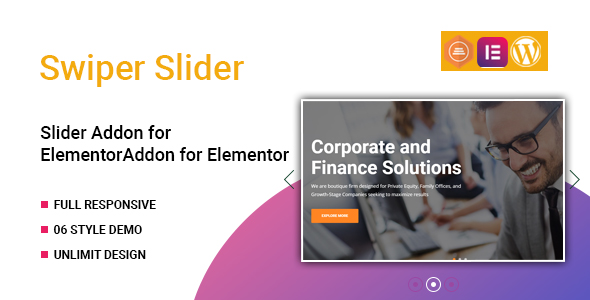
Are you an Elementor user looking to elevate your website’s visual appeal with dynamic, high-performance sliders? The built-in Elementor slider options are good, but sometimes you need more power and flexibility. Introducing the Swiper Slider Widget for Elementor, your ultimate solution for crafting professional-grade carousels and hero banners without writing a single line of code.
This powerful widget seamlessly integrates with your favorite page builder, transforming your design capabilities. It solves the common problem of limited slider functionality by bringing the robust Swiper JS library directly into your Elementor workflow. Now, you can design captivating, fully responsive sliders that engage your audience and enhance user experience, all within a familiar visual interface.
Unlock Limitless Creative Potential with Swiper Slider Widget for Elementor
The Swiper Slider Widget for Elementor is engineered to give you unparalleled control over your website’s visual storytelling. It empowers designers and developers alike to build anything from simple image carousels to complex, multi-layered content sliders. Experience true design freedom with extensive customization options at your fingertips.
Whether you’re showcasing portfolio items, highlighting testimonials, or creating an engaging hero section, this widget provides the tools you need. It ensures your sliders are not only beautiful but also optimized for performance and SEO. Elevate your Elementor projects with next-level slider functionality.
Key Features at a Glance
Discover the core capabilities that make the Swiper Slider Widget for Elementor an indispensable tool for any WordPress site:
- Advanced Customization Options: Control every aspect of your slider’s appearance and behavior, from navigation styles to animation effects.
- Fully Responsive Design: Ensure your sliders look perfect on desktops, tablets, and mobile devices with built-in responsive controls and breakpoints.
- Multiple Slider Types: Effortlessly create image sliders, video carousels, content sliders, and mixed-media galleries.
- Intuitive Elementor Integration: Leverage Elementor’s drag-and-drop interface for a seamless and efficient design process.
- Smooth Animations & Transitions: Choose from a wide array of elegant animation effects to bring your content to life.
- Comprehensive Navigation & Pagination: Implement arrows, dots, progress bars, and scrollbars with extensive styling options.
- Touch & Drag Gesture Support: Provide an intuitive browsing experience for users on touch-enabled devices.
In-Depth Feature Analysis
Let’s dive deeper into some of the most impactful features of the Swiper Slider Widget for Elementor. These functionalities are designed to give you maximum control and flexibility.
Unrivaled Customization for Every Pixel
With the Swiper Slider Widget for Elementor, you’re not just creating a slider; you’re crafting a unique visual experience. Our widget provides an extensive range of customization options, allowing you to fine-tune every detail. You can adjust slide transitions, speed, and easing functions to match your brand’s aesthetic.
Beyond basic settings, you gain control over navigation elements like custom arrows, pagination dots, and progress bars. Style them to perfection within Elementor’s visual editor. Configure autoplay settings, loop functionality, and even parallax effects to create truly dynamic hero banners or content carousels. This level of detail ensures your sliders stand out.
Seamless Elementor Integration & Workflow
Experience the power of Swiper.js without ever leaving the familiar Elementor interface. The Swiper Slider Widget for Elementor is built from the ground up to integrate perfectly with Elementor’s drag-and-drop capabilities. This means a smoother, faster workflow for every project.
Simply drag the widget onto your canvas, add your content, and customize it in real-time. There’s no need for complex shortcodes or custom CSS, unless you want to add an extra personal touch. Enjoy live previews of your changes, ensuring your design vision comes to life exactly as intended. This integration makes building advanced sliders accessible to everyone.
Performance-Optimized & Fully Responsive
In today’s mobile-first world, a responsive and fast-loading website is non-negotiable. The Swiper Slider Widget for Elementor is meticulously optimized for both performance and responsiveness. Your sliders will load quickly, providing a smooth user experience without bogging down your site speed.
The widget includes robust responsive controls, allowing you to set different slide counts, breakpoints, and behaviors for various screen sizes. This ensures your image gallery or video slider looks impeccable on desktops, tablets, and smartphones alike. Deliver a consistent and engaging experience to all your visitors, regardless of their device.
Who Is the Swiper Slider Widget for Elementor For?
The flexibility and power of the Swiper Slider Widget for Elementor make it an essential tool for a diverse range of WordPress users. Its intuitive design means anyone can create stunning sliders, while its advanced features satisfy seasoned professionals.
- Freelancers: Quickly build professional, high-impact sliders for client websites, saving time and delivering exceptional results.
- Web Design Agencies: Scale your projects with a reliable, customizable slider solution that adapts to various client needs and branding guidelines.
- E-commerce Store Owners: Showcase products, promotions, and best-sellers with engaging hero banners and product carousels to boost conversions.
- Bloggers & Content Creators: Create visually appealing image galleries, featured post sliders, or video playlists to enhance content engagement.
- Portfolio & Creative Professionals: Present your work with sophisticated, interactive portfolios that truly capture attention.
- Small Business Owners: Easily add dynamic and professional sliders to your business website without hiring a developer.
Why Choose This Swiper Slider Widget for Elementor? The Smart Choice for Your Projects
When it comes to enhancing your Elementor site with advanced sliders, you have options. However, choosing the right tool can make a significant difference in your workflow, budget, and project flexibility. This Swiper Slider Widget for Elementor offers distinct advantages that set it apart.
Opting for this solution means gaining access to a premium-quality plugin without the recurring subscription fees often associated with other products. You get the freedom to use this powerful widget on an unlimited number of websites, whether they are for personal projects or client work. This makes it an incredibly cost-effective choice for freelancers and agencies alike.
Furthermore, the code is secure, clean, and developed to the highest standards. You can confidently integrate it into your WordPress environment knowing it won’t compromise your site’s integrity. Enjoy consistent performance, regular updates, and the peace of mind that comes with a well-supported product. Make the smart choice for unparalleled value and flexibility.
Frequently Asked Questions (FAQ)
Here are some common questions about the Swiper Slider Widget for Elementor, providing clarity on its features, compatibility, and benefits.
What is the Swiper Slider Widget for Elementor?
The Swiper Slider Widget for Elementor is a WordPress plugin that integrates the powerful Swiper.js library directly into the Elementor page builder. It allows users to create highly customizable, responsive, and animated sliders, carousels, and galleries with an intuitive drag-and-drop interface. This eliminates the need for manual coding.
Does this widget require Elementor Pro?
No, the Swiper Slider Widget for Elementor is designed to work seamlessly with both the free and Pro versions of Elementor. You don’t need Elementor Pro to unlock its full potential. This ensures broad accessibility for all Elementor users.
Is the Swiper Slider Widget fully responsive?
Absolutely. Responsiveness is a core feature of the Swiper Slider Widget for Elementor. It includes extensive controls for setting breakpoints and adjusting slide layouts for desktops, tablets, and mobile devices. Your sliders will look stunning and function perfectly on any screen size.
How often does the Swiper Slider Widget receive updates?
We are committed to providing regular updates to the Swiper Slider Widget for Elementor. These updates include new features, performance improvements, and compatibility fixes for the latest versions of WordPress and Elementor. You can always expect your widget to be current and optimized.
Can I use this widget on multiple client websites?
Yes, you can. One of the key benefits of this offering is the freedom it provides. You are free to use the Swiper Slider Widget for Elementor on as many personal or client websites as you need without any additional licensing fees per site. This offers incredible value for web developers and agencies.
Is the code for Swiper Slider Widget for Elementor safe and secure?
Security is a top priority. The Swiper Slider Widget for Elementor is developed with clean, secure, and robust code following WordPress best practices. It undergoes thorough testing to ensure it is free from vulnerabilities and performs reliably within your WordPress environment. You can integrate it with confidence.
Does it support video sliders and mixed content?
Yes, the Swiper Slider Widget for Elementor supports various content types. You can easily create image sliders, video sliders (from YouTube, Vimeo, or self-hosted), and even mixed-content sliders combining images, videos, and custom text or HTML. This flexibility allows for rich, engaging presentations.
Are there options for navigation and pagination?
Definitely. The widget offers comprehensive navigation and pagination options. You can choose from various arrow styles, pagination dots, progress bars, and scrollbars. Each element is highly customizable in terms of position, color, size, and hover effects, all configurable within Elementor’s visual editor.
How do I customize the animations and transitions?
Customizing animations and transitions is straightforward with the Swiper Slider Widget for Elementor. Within the Elementor editor, you’ll find dedicated settings for slide effects (e.g., fade, slide, cube, coverflow), transition speed, and easing functions. This allows you to create dynamic and visually appealing movements for your slides.
Q: Do I need a license key?
A: No. All products are Pre-Activated. You can use 100% of the Premium features immediately.
Q: Can I use the One-Click Demo Import?
A: Yes, absolutely! We ensure the demo import feature works perfectly.
Q: Can I use the products on multiple websites?
A: Absolutely. The GPL license allows use on unlimited domains.
Q: Are the files safe?
A: Yes. All files are scanned by McAfee and VirusTotal before uploading.
Share Now!
Related Products




Related Products

Same Contributor



Featured Products


