
Support Ticket Management System for WordPress

- Description
- Reviews
- FAQ
Revolutionize Your Customer Service with Our Support Ticket Management System for WordPress
Are you struggling to keep up with customer inquiries? Do support requests get lost in a cluttered inbox? It’s time to centralize and optimize your customer support operations. Our advanced Support Ticket Management System for WordPress is engineered to transform how you handle user issues, feedback, and questions.
This powerful WordPress ticketing system provides an intuitive platform for both your support agents and your customers. Say goodbye to scattered emails and hello to organized, efficient problem resolution. By implementing this help desk solution, you ensure every customer interaction is tracked, prioritized, and addressed promptly, significantly enhancing user satisfaction.
Key Features of Our WordPress Ticketing System
Our Support Ticket Management System for WordPress comes packed with features designed to streamline your support workflow. From initial ticket submission to final resolution, every step is made simpler and more efficient. Discover the core functionalities that make this plugin indispensable for any serious WordPress site.
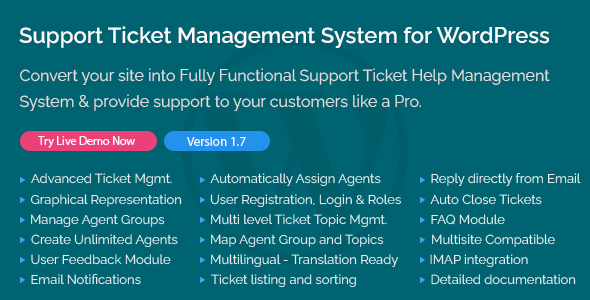
- Centralized Ticket Dashboard: Manage all support requests from a single, organized interface within your WordPress admin. Agents can quickly view, filter, and respond to tickets.
- Frontend Ticket Submission: Allow users to easily submit support requests directly from your website’s frontend. This simplifies the process for your customers and improves their experience.
- Agent Roles & Permissions: Assign specific roles to your support team members. Define permissions to control who can view, assign, and resolve tickets, ensuring clear responsibilities.
- Email Notifications: Keep both customers and agents informed with automated email alerts. Notifications are sent for new tickets, replies, status changes, and more, ensuring timely communication.
- File Attachment Support: Enable users and agents to attach relevant files to tickets. This can include screenshots, documents, or other media crucial for issue resolution.
- Customizable Ticket Fields: Tailor your ticket submission forms with custom fields. Gather specific information relevant to your business, making support requests more informative.
- Ticket Status & Priority Management: Categorize tickets by status (e.g., Open, Pending, Closed) and assign priorities (e.g., Low, Medium, High). This helps your team focus on critical issues first.
In-Depth Feature Analysis: Empower Your Support Team
Let’s dive deeper into some of the most impactful features of our Support Ticket Management System for WordPress. These functionalities are designed to give you unparalleled control and efficiency in managing your customer service.
Efficient Ticket Organization & Tracking
The core of any effective support system lies in its ability to organize and track issues. Our WordPress support plugin excels in this area, providing a robust framework. All incoming support requests are neatly categorized and accessible from a central dashboard.
Your agents can easily filter tickets by status, priority, agent assigned, or even customer. This comprehensive overview ensures no ticket falls through the cracks. Detailed logs and timestamps for each interaction provide a complete history, making problem resolution faster and more transparent. This systematic approach is vital for maintaining high service standards.
Seamless Communication & Notifications
Effective communication is paramount in customer support. Our Support Ticket Management System for WordPress integrates seamlessly with email, ensuring all parties stay informed. When a customer submits a new ticket, they receive instant confirmation.
Likewise, agents are notified of new requests and customer replies, prompting quick responses. Customers receive updates when their ticket status changes or an agent posts a new message. This two-way communication flow minimizes waiting times and keeps customers engaged. It fosters trust and transparency, which are crucial for a positive user experience.
Intuitive User & Agent Experience
A powerful system is only as good as its usability. Our WordPress ticketing system is built with both your customers and your agents in mind. The frontend ticket submission form is simple, clean, and easy for users to navigate, minimizing friction during the support request process.
For your support team, the backend interface is equally intuitive. Agents can quickly review ticket details, post replies, change statuses, and assign tickets to colleagues. This user-friendly design reduces the learning curve for new team members. It ultimately boosts agent productivity and reduces the time spent on administrative tasks, allowing more focus on solving customer problems.
Who Can Benefit from Our Support Ticket Management System for WordPress?
Our robust Support Ticket Management System for WordPress is versatile and adaptable to various business models. It’s an essential tool for anyone looking to professionalize their customer service. This help desk solution brings significant value across different sectors.
- E-commerce Stores: Manage product inquiries, order issues, returns, and delivery questions efficiently. Ensure timely responses to keep customers happy and reduce cart abandonment.
- Web Agencies & Freelancers: Provide dedicated support to your clients for website maintenance, project updates, and technical issues. Centralize client communication for better project management.
- Software & SaaS Companies: Handle bug reports, feature requests, and technical support queries for your digital products. Maintain a clear line of communication with your user base.
- Membership & Subscription Sites: Assist members with access issues, billing questions, and content-related inquiries. Improve member retention through excellent support.
- Blogs & Publishers: Manage reader questions, technical problems with your site, and feedback. Keep your audience engaged and ensure a smooth browsing experience.
- Online Course Providers: Offer support to students regarding course content, technical difficulties, and enrollment questions. Enhance the learning experience for your students.
Why Choose This Support Ticket Management System for WordPress?
When considering a support solution, you have many options. However, our offering provides unique advantages that proprietary alternatives often lack. This version of the Support Ticket Management System for WordPress empowers you with unmatched freedom and value.
Unbeatable Value & Freedom
One of the primary benefits of this Support Ticket Management System for WordPress is the incredible value it offers. You gain access to a world-class help desk solution without the recurring subscription fees often associated with proprietary software. This translates to significant cost savings, especially for small businesses and growing enterprises.
Furthermore, under the GPL license, you receive the freedom to use, modify, and distribute the software as you see fit. You are not locked into restrictive terms or vendor dependencies. This level of control allows you to tailor the system precisely to your unique operational needs without extra charges.
Complete Control & Customization
With this WordPress ticketing system, you get complete ownership of your support infrastructure. You can host it on your own server, ensuring data privacy and security. The freedom to modify the code means you can customize functionalities, integrate with other systems, or tweak the design to match your brand perfectly.
This level of flexibility is rarely found in off-the-shelf solutions. You have the power to evolve your support system alongside your business, rather than being limited by a vendor’s roadmap. It ensures your support portal remains a perfect fit, now and in the future.
Safe, Clean & Transparent Code
Choosing this Support Ticket Management System for WordPress means you’re investing in transparent and reliable software. The GPL license promotes open access to the code, which ensures it is clean, unencrypted, and free from malicious backdoors. You can inspect the code yourself or have a developer audit it for peace of mind.
This transparency is a hallmark of safe software development. You gain the confidence that your support system is built on a solid, trustworthy foundation. This reduces security risks and ensures the long-term stability of your customer service operations.
Contextual FAQ for Your WordPress Support Ticket System
Here are answers to common questions about our Support Ticket Management System for WordPress. We aim to provide clarity on its functionalities, compatibility, and the benefits you receive.
Does Support Ticket Management System for WordPress work with the latest version of WooCommerce?
Yes, our Support Ticket Management System for WordPress is designed for broad compatibility with the WordPress ecosystem. It works seamlessly with the latest versions of WordPress and WooCommerce. This ensures smooth integration for e-commerce stores needing robust customer support.
How does the agent role management work in this ticketing system?
The system allows you to define custom agent roles with specific permissions. You can control who can view, assign, respond to, and close tickets. This ensures a clear hierarchy and efficient task distribution among your support team members.
Can users submit tickets from the frontend of my WordPress site?
Absolutely. One of the key features is the ability for users to submit support tickets directly from a designated page on your website’s frontend. This provides a user-friendly and accessible channel for them to reach out for assistance.
Will I receive future updates for this Support Ticket Management System for WordPress?
Yes, you will receive updates that include bug fixes, performance improvements, and new features. We are committed to maintaining and enhancing this valuable WordPress ticketing system. Updates ensure your system remains secure and compatible with the evolving WordPress platform.
Is the code of this WordPress ticketing system safe and secure?
Our Support Ticket Management System for WordPress adheres to best coding practices. It is clean, unencrypted, and designed with security in mind. Regular updates help address any potential vulnerabilities, ensuring a secure environment for your customer data and communications.
Can I customize the design of the support portal?
Yes, the beauty of a GPL-licensed product is the freedom to customize. While the plugin offers a clean, functional design out-of-the-box, developers can modify CSS or even templates to match your brand’s aesthetic. This allows for a fully integrated and branded support experience.
What are the system requirements for this plugin?
The Support Ticket Management System for WordPress requires a standard WordPress installation (version 5.0 or higher recommended) and PHP 7.4 or higher. It is designed to be lightweight and compatible with most modern hosting environments. Basic WordPress server requirements are generally sufficient.
Are there any recurring costs after I download the Support Ticket Management System for WordPress?
No, there are no recurring subscription fees associated with this version of the Support Ticket Management System for WordPress. You make a single purchase, and the software is yours to use indefinitely. This provides significant long-term savings compared to SaaS-based solutions.
Get Started with Your Support Ticket Management System for WordPress Today!
Don’t let customer support become a bottleneck for your business growth. Implement our comprehensive Support Ticket Management System for WordPress and provide your users with the efficient, professional service they deserve. Enhance satisfaction, streamline operations, and take full control of your customer relationships. Download it today and transform your support workflow!
Q: Do I need a license key?
A: No. All products are Pre-Activated. You can use 100% of the Premium features immediately.
Q: Can I use the One-Click Demo Import?
A: Yes, absolutely! We ensure the demo import feature works perfectly.
Q: Can I use the products on multiple websites?
A: Absolutely. The GPL license allows use on unlimited domains.
Q: Are the files safe?
A: Yes. All files are scanned by McAfee and VirusTotal before uploading.
Share Now!
Related Products




Related Products


Same Contributor


Featured Products


