
Aikeedo Cloud Storage Plugin – AWS S3, Digital Ocean Spaces, Wasabi, Cloudflare R2

- Description
- Reviews
- FAQ
Supercharge Your WordPress Site with Aikeedo Cloud Storage Plugin
Is your WordPress website slowing down? A bloated media library is often the main culprit. Every image and file you upload puts more strain on your server, leading to slower page loads, frustrated visitors, and poor SEO scores.
The Aikeedo Cloud Storage Plugin – AWS S3, Digital Ocean Spaces, Wasabi, Cloudflare R2 is the ultimate solution. It seamlessly offloads your WordPress media files to powerful, scalable, and affordable cloud storage providers. This simple change can dramatically boost your website’s performance, reduce server load, and save you money on hosting costs.
Stop letting your media library dictate your site’s speed. Take control with Aikeedo and deliver a lightning-fast experience to every user.
Unlock Blazing-Fast Performance: Key Features
Aikeedo is more than just a storage tool; it’s a complete performance and media management system for WordPress. Here’s what makes it an essential part of any modern web developer’s toolkit.
- Multi-Provider Support: Connect effortlessly with leading cloud storage providers, including AWS S3, Digital Ocean Spaces, Wasabi, and Cloudflare R2.
- Automatic Media Offloading: Set it and forget it. All new media uploads are automatically copied to your chosen cloud storage bucket.
- Existing Library Synchronization: With a single click, you can copy your entire existing WordPress media library to the cloud.
- Integrated CDN for Global Speed: Serve your images and files from a global Content Delivery Network (CDN) to ensure the fastest possible load times for visitors worldwide.
- Seamless Media Library Integration: Your WordPress media library looks and feels the same. The plugin works silently in the background without changing your workflow.
- WooCommerce Ready: Perfectly optimized for e-commerce, ensuring your product images load instantly for better conversions.
- Advanced File Management: Easily browse, manage, and organize your cloud-based files and folders directly from your WordPress dashboard.
How Aikeedo Transforms Your WordPress Media Management
Let’s dive deeper into the core features that provide the most significant impact on your website’s performance and scalability.
Multi-Provider Flexibility (AWS, DigitalOcean, Wasabi, R2)
Why lock yourself into a single ecosystem? Aikeedo gives you the freedom to choose the best storage provider for your needs and budget. You can start with one and easily switch to another later without any hassle.
This flexibility is key to cost optimization. Providers like Wasabi and Cloudflare R2 offer incredibly competitive pricing with zero egress fees, potentially saving you hundreds or even thousands of dollars compared to traditional hosting storage. Aikeedo puts the power of choice back in your hands.
Automatic Media Offloading & Synchronization
The core magic of Aikeedo lies in its automation. Once configured, every image, video, or document you upload to the WordPress media library is instantly pushed to your connected cloud storage bucket. Your server is spared from storing and serving these heavy files.
What about your existing site? Aikeedo includes a powerful synchronization tool that can copy your entire media library to the cloud. This feature is a game-changer for established websites with thousands of images, allowing you to migrate to a faster, more scalable infrastructure without any downtime.
Integrated CDN for Lightning-Fast Load Times
Serving files from your web server is slow, especially for users far from your server’s location. Aikeedo solves this by rewriting your media URLs to serve files from a high-speed Content Delivery Network (CDN). A CDN distributes copies of your files to servers around the globe.
When a visitor accesses your site, images are loaded from the server geographically closest to them. This drastically reduces latency and improves page load speed, which is a critical factor for both user experience and Google’s Core Web Vitals SEO ranking signals.
Who Needs the Aikeedo Cloud Storage Plugin?
This plugin is a must-have for anyone serious about WordPress performance and scalability. It provides immediate and measurable benefits for a wide range of users.
For E-commerce Stores
High-resolution product images are essential for sales but are notorious for slowing down websites. Aikeedo offloads these images, ensuring your WooCommerce store loads instantly, even during high-traffic sales events. Faster load times directly correlate with higher conversion rates and more revenue.
For Bloggers & Content Creators
If your blog or portfolio is rich with images, infographics, and videos, you need Aikeedo. Keep your affordable shared hosting plan by moving your storage-heavy media files to the cloud. This allows your content to scale infinitely without facing hosting limitations or performance bottlenecks.
For Agencies & Developers
Make Aikeedo a standard part of every client build. It ensures optimal performance and scalability from day one, leading to happier clients and fewer support tickets. The freedom of the GPL license makes it incredibly cost-effective to deploy across unlimited client websites, maximizing your profitability.
The Smart Choice: Why Download This Version?
You need the power of Aikeedo, but you also need a solution that is smart, safe, and cost-effective. Here’s why getting your copy from us is the best decision for your business.
Unbeatable Value
Gain access to the exact same premium, feature-rich plugin for a fraction of the original developer’s price. We believe powerful tools should be accessible to everyone, from freelancers to growing businesses. This is the most budget-friendly way to unlock enterprise-grade performance.
The Freedom of the GPL
Our products are distributed under the General Public License (GPL). This means you have the freedom to use the Aikeedo Cloud Storage Plugin on as many websites as you wish. Forget restrictive per-site license keys and annual renewals. Use it for your clients, your personal projects, and your test environments without limitation.
Safe & Verified Code
We provide you with the original, untouched code directly from the developer. Our files are free from malware, ads, or any malicious modifications. You can deploy the plugin with full confidence, knowing you’re using a clean and secure version.
Frequently Asked Questions
Does the Aikeedo Cloud Storage Plugin work with the latest version of WordPress and WooCommerce?
Absolutely. The plugin is maintained to be compatible with the latest versions of WordPress, the Gutenberg editor, and major plugins like WooCommerce. We ensure our distributed versions are up-to-date so you can run a modern, secure website.
Can I sync my existing WordPress Media Library to a cloud provider like Wasabi?
Yes, this is one of Aikeedo’s most powerful features. The plugin includes a tool to copy all your existing media files from your server’s `/wp-content/uploads` directory directly to your connected cloud storage bucket (like Wasabi, AWS S3, etc.). It can also rewrite the URLs in your posts and pages to point to the new cloud location.
Is Aikeedo compatible with page builders like Elementor or Bricks?
Yes, it is fully compatible. Aikeedo works at a foundational level within WordPress, intercepting media uploads and filtering URLs. This means it works seamlessly with all major page builders, themes, and plugins that use the standard WordPress Media Library.
How does the CDN feature work? Do I need a separate Cloudflare account?
The plugin rewrites your media URLs to use the URL of your cloud storage provider. Many providers, like AWS S3 (with CloudFront), DigitalOcean Spaces, and Cloudflare R2, have built-in CDN capabilities. You simply configure the CDN or public URL in the plugin settings, and it handles the rest. For Cloudflare R2, you would use your Cloudflare account, but the integration is straightforward.
How do I receive updates for the plugin?
Once you purchase from us, you gain access to your personal dashboard. We provide fast updates, often within 24-48 hours of their official release. You can download the new version from your dashboard and update it on your site manually.
Is the plugin safe to use since it’s under the GPL license?
Completely. The GPL is the license that WordPress itself is built on—it’s the foundation of open-source freedom and security. We provide the original, unaltered plugin files. This means the code is as safe and secure as buying it directly from the developer.
What kind of support is included?
We provide support for technical issues related to accessing and downloading the plugin files from our website. While we don’t offer direct feature support from the original developer, the plugin is well-documented and designed to be user-friendly. For most users, installation and setup are a breeze.
Q: Do I need a license key?
A: No. All products are Pre-Activated. You can use 100% of the Premium features immediately.
Q: Can I use the One-Click Demo Import?
A: Yes, absolutely! We ensure the demo import feature works perfectly.
Q: Can I use the products on multiple websites?
A: Absolutely. The GPL license allows use on unlimited domains.
Q: Are the files safe?
A: Yes. All files are scanned by McAfee and VirusTotal before uploading.
Share Now!
Related Products
 WHMLab – Ultimate Solution For WebHosting Billing And Management$8.00
 Eventify – Event & Conference Booking Laravel Script$5.00
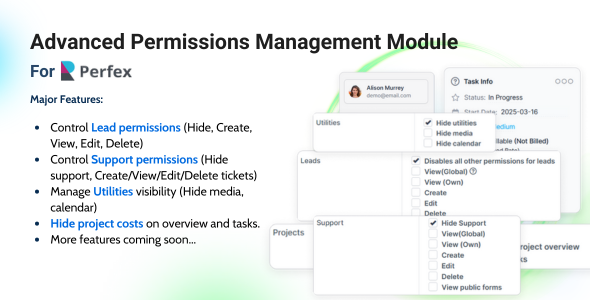 Advanced Permissions Management Module for Perfex CRM$6.00
 Restaurant Food Ordering Bot for WhatsApp, Telegram, Messenger (SAAS Based) – Foody Friend$5.00
 Website Uptime Monitor for Perfex CRM – Real-Time Website Tracking & Status Pages$5.00




Related Products
Same Contributor


Featured Products


