
Employee Monitoring – Work, Active, Idle, Break Time & Screenshots – Desktop App Plugin for Taskify

- Description
- Reviews
- FAQ
Transform Your Team’s Productivity with a Smarter Workflow
Are you struggling to manage your remote team’s productivity? Do you need a clear, data-driven way to track work hours without constant check-ins? The Employee Monitoring – Work, Active, Idle, Break Time & Screenshots – Desktop App Plugin for Taskify is the definitive solution to enhance transparency and boost efficiency within your Taskify project management ecosystem.
This powerful add-on provides a seamless bridge between your project tasks and real-world activity. It empowers you to understand how time is spent, ensure focus on key objectives, and build a more accountable team culture. Stop guessing and start making informed decisions with robust workforce analytics.
Gain unparalleled insight into your team’s daily operations. This tool is designed for managers who value both productivity and trust, offering a balanced approach to remote team management.
Key Features of the Taskify Employee Monitoring Plugin
This plugin is packed with features designed to give you a complete overview of your team’s performance. It’s more than just a timer; it’s a comprehensive productivity tracking suite.
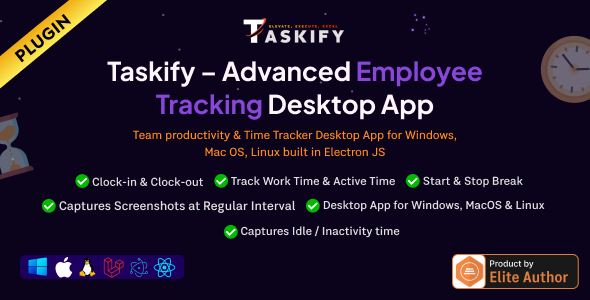
- Automated Time Tracking: Employees simply start the desktop tracker, and all work time is logged automatically against their assigned Taskify tasks.
- Intelligent Activity Monitoring: The system cleverly distinguishes between active work, idle time, and designated breaks based on user activity.
- Randomized Screenshot Capture: Gain visual confirmation of work being done with configurable, automated screenshot captures throughout the day.
- Seamless Taskify Integration: This is not a separate system. It’s built specifically for Taskify, ensuring all data syncs perfectly with your projects and tasks.
- Cross-Platform Desktop App: The lightweight tracking application works flawlessly on Windows, macOS, and Linux, catering to your entire team.
- Detailed Productivity Reports: Generate insightful reports to analyze work patterns, identify bottlenecks, and review performance for any period.
- Privacy-Focused Controls: Employees have control to start and stop the tracker, ensuring monitoring only occurs during designated work hours.
A Deeper Look at Your New Management Toolkit
Let’s explore the core components that make this employee monitoring plugin an indispensable asset for any manager using Taskify. These features work in harmony to provide a clear and accurate picture of your team’s efforts.
Automated Screenshot & Activity Capture
Visual verification is a powerful tool for accountability. This plugin takes randomized screenshots at intervals you define, providing a clear, unbiased record of work performed. This feature is perfect for client reporting and internal audits.
This visual data is linked directly to specific tasks within Taskify. It eliminates disputes over billable hours and gives you confidence that your team is focused and on track. It’s a fair and transparent way to ensure everyone is aligned.
Intelligent Work, Active & Idle Time Tracking
Manual timesheets are prone to errors and inaccuracies. This desktop tracker automates the entire process by monitoring keyboard and mouse activity. It intelligently categorizes time into ‘Active,’ ‘Idle,’ and ‘Break’ states.
This workforce analytics data is invaluable. You can quickly see who your most productive team members are and identify if someone is struggling or frequently distracted. It provides the insights needed for constructive performance conversations.
Seamless Integration with Taskify
The true power of this plugin is its native integration with the Taskify Project Manager. All tracked time, activity logs, and screenshots are automatically associated with the correct projects and tasks. There is no need for manual data entry or syncing between different platforms.
This creates a single source of truth for all project-related work. Project managers can view productivity data directly within their familiar Taskify dashboard, streamlining their workflow and saving valuable time. This tight integration makes it a must-have Taskify addon.
Who Can Benefit from This Taskify Monitoring Plugin?
This versatile tool is designed for any organization or individual that needs to accurately track time and productivity. It’s an essential part of the modern remote work toolkit.
Remote-First Companies
Maintain team cohesion and accountability, no matter where your employees are located. Ensure that project deadlines are met and that everyone is contributing effectively with clear performance metrics.
Digital & Creative Agencies
Accurately track billable hours for client projects. Provide clients with transparent, screenshot-verified reports to justify invoices and build long-term trust and satisfaction.
Project Managers
Get a real-time, high-level overview of task progress without micromanaging. Use the data to balance workloads, manage team capacity, and proactively address potential delays.
Consultants & BPOs
For businesses that rely on hourly billing, this tool is non-negotiable. It provides indisputable proof of work, simplifies the invoicing process, and strengthens client relationships through transparency.
Why Choose Our GPL-Licensed Version?
We believe in providing exceptional value and freedom. Our offering goes beyond just the software; it’s about empowering you to build and manage your business without restrictive terms or hidden costs.
Escape Expensive Subscriptions
Most employee monitoring tools operate on a costly SaaS model, charging you per user, every single month. This plugin is available for a simple, one-time payment. You get the full-featured, original software without the recurring financial burden, allowing you to scale your team without scaling your costs.
Ultimate Freedom and Flexibility
Because this plugin is distributed under the GPL, you have the freedom to use it on as many of your websites and for as many users as you need. There are no domain locks or restrictive licenses. This cost-effective approach is perfect for agencies and developers managing multiple projects.
Safe, Secure, and Original Code
We provide you with the original, untouched plugin files. Our downloads are 100% free from malware, viruses, or altered code. You get the same powerful tool offered by the developer, with the added benefit of the General Public License.
Frequently Asked Questions
Is this plugin compatible with the latest version of Taskify?
Yes. We ensure our plugins are kept up-to-date. This Employee Monitoring plugin is tested for compatibility with the latest stable releases of Taskify – Project Manager & Task Management System to ensure smooth operation.
What operating systems does the desktop tracking application support?
The desktop tracker is designed for maximum compatibility. It has dedicated applications available for Windows, macOS, and major Linux distributions, ensuring every member of your team can use it regardless of their setup.
How is employee privacy handled with the screenshot feature?
Privacy is a key consideration. The tracker is only active when the employee manually starts it, and they can stop it at any time. All captured data is stored securely on your own WordPress server, not on a third-party cloud, giving you full control over your team’s data.
Will I receive updates for the Employee Monitoring plugin?
Yes. As a member, you will have access to updates for the duration of your subscription. We regularly update our repository with the latest versions released by the original developers, providing you with new features and security patches.
Is it safe to use a GPL version of this plugin on my site?
Absolutely. The plugin we provide is the original, authentic software. It is not ‘nulled’ or ‘cracked.’ Using GPL-licensed software is a common and safe practice within the WordPress community, offering a cost-effective way to access premium tools.
Do I need a license key to activate the plugin’s features?
No license key is required for the core functionality of the plugin to work. You can install it and start using the main features immediately. Updates are provided directly through our platform.
Q: Do I need a license key?
A: No. All products are Pre-Activated. You can use 100% of the Premium features immediately.
Q: Can I use the One-Click Demo Import?
A: Yes, absolutely! We ensure the demo import feature works perfectly.
Q: Can I use the products on multiple websites?
A: Absolutely. The GPL license allows use on unlimited domains.
Q: Are the files safe?
A: Yes. All files are scanned by McAfee and VirusTotal before uploading.
Share Now!
Related Products
 BeDesk – Customer Support Software & Helpdesk Ticketing System$6.00
 RealFood | The Ultimate PHP Recipes & Community Food + RTL Support$5.00
 SocialMate – Social Media Account Selling Marketplace$5.00
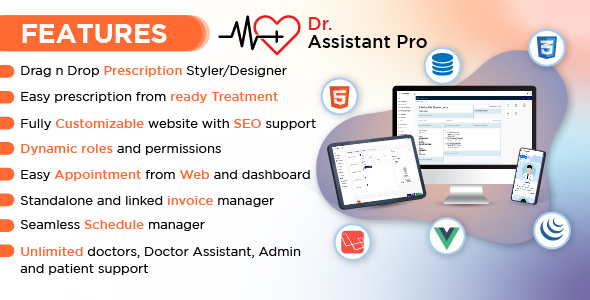 Dr. Assistant PRO – Patient Management & Prescription Writing Software$8.00
 Gamkon – On Demand Subscription Based Digital ID Selling Marketplace with Buyer and Seller Module$8.00



Related Products
Same Contributor



Featured Products


