
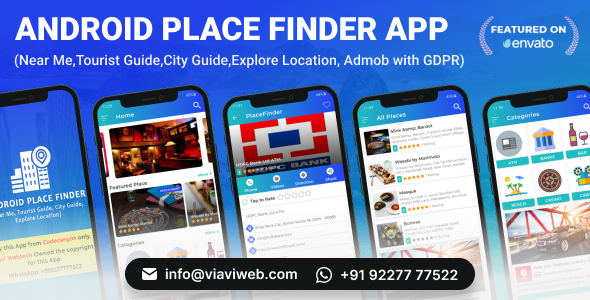
Android Place Finder (Near Me,Tourist Guide,City Guide,Explore Location, Admob with GDPR)

- Description
- Reviews
- FAQ
Launch Your Own Location-Based App in Record Time
Have you ever dreamed of launching your own city guide, local business directory, or tourist helper app? Building a location-aware application from scratch is complex, time-consuming, and expensive. The Android Place Finder (Near Me,Tourist Guide,City Guide,Explore Location, Admob with GDPR) source code is your ultimate shortcut to success.
This professional Android Studio project provides a complete, ready-to-launch template for creating a feature-rich place discovery app. It solves the biggest development hurdles, offering a robust backend, a beautiful user interface, and built-in monetization, so you can focus on building your brand and user base.
Key App Features at a Glance
This isn’t just a basic template; it’s a comprehensive solution packed with the features users expect from a modern location-based service.
- Powerful Place Discovery: Integrates seamlessly with the Google Places API to provide millions of points of interest out of the box.
- Built-in Monetization: Comes with Google AdMob pre-integrated, including banners, interstitial ads, and GDPR-compliant consent forms.
- Robust Admin Panel: Manage places, categories, user reviews, and app settings through a powerful and easy-to-use web-based admin panel.
- Engaging User Features: Includes user accounts, ratings, reviews, and a ‘favorites’ list to keep users coming back.
- Advanced Search & Filtering: Users can search by keyword, filter by category and distance, and view results on an interactive map or in a list.
- Modern Material Design UI: A clean, intuitive, and professional user interface that provides an excellent user experience right from the start.
- Multi-Language Ready: Easily translatable to support multiple languages and reach a global audience.
In-Depth Feature Analysis
Let’s dive deeper into what makes this Android app source code a game-changer for developers and entrepreneurs.
Monetize Your App Instantly with AdMob & GDPR
Turning your app into a revenue stream is a top priority. This source code makes it incredibly simple. Google AdMob is already integrated, allowing you to display banner and full-screen interstitial ads with just a few clicks in the configuration.
Crucially, it includes a built-in GDPR consent dialog. This ensures you comply with European privacy regulations, protecting you from potential fines and allowing you to monetize your European user base confidently. This thoughtful inclusion saves you weeks of development and legal headaches.
Full Control with a Powerful Admin Panel
An app is only as good as the data it contains. The included web-based Admin Panel gives you complete control over your app’s content. Built with a secure and scalable backend, it allows you to:
- Manually add, edit, or delete places and points of interest.
- Organize your content with custom categories (e.g., Restaurants, Museums, Parks).
- Moderate user-submitted reviews and ratings.
- Send push notifications to your users via Firebase.
- Configure app settings and view basic analytics.
This powerful tool means you don’t need to be a database expert to manage a professional, high-quality directory app.
Superior User Experience & Navigation
User retention is all about providing a seamless experience. This template is built on Google’s Material Design principles, ensuring a clean, modern, and intuitive interface that users will love.
The navigation is built around user intent. The ‘Near Me’ functionality instantly shows relevant places based on the user’s current location. The powerful search and filtering options let users quickly find exactly what they’re looking for, whether it’s the “best coffee shop within 1 mile” or “all museums in the city center.” The interactive map view provides a geographical context that is essential for any tourist or city guide app.
Who is This Android App Template For?
This versatile source code is the perfect starting point for a wide range of projects and users.
- Entrepreneurs: Launch a niche directory app (e.g., “Vegan Finder,” “Dog-Friendly Parks”) quickly and test your market without a huge initial investment.
- Freelance Developers: Use this template as a robust foundation to build custom location-based apps for your clients, drastically reducing development time and increasing your profit margins.
- Tourism Boards & Local Governments: Create an official city guide or tourist information app to promote local businesses and attractions.
- Event Organizers: Build a dedicated app for a festival or conference, mapping out stalls, stages, and points of interest for attendees.
- App Flippers: Quickly reskin and launch multiple apps targeting different cities or niches to generate passive income through AdMob.
Why Choose This Version? The Smart Developer’s Choice
You could buy this item from the original marketplace and pay a premium for a license that limits you to a single end product. Or, you can make the smarter choice. By downloading from us, you get the same high-quality, original code but with the freedom of the GPL.
This means you’re not just buying a single product; you’re investing in a reusable asset. You get the freedom to use the code on unlimited projects, the freedom to study how a professional app is built, and the freedom to modify it for your clients or your own business ventures. It’s the most cost-effective and empowering way to get started.
Frequently Asked Questions (FAQ)
What do I need to get started with this source code?
To customize and build this app, you will need Android Studio (the official IDE for Android development), a Google Play Developer account to publish the app, and a Firebase account for the backend and push notifications. The documentation included will guide you through the setup process.
Is the code for Android Place Finder written in Kotlin or Java?
This source code is written in Java, one of the most stable and widely-supported languages for Android development. This makes it accessible to a vast community of developers and ensures long-term compatibility.
Can I integrate my own data instead of using the Google Places API?
Yes. While the app is pre-configured to use the Google Places API, the robust admin panel allows you to manually add and manage your own custom places. This is perfect for creating a curated guide or a directory for a specific town or event where Google’s data may be incomplete.
How do updates for the Android Place Finder source code work?
When you purchase through us, you get access to the current version of the source code. While we don’t provide automatic updates from the original author, we regularly add the latest versions to our repository. You can then download the updated files and integrate the new features into your project if you wish.
Is the code downloaded from here safe and original?
Absolutely. We provide the exact same files that are distributed by the original developer. The code is 100% original and untouched. We believe in providing safe, clean, and authentic software that gives you the freedom to create without worry.
Does the Admin Panel require special hosting?
The Admin Panel is a web application built with PHP. It requires a standard web hosting environment with PHP and a MySQL database, which is included in almost every hosting plan available. The setup is straightforward and well-documented.
Q: Do I need a license key?
A: No. All products are Pre-Activated. You can use 100% of the Premium features immediately.
Q: Can I use the One-Click Demo Import?
A: Yes, absolutely! We ensure the demo import feature works perfectly.
Q: Can I use the products on multiple websites?
A: Absolutely. The GPL license allows use on unlimited domains.
Q: Are the files safe?
A: Yes. All files are scanned by McAfee and VirusTotal before uploading.
Share Now!
Related Products
 W3Cart – Native Android WooCommerce Full Mobile Application$5.00
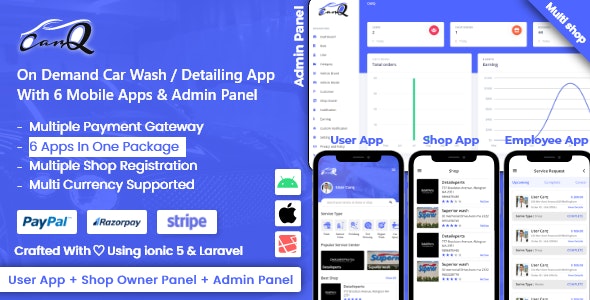 saas – On Demand Car Wash Service Booking App – CarQ$8.00
 AI Chess 2025 – Online PvP +Chat|Offline PvP +AI|2K+ Puzzles|Custom Game|Music|Themes|16 Langs|AdMob$5.00
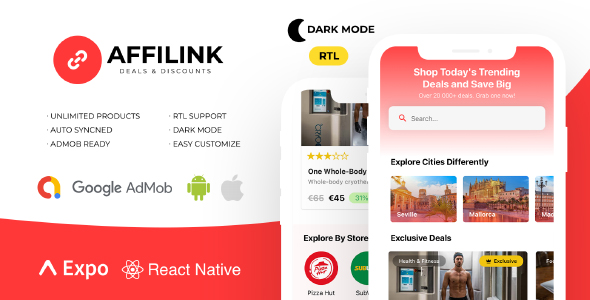 AffiLink Mobile – Affiliate Link Sharing Platform$5.00
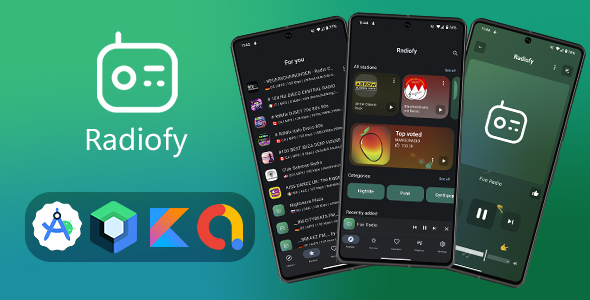 Radiofy – Online Radio Streaming App for Android | Kotlin & Jetpack Compose$5.00


Related Products
Same Contributor


Featured Products


