
AI Expense Manager || iOS App || Swift || OpenAI

- Description
- Reviews
- FAQ
Tired of Tedious Expense Tracking? There’s a Smarter Way.
Manually categorizing every coffee, lunch, and subscription is a chore. The AI Expense Manager || iOS App || Swift || OpenAI source code transforms this process. It’s a complete, ready-to-launch iOS application project that uses the power of Artificial Intelligence to make personal finance management effortless and intuitive.
Simply type or speak your expense in plain English, and let the AI handle the rest. This isn’t just another budgeting app; it’s a powerful foundation for your next fintech project, built with the latest Apple technologies.
With this Xcode project, you get the freedom to create, customize, and launch a premium finance app at a fraction of the typical development cost. Stop wrestling with spreadsheets and start building a truly intelligent financial tool.
Key Features of the AI Expense Manager
This iOS app template is packed with high-end features designed for a premium user experience. Here’s what makes it stand out:
- Intelligent AI Expense Parsing: Leverages OpenAI to automatically extract and categorize expense details from natural language input.
- Modern SwiftUI Interface: A beautifully crafted, minimalist UI built with SwiftUI for a smooth, native, and responsive experience on all modern iPhones.
- Comprehensive Financial Analytics: Visualizes spending with dynamic charts and graphs, offering users clear insights into their financial habits.
- Total Data Privacy: All financial data is stored locally on the user’s device, ensuring maximum privacy and security.
- Subscription & Recurring Expense Tracking: Easily manage ongoing payments and subscriptions to get a true picture of monthly cash flow.
- Biometric Security: Secure the app with Face ID or Touch ID, adding a professional layer of protection.
- Full Swift Source Code: Receive the complete, well-commented Xcode project, ready for customization and deployment.
In-Depth Feature Analysis
Let’s dive deeper into the core components that make the AI Expense Manager a game-changer for developers and entrepreneurs.
Revolutionize Tracking with AI-Powered Parsing
The standout feature is its intelligent expense entry system. Forget clunky forms and endless dropdown menus. Users can simply type “Team lunch at The Cafe for $75.50” and the app’s OpenAI integration does the heavy lifting.
The AI instantly identifies the amount, currency, description, and intelligently suggests a category like ‘Food’ or ‘Business’. This single feature drastically reduces friction, making users more likely to stick with tracking their expenses. It’s the kind of cutting-edge technology that sets a premium app apart from the competition.
Built for Modern iOS with Swift & SwiftUI
This app isn’t built on outdated technology. It uses Swift and SwiftUI, Apple’s modern framework for creating beautiful, fast, and responsive user interfaces. The code is clean, organized, and follows best practices, making it a dream for any iOS developer to work with.
Because it’s a native app, you get flawless performance and tight integration with the iOS ecosystem. The project includes support for both Light and Dark modes right out of the box. For developers, this means less time spent on boilerplate code and more time spent adding unique value.
Visualize Your Spending with Insightful Analytics
Data is useless without understanding. The AI Expense Manager excels at transforming raw numbers into actionable insights. The analytics dashboard features elegant charts and graphs that break down spending by category, time period (weekly, monthly, yearly), and payment method.
Users can quickly identify where their money is going, spot trends, and make informed decisions to improve their financial health. These visual tools are essential for user retention and provide a tangible benefit that keeps people engaged with the app day after day.
Who is This iOS App Source Code For?
This powerful Xcode project is the perfect solution for a wide range of users:
- iOS Developers: Save hundreds of hours of development time. Use this as a robust foundation for a client’s project or your own product to get to market faster.
- Entrepreneurs & Startups: Launch a FinTech MVP without breaking the bank. Test your market and iterate quickly with a professional, feature-rich application from day one.
- Students & Learners: Dive into a real-world, professional Xcode project. Learn how to implement Swift, SwiftUI, and integrate powerful third-party APIs like OpenAI.
- Freelancers & Small Businesses: Build a custom internal tool to track business expenses with precision. Tailor it to your exact needs for tax time and financial planning.
Why Download Our Version? The Smart & Affordable Choice
Developing a custom app of this caliber from scratch can easily cost over $15,000 and take months of work. Buying a single license from the official marketplace can be expensive and restrictive.
We offer a more intelligent path forward. By downloading from us, you get the exact same high-quality, original code but with two key advantages: unbeatable price and unmatched freedom. Our offering operates under the GPL, which allows us to provide you with this premium software at a fraction of the original cost.
This means you have the freedom to use the code on multiple projects, study its inner workings, and customize it without limitations. It’s the most cost-effective and flexible way to access professional-grade app source code, safely and securely.
Frequently Asked Questions (FAQ)
How does the AI expense parsing work?
The app securely sends the user’s text input (e.g., “Groceries for 45 EUR”) to the OpenAI API. The AI model then processes this text and returns a structured response with the amount, currency, and a suggested category. You will need to obtain and integrate your own free or paid OpenAI API key into the project settings for this feature to function.
Is this app compatible with the latest iOS and Xcode versions?
Yes. The AI Expense Manager is built using modern Swift and SwiftUI, ensuring compatibility with recent versions of iOS and Xcode. We consistently check for major updates and provide the latest versions of the files to our active members, ensuring your project stays current.
Can I publish an app built with this source code on the Apple App Store?
Absolutely. However, Apple’s guidelines require that apps submitted to the App Store are unique. You must significantly customize the app’s branding, color scheme, UI elements, and potentially add new features to differentiate it from other apps and to get it approved. This source code is the perfect starting point for that customization.
How do I receive updates for the AI Expense Manager?
When you purchase from us, you get access to any future updates we release for this item for one year. As the original developer updates the product, we purchase the update and make it available for download in your account dashboard. This ensures you benefit from bug fixes, new features, and compatibility improvements.
Is the code provided in this download safe and original?
Yes, 100%. We acquire the original files directly from the developer on CodeCanyon. The code is then scanned for any security vulnerabilities and passed on to you completely untouched and in its original state. You are getting the authentic, professional product.
What do I need to get started with this Xcode project?
To use and build this project, you will need a Mac computer running a recent version of macOS, the latest version of Xcode (available for free from the Mac App Store), an OpenAI API key for the AI features, and an active Apple Developer account if you plan to publish the app on the App Store.
Does this purchase include a developer’s license key or support?
Our files are provided under the General Public License (GPL). This means you receive the full, original software without a developer’s license key or direct support from the original author. This is how we can offer the product at such a significant discount. The app is fully functional, and for support, you can rely on our community forums or our extensive documentation.
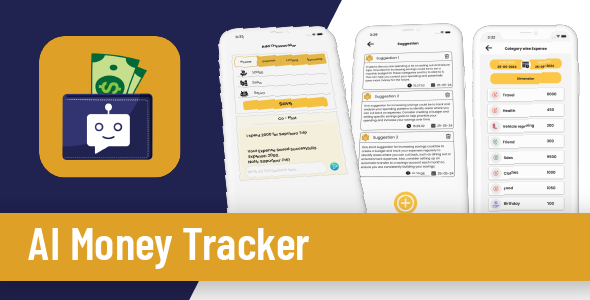
Q: Do I need a license key?
A: No. All products are Pre-Activated. You can use 100% of the Premium features immediately.
Q: Can I use the One-Click Demo Import?
A: Yes, absolutely! We ensure the demo import feature works perfectly.
Q: Can I use the products on multiple websites?
A: Absolutely. The GPL license allows use on unlimited domains.
Q: Are the files safe?
A: Yes. All files are scanned by McAfee and VirusTotal before uploading.
Share Now!
Related Products
 My RadiOS SwiftUI APP iOS 26, Radio Stream, Radio Swift, iOS APP Template (Single Station)$5.00
 AI Plant İdentifier Full Application$8.00
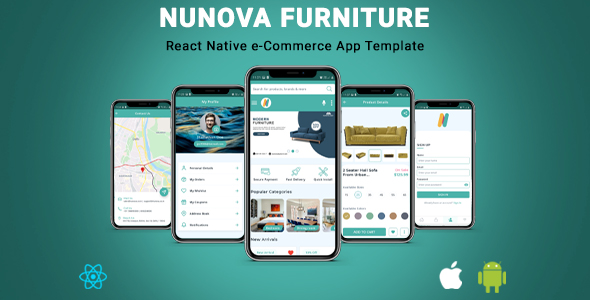 NunovaFurniture | React Native eCommerce App Template$3.00
 Cleanup Your Camera Roll – iOS App Swift$5.00
 Flixy iOS : Movie App : Series,Live TV, Video Streaming App, Netflix Clone : Swift UI/Laravel$8.00




Related Products
Same Contributor


Featured Products


