
iOS 17 Swift PDF Editing App | PDF Scanner App with Subscriptions

- Description
- Reviews
- FAQ
Launch Your Own High-Demand Utility App in Days, Not Months
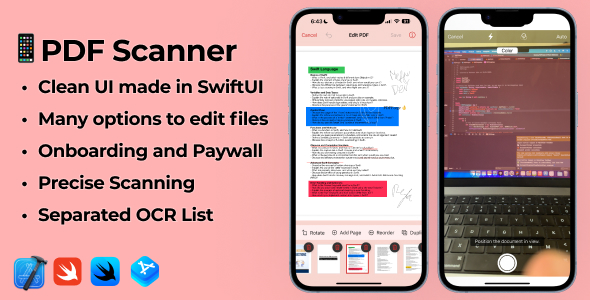
Are you looking to tap into the lucrative app market? The iOS 17 Swift PDF Editing App | PDF Scanner App with Subscriptions is your complete, ready-to-launch solution. Developing a feature-rich app from scratch costs thousands of dollars and takes immense effort. This professional source code template solves that problem instantly.
Built with the latest SwiftUI for iOS 17, this app template provides a robust, all-in-one PDF utility that users will love. It combines a powerful document scanner, a full suite of editing tools, and a pre-configured subscription model. You get a high-quality, modern app without writing a single line of code from scratch.
Start your mobile app business today with a proven, market-ready product. This is your shortcut to the App Store.
Key Features of the iOS 17 PDF Editor & Scanner App
This isn’t just a basic template; it’s a comprehensive business-in-a-box. Here’s what makes this iOS app source code stand out:
- Full PDF Editing Suite: Empower users to edit, merge, split, compress, and annotate PDF documents with ease.
- Advanced Document Scanner: Includes a high-quality scanner with automatic edge detection and perspective correction.
- Built-in OCR Technology: The Optical Character Recognition (OCR) feature turns scanned documents into searchable, editable text.
- Ready-to-Go Monetization: Seamlessly integrated with RevenueCat for in-app subscriptions and AdMob for ad revenue.
- Modern & Native Codebase: Developed using 100% native SwiftUI, ensuring peak performance, a slick UI, and full compatibility with iOS 17.
- Digital Signatures & Watermarking: Allow users to sign documents electronically and add custom watermarks for branding or security.
- Zero Backend Required: The app operates entirely on the user’s device, simplifying your setup and reducing server costs to zero.
In-Depth Feature Analysis
Let’s dive deeper into the three most powerful components of this iOS app template. These features are what turn a simple utility into a must-have tool for professionals and students alike.
1. Comprehensive PDF Editing & Management
Go beyond simple viewing. This app template provides a full-featured PDF powerhouse. Users can take complete control of their documents right from their iPhone or iPad.
The editing toolkit includes:
- Merge & Split: Easily combine multiple PDFs into a single file or extract specific pages to create new documents.
- Compress PDF: Reduce file sizes for easy sharing via email or messaging apps without significant quality loss.
- Annotate & Mark-Up: Add text, highlight important sections, draw, and place shapes to provide feedback or take notes.
- Page Organization: Reorder, rotate, or delete pages within a PDF document with a simple drag-and-drop interface.
2. Powerful Mobile Document Scanner with OCR
Turn any iPhone into a high-quality portable scanner. The integrated document scanner is designed for speed and accuracy, making it perfect for digitizing receipts, contracts, notes, and whiteboards.
What makes it truly powerful is the built-in Optical Character Recognition (OCR). When a user scans a document, the app can automatically recognize and extract the text. This transforms a static image into a fully searchable and editable document, a premium feature users are willing to pay for.
3. Seamless Monetization with Subscriptions & AdMob
This app is built to make you money from day one. It comes with two of the most effective monetization strategies pre-integrated, giving you flexibility and maximizing your revenue potential.
- In-App Subscriptions (via RevenueCat): The template is configured with RevenueCat, the industry standard for managing subscriptions. Easily set up weekly, monthly, or yearly premium plans to unlock advanced features. RevenueCat handles all the complexities of App Store payments.
- Google AdMob Ads: Supplement your subscription income with ad revenue. The app includes placements for banner and interstitial ads from AdMob, which can be enabled or disabled for premium subscribers. This dual-revenue model is highly effective.
Who is This App Template For?
This versatile source code is the perfect asset for a wide range of individuals and businesses looking to enter the app market quickly and efficiently.
For iOS Developers & Freelancers
Stop reinventing the wheel. Use this high-quality SwiftUI source code as a foundation for your client projects or your own App Store products. Save hundreds of development hours and deliver a professional-grade app in record time.
For Startups & Entrepreneurs
Have a great app idea but a limited budget? This template allows you to launch a Minimum Viable Product (MVP) that is already polished and feature-complete. Validate your business idea on the App Store without the massive upfront investment in custom development.
For Digital Agencies
Add a new revenue stream to your agency by offering app development services. You can easily reskin and customize this template for various clients in different niches, from real estate to education, providing immense value at a competitive price point.
For Students & Hobbyists
Learn how modern, monetizable iOS apps are built. This Xcode project is an incredible learning tool, showcasing best practices in SwiftUI, PDFKit, and integrating third-party SDKs like RevenueCat. Study the code, modify it, and publish your own creation.
Why Choose Our Version? The Smart Developer’s Choice
You might find this app template on other platforms, but our offering provides unparalleled value and freedom. We believe in making premium digital tools accessible to everyone.
Unbeatable Price & Value
Purchasing directly from a marketplace like CodeCanyon often involves a high price tag for a single-use license. Our price is a fraction of that cost. This makes it possible for anyone, from a solo developer to a bootstrapped startup, to access the exact same professional-grade code without breaking the bank.
Freedom with the GPL License
Our products are distributed under the GPL (General Public License). This doesn’t just mean a lower price; it means freedom. You have the freedom to use the code on unlimited personal or client projects. You have the freedom to study, modify, and learn from every line of the source code. You are not locked into a restrictive license that limits your creativity or business potential.
Safe, Original, and Untouched Code
We provide you with the 100% original and untouched source code, just as the developer intended. The files are clean, secure, and free from any modifications. You get the full, authentic Xcode project, ready for you to customize and build upon with complete peace of mind.
Frequently Asked Questions (FAQ)
Is this app template compatible with the latest Xcode and iOS 17?
Absolutely. The iOS 17 Swift PDF Editing App | PDF Scanner App with Subscriptions was built specifically for the latest technologies. It is fully compatible with Xcode 15+ and is optimized for all the new features and design language of iOS 17, using modern SwiftUI.
How do I set up the RevenueCat subscriptions?
The process is straightforward. The source code is already integrated with the RevenueCat SDK. You simply need to create a free RevenueCat account, set up your products (e.g., ‘monthly_premium’) in App Store Connect, and then link them within your RevenueCat dashboard. The app will handle the rest.
Does the OCR (Text Recognition) feature support multiple languages?
Yes, Apple’s Vision framework, which powers the OCR functionality in this app, supports a wide range of languages. The specific languages supported depend on the user’s iOS version, but it includes English, Spanish, French, German, Chinese, and many more major world languages.
Why is this source code so much cheaper here?
We believe in the open-source movement and the freedom the GPL license provides. We purchase the items directly from the developer and, because the code is under the GPL, we are free to redistribute it. This allows us to offer the exact same, 100% original product to you at a significantly lower price point by cutting out marketplace fees and single-license restrictions.
Can I customize the app’s branding and user interface?
Of course! That’s the primary purpose of a source code template. The entire project is provided as a standard Xcode project. You can easily change the app name, icons, color schemes, logos, and onboarding screens to match your brand identity. Since it’s built with SwiftUI, UI changes are incredibly fast and easy to implement.
Will I receive future updates for this app template?
Yes. Whenever the original developer releases an update, we purchase it and make it available for download in your account. We are committed to providing you with the latest, most secure, and feature-rich versions of all our products.
Is it safe to use this code for a commercial App Store app?
Yes, it is completely safe. You are receiving the original, untouched code distributed under the GPL. It is clean and secure. You can confidently build upon it, customize it, and submit it to the Apple App Store for your commercial project.
Q: Do I need a license key?
A: No. All products are Pre-Activated. You can use 100% of the Premium features immediately.
Q: Can I use the One-Click Demo Import?
A: Yes, absolutely! We ensure the demo import feature works perfectly.
Q: Can I use the products on multiple websites?
A: Absolutely. The GPL license allows use on unlimited domains.
Q: Are the files safe?
A: Yes. All files are scanned by McAfee and VirusTotal before uploading.
Share Now!
Related Products
 iOS 17 Swift QR Generator App | QR code Scanner App with Subscriptions$5.00
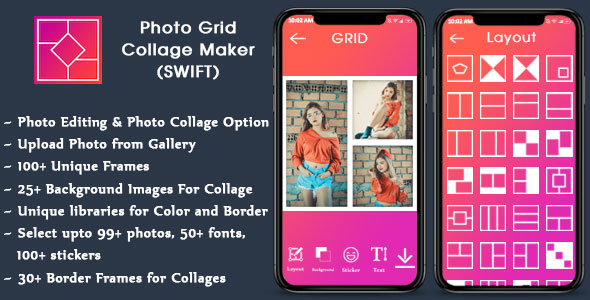 Collage Maker for IOS – Photo Editor (SWIFT)$5.00
 Radio & TV SwiftUI APP, Radio iOS and TV iOS 18, Live TV, iOS App Template (Single Station)$8.00
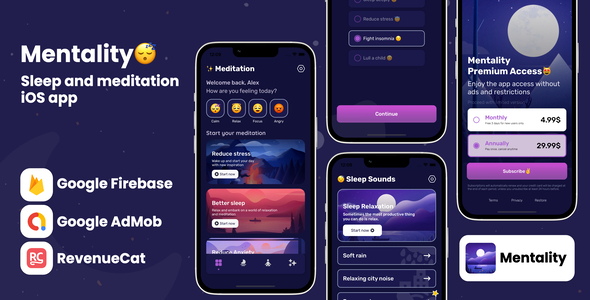 Mentality Meditation – iOS App Source Code$8.00
 English For Kids – ABC Games$3.00




Related Products
Same Contributor

Featured Products


