
Twenty20 – Multipurpose Responsive Email Template
- Description
- Reviews
- FAQ
Build Stunning, High-Converting Emails in Minutes
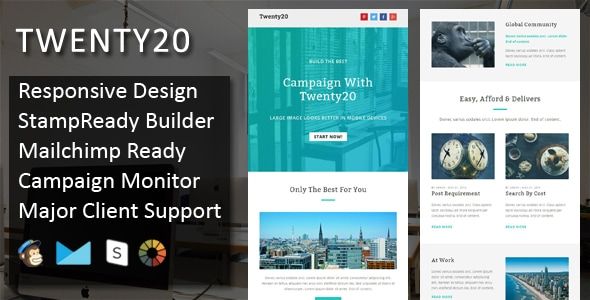
Are your email campaigns failing to capture attention? Creating professional, responsive emails that look perfect on every device can be a major challenge. With the Twenty20 – Multipurpose Responsive Email Template, you can design beautiful, effective newsletters and promotions without writing a single line of code.
This powerful toolkit solves the biggest problems in email marketing. It provides an intuitive online builder and a massive library of pre-designed modules. Stop wasting time on clunky editors and start sending emails that truly convert.
Elevate Your Email Marketing with Twenty20’s Core Features
Twenty20 is more than just a template; it’s a complete email design system. It is packed with features designed to make your campaigns more effective and your workflow more efficient. Here’s a look at what makes it an essential tool for any marketer.
- Intuitive Online Template Builder: Access a powerful drag-and-drop editor online to build and customize your email layouts visually. No coding skills are required.
- 200+ Unique Content Modules: Choose from a massive library of pre-built sections for headers, footers, call-to-actions, product grids, and more to assemble your perfect email.
- 20 Ready-to-Use Templates: Get started instantly with 20 fully designed, multipurpose templates suitable for any industry, from e-commerce to corporate newsletters.
- Universal ESP Compatibility: Easily export your finished designs for use with major Email Service Providers like Mailchimp, Campaign Monitor, iContact, and more.
- Fully Responsive Design: Your emails will look flawless on any screen size, from large desktops to small mobile phones, ensuring a perfect user experience for every subscriber.
- Dark Mode Support: Cater to modern user preferences with optimized dark mode rendering, making your emails easy to read in any environment.
- Litmus Tested & Approved: Rest assured knowing your emails have been rigorously tested across all major email clients, including tricky ones like Gmail, Apple Mail, and Outlook.
A Deeper Dive into What Makes Twenty20 Powerful
Let’s explore the core components that set the Twenty20 email template apart. These features are not just add-ons; they are fundamental to creating professional and high-performing email campaigns with ease.
The Intuitive Drag & Drop Online Builder
The standout feature of Twenty20 is its exclusive online builder. This web-based tool gives you the power of a premium email editor without the monthly subscription fee. You can visually construct your email by simply dragging and dropping modules into place.
Change colors, edit text, and swap images in real-time. This visual workflow dramatically speeds up the design process and empowers anyone on your team to create stunning emails. Once you are done, you can export the clean, compliant HTML with a single click.
Unmatched Versatility with 200+ Modules
Never feel limited by a rigid template again. Twenty20 offers an incredible collection of over 200 unique content modules. This modular system allows you to build virtually any layout you can imagine.
Combine different hero sections, feature blocks, product galleries, and testimonial sections to create a truly custom design. This flexibility makes Twenty20 perfect for any type of email, from a simple welcome message to a complex promotional newsletter. It’s the ultimate toolkit for creative freedom.
Universal Compatibility Across All Major Platforms
An email is useless if it doesn’t display correctly for your audience. The Twenty20 template has been thoroughly tested with Litmus, the industry standard for email testing. This ensures pixel-perfect rendering across all major email clients like Outlook, Gmail, and Apple Mail.
Furthermore, the exported HTML is optimized for seamless integration with top Email Service Providers (ESPs). You get dedicated export options for Mailchimp and Campaign Monitor, along with standard HTML that works with virtually any platform. Send your campaigns with confidence, knowing they will look great everywhere.
Who is the Twenty20 Email Template For?
The flexibility and ease of use of Twenty20 make it the perfect solution for a wide range of users. Whether you’re a solo entrepreneur or part of a large marketing team, this template has you covered.
- Digital Marketing Agencies: Create bespoke, professional email campaigns for multiple clients quickly and efficiently, without starting from scratch every time.
- E-commerce Store Owners: Design stunning promotional emails, abandoned cart reminders, and transactional messages that drive sales and match your brand identity.
- Freelancers & Web Developers: Offer high-value email design services to your clients. The included online builder provides a massive competitive advantage.
- Small Business Owners: Craft your own professional marketing newsletters without the high cost of hiring a designer or subscribing to expensive software.
- Corporate Marketing Teams: Ensure brand consistency and high-quality communication across all internal and external email announcements.
The Smart Choice: Why Download Twenty20 From Us?
When you get the Twenty20 – Multipurpose Responsive Email Template from us, you’re not just getting an amazing product; you’re gaining freedom and value.
Our files are 100% original and unmodified, obtained directly from the developer under the General Public License (GPL). This gives you several key advantages.
- Unbeatable Value: Get access to the exact same premium template at a fraction of the original price. This makes professional-grade tools accessible to everyone.
- Freedom to Innovate: Use the template for as many personal or client projects as you wish. There are no restrictions on the number of websites or campaigns you can use it for.
- Safe and Secure Code: We provide clean, untouched files. You can be confident that the code is free from any third-party modifications or malicious scripts.
Frequently Asked Questions About Twenty20
Is the Online Template Builder included with this download?
Yes. The Twenty20 package includes access to the powerful online drag-and-drop builder. You can use it to create and customize your email templates visually before exporting the final HTML code for your campaigns.
How do I use the Twenty20 template with Mailchimp or Campaign Monitor?
It’s incredibly simple. After designing your email in the online builder, you can use the dedicated export option for either Mailchimp or Campaign Monitor. The builder will generate a compatible file that you can directly import into your ESP, ready to send.
Are the email templates genuinely responsive and tested on clients like Outlook and Gmail?
Absolutely. Every module and template in the Twenty20 package has been rigorously tested using Litmus to ensure it renders perfectly across all modern email clients, including notoriously difficult ones like Microsoft Outlook. The responsive design ensures it looks great on mobile devices, tablets, and desktops.
Will I receive future updates for the Twenty20 Email Template?
Yes. When you purchase from us, you get access to updates for one year. As new versions are released by the original developer, we make them available for you to download from your account dashboard, ensuring your templates stay compatible and up-to-date.
Is it safe to download and use this template for my business emails?
Of course. We provide 100% original, unmodified files directly from the developer under the GPL. The code is clean and secure, making it perfectly safe for use in any professional or business context. You can use it with complete peace of mind.
Can I use this template for multiple clients or projects?
Yes, you can. The General Public License provides you with the freedom to use the template on an unlimited number of projects for yourself or your clients. This is one of the biggest benefits of getting the file from us, offering incredible value for agencies and freelancers.
Q: Do I need a license key?
A: No. All products are Pre-Activated. You can use 100% of the Premium features immediately.
Q: Can I use the One-Click Demo Import?
A: Yes, absolutely! We ensure the demo import feature works perfectly.
Q: Can I use the products on multiple websites?
A: Absolutely. The GPL license allows use on unlimited domains.
Q: Are the files safe?
A: Yes. All files are scanned by McAfee and VirusTotal before uploading.
Share Now!
Related Products




Related Products



Same Contributor


Featured Products


