
WooCommerce Add To Cart Button for Elementor
- Description
- Reviews (2)
- FAQ
Unlock Ultimate Control Over Your Store’s Most Important Button
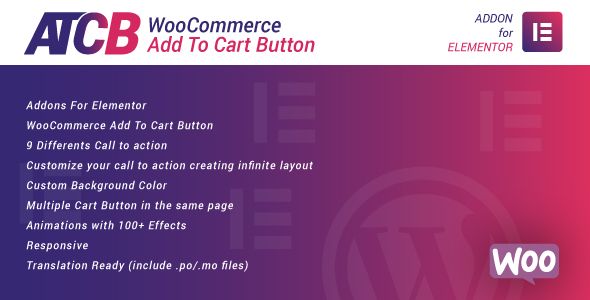
Are you tired of the default, rigid WooCommerce buttons? The WooCommerce Add To Cart Button for Elementor is the ultimate solution for taking full control over your store’s call to action. This powerful Elementor widget empowers you to design and place a fully customized Add to Cart button anywhere on your site, breaking free from template limitations.
Stop losing conversions due to generic, poorly placed buttons. With this essential tool, you can create a seamless and visually appealing shopping experience that guides customers effortlessly from browsing to buying. Boost your sales by placing the perfect button exactly where you need it.
Key Features at a Glance
This plugin is packed with features designed to give you maximum flexibility and improve your store’s conversion rates. Here’s what you can expect:
- Place Anywhere with Elementor: Use the dedicated widget to add a custom button on single product pages, shop archives, custom landing pages, or even in blog posts.
- Full Product Type Support: Works seamlessly with Simple, Variable, Grouped, and External/Affiliate WooCommerce products.
- AJAX Add to Cart: Enable a smooth, no-reload shopping experience. Customers can add products to their cart without frustrating page refreshes.
- Extensive Styling Options: Control every aspect of your button’s design, including typography, colors, borders, icons, and hover effects, directly within the Elementor editor.
- Customizable Button Text & Icons: Easily change the button text, add icons, and create unique states for different product situations (e.g., ‘View Product’, ‘Select Options’).
- Redirect After Add to Cart: Choose to redirect users to the cart, checkout, or any custom URL after they add a product, streamlining your sales funnel.
- Lightweight and Optimized: Built with clean, efficient code to ensure your site remains fast and responsive without adding unnecessary bloat.
Transform Your User Experience with Powerful Features
Let’s dive deeper into the core functionalities that make this plugin a must-have for any serious WooCommerce store owner using Elementor.
Advanced Styling and Customization Control
Your brand is unique, and your call-to-action buttons should reflect that. This widget gives you granular control over the button’s appearance directly inside the familiar Elementor interface. Forget writing custom CSS or fighting with your theme’s default styles.
You can effortlessly adjust colors, gradients, and backgrounds for both the normal and hover states. Fine-tune the typography, add box shadows for a modern 3D effect, and control padding and margins with pixel-perfect precision. This level of design freedom ensures your Add to Cart button perfectly matches your site’s aesthetic and stands out to drive clicks.
Seamless AJAX and Variable Product Integration
A modern e-commerce site needs a fast, frictionless user experience. The built-in AJAX functionality allows customers to add items to their cart without the entire page reloading. This small detail dramatically improves perceived speed and keeps shoppers engaged.
Crucially, this feature works perfectly with variable products. The widget can automatically display the necessary product attribute dropdowns (like size or color) before the button, allowing customers to make their selection and add to cart from anywhere, not just the single product page. This is a game-changer for creating custom product grids or featured sections.
Strategic Button Placement and Redirects
Why limit your most important button to just the product page? This plugin lets you think like a marketer. Place a high-converting WooCommerce Add To Cart Button for Elementor on your homepage, within a targeted blog post reviewing a product, or on a dedicated sales landing page.
Combine this flexibility with powerful redirect options. For a standard purchase, you might keep the customer on the page with an AJAX confirmation. For a high-ticket item or a special promotion, you can automatically redirect them straight to the checkout page, shortening the sales funnel and increasing the likelihood of a completed purchase.
Who is This Plugin For?
This powerful tool is designed for anyone looking to optimize their WooCommerce store’s conversion funnel and user experience. It’s particularly valuable for:
- E-commerce Store Owners: Take direct control over your site’s design and sales process without needing to hire a developer for simple button tweaks.
- WordPress Freelancers: Deliver highly customized and professional-looking e-commerce sites for your clients. This widget saves you hours of custom coding.
- Digital Agencies: Equip your team with a reliable tool to build high-converting online stores efficiently, allowing you to use it across unlimited client projects.
- Marketing Professionals: Create targeted landing pages and sales funnels with strategically placed call-to-action buttons to maximize campaign ROI.
The Smart Choice: Freedom, Power, and Affordability
Why choose this version of the WooCommerce Add To Cart Button for Elementor? The answer is simple: value and freedom. We provide you with the exact same powerful, feature-rich plugin but under the General Public License (GPL).
This means you get access to world-class functionality at a significantly lower cost. More importantly, it gives you the freedom to use the plugin on as many websites as you wish, whether for personal projects or client work. You are investing in a tool, not a restrictive license, giving you the flexibility to grow without incurring repeated costs.
We believe in providing access to powerful tools that empower creators. By choosing this option, you are making a smart, cost-effective decision without sacrificing quality or performance.
Frequently Asked Questions
Does the WooCommerce Add To Cart Button for Elementor work with the latest version of WooCommerce and WordPress?
Yes, absolutely. We ensure our plugins are tested and fully compatible with the latest major releases of WordPress, WooCommerce, and Elementor. You can build with confidence, knowing your tools are up-to-date.
Can I customize the button for variable products to show options?
Yes. This is one of the plugin’s most powerful features. When you use the widget for a variable product, it can automatically display the attribute selectors (e.g., dropdowns for size, color) so users can make their choice before adding the product to the cart.
How do I receive updates for the plugin?
After your purchase, you gain access to our repository. We regularly update our files as new versions are released by the original developer. You can simply download the updated version from your account and install it on your WordPress site.
Is the code provided safe and free from malware?
Your website’s security is our top priority. The plugin files we provide are 100% original and sourced directly from the developer. We do not alter the code in any way, ensuring it is clean, safe, and free from any malicious scripts.
Can I use this widget to create a ‘Buy Now’ button that skips the cart and goes to checkout?
Yes. The plugin includes a feature to set a custom redirect URL after a product is added to the cart. To create a ‘Buy Now’ experience, you can simply set the redirect URL to your store’s checkout page. This is an excellent strategy for reducing friction and boosting conversions.
Why is this plugin so much more affordable here?
We can offer this price because of the GPL license, which allows for the redistribution of software. You are paying for access to our service, which includes providing you with the original plugin file and continuous updates. This model allows us to offer premium tools at a fraction of the original cost, making them accessible to more creators and developers.
Share Your Valuable Opinions
Q: Do I need a license key?
A: No. All products are Pre-Activated. You can use 100% of the Premium features immediately.
Q: Can I use the One-Click Demo Import?
A: Yes, absolutely! We ensure the demo import feature works perfectly.
Q: Can I use the products on multiple websites?
A: Absolutely. The GPL license allows use on unlimited domains.
Q: Are the files safe?
A: Yes. All files are scanned by McAfee and VirusTotal before uploading.
Share Now!
Related Products




Related Products



Same Contributor


Featured Products


Happy.
Premium quality.