
Custom Scrollbar for WordPress – Scroller
- Description
- Reviews
- FAQ
Transform Your Website’s User Experience with a Custom Scrollbar
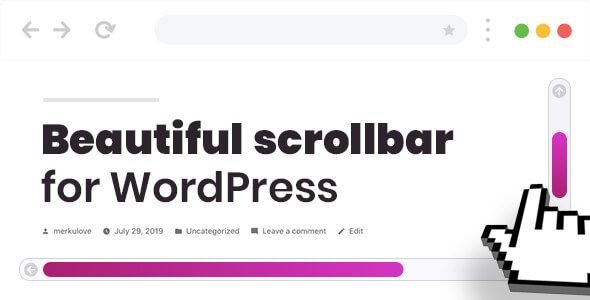
Are you tired of the boring, default browser scrollbar ruining your carefully crafted website design? You spend hours perfecting your site’s look, only to have that clunky, gray bar break the immersion. The Custom Scrollbar for WordPress – Scroller plugin is the ultimate solution to this common design frustration.
This powerful yet lightweight plugin gives you complete control over your website’s scrollbar, turning a forgotten element into a stunning design feature. Enhance your brand identity, improve user navigation, and create a seamless, professional look across your entire WordPress site. It’s time to pay attention to the details that set you apart.
Key Features of Scroller: The Ultimate WordPress Scrollbar Plugin
Scroller is packed with features designed to give you maximum flexibility and control without sacrificing performance. Here’s a look at what makes it the best choice for customizing your site’s navigation:
- Complete Visual Customization: Modify every aspect of your scrollbar, including colors, size, background, and border-radius to perfectly match your brand’s aesthetic.
- Advanced Visibility Options: Choose exactly where your custom scrollbar appears. Display it site-wide or limit it to specific posts, pages, or even custom post types.
- Responsive & Touch-Friendly: Scroller is built to work flawlessly on all devices. It supports touch-based scrolling for mobile and tablets, ensuring a smooth experience for every visitor.
- Smooth Scrolling Integration: Enable a silky-smooth scrolling effect that makes navigating long pages a pleasure, reducing user friction and improving engagement.
- Page Builder Compatible: Works seamlessly with popular page builders like Elementor and WPBakery, allowing you to see your custom scrollbar in real-time as you design.
- Lightweight & Performance-Focused: Built with clean code, Scroller adds incredible style to your site without slowing it down. It’s optimized for speed and efficiency.
- Easy to Use Interface: A user-friendly settings panel means you don’t need to be a developer to create a beautiful, custom scrollbar in minutes.
In-Depth Look: Scroller’s Most Powerful Features
Let’s dive deeper into the three core features that make the Custom Scrollbar for WordPress – Scroller an indispensable tool for any website owner or developer.
Unlimited Styling & Customization
Your brand has a unique color palette and style, and your scrollbar should reflect that. Scroller unlocks complete creative freedom, moving beyond simple color changes. You get granular control over every element.
You can define the color and size of the scrollbar thumb and track, add gradients, and even adjust the border-radius to create a soft, rounded look or a sharp, modern one. This level of detail ensures the scrollbar becomes an integral part of your design, not a jarring afterthought.
Advanced Visibility & Responsive Controls
Not every page on your site is the same, so why should your scrollbar be? Scroller’s advanced visibility rules are a game-changer. You can enable your custom design on your homepage but revert to the default on your contact page, or create a unique scrollbar just for your blog posts.
Furthermore, you have full control over responsive settings. You can choose to disable the custom scrollbar on mobile devices to preserve the native touch experience, or style it differently for smaller screens. This ensures optimal usability and appearance, no matter how your visitors access your site.
Seamless Page Builder & Theme Integration
In the modern WordPress ecosystem, compatibility is key. Scroller is engineered to work perfectly with leading page builders like Elementor, WPBakery, and Beaver Builder. This means you can design your pages and see your custom scrollbar live, without guesswork.
The plugin is also theme-agnostic, meaning it integrates smoothly with almost any WordPress theme on the market. Whether you’re using a popular theme like Avada, Divi, or a custom-built one, Scroller adds its stylish touch without causing conflicts, making it a reliable choice for any project.
Who is the Scroller Plugin For?
This plugin is a versatile tool that benefits a wide range of WordPress users. Here’s who can get the most value from it:
- Design Agencies & Freelancers: Impress clients by delivering websites with a polished, high-end finish. Use Scroller across unlimited client projects to add value without adding significant costs.
- Creative Professionals: Photographers, artists, and designers can use Scroller to ensure their portfolio sites are visually consistent and aesthetically pleasing, keeping the focus on their work.
- E-commerce Store Owners: Enhance the user experience on long product category pages or detailed product descriptions. A smooth, branded scrollbar makes browsing more enjoyable and can lead to higher conversions.
- Bloggers & Content Creators: Make long-form articles and tutorials more engaging. A pleasant scrolling experience encourages visitors to stay on the page longer and consume more of your content.
Why Choose Our Version? The Smart & Cost-Effective Choice
You might see the Custom Scrollbar for WordPress – Scroller plugin available elsewhere, but our version offers a unique and powerful advantage: freedom.
When you get the plugin from the original developer, you typically pay for a license limited to a single website. For an agency or a developer managing multiple sites, these costs add up quickly. Our offering is different.
We provide the exact same plugin—with its complete features and functionality—under the General Public License (GPL). This means you get:
- Unmatched Value: Get the full-featured, premium plugin for a fraction of the price.
- Freedom to Use: Use the plugin on an unlimited number of your own or your clients’ websites without purchasing additional licenses.
- Safe & Original Code: We provide 100% original, untouched code. You get the powerful functionality you need, secured by the transparency of the GPL.
It’s the smartest way to access premium tools while keeping your project budgets lean and flexible.
Frequently Asked Questions (FAQ)
Does the Custom Scrollbar for WordPress – Scroller work on mobile and touch devices?
Yes, absolutely. Scroller is designed to be fully responsive and supports touch-based scrolling. You also have the specific option in the settings to disable the custom scrollbar on mobile devices if you prefer to use the native browser experience for touchscreens.
Will this plugin slow down my website?
Scroller is built to be lightweight and performance-focused. It uses modern and efficient code to ensure it doesn’t negatively impact your site’s loading times or Core Web Vitals. You can add a stylish scrollbar without worrying about performance degradation.
Can I use a different scrollbar design on my blog than on my homepage?
Yes, this is one of Scroller’s most powerful features. The plugin includes advanced visibility rules that allow you to enable or disable the custom scrollbar on a per-page, per-post, or even per-post-type basis. This gives you granular control over where your custom designs appear.
Is Scroller compatible with the Elementor page builder?
Yes, the plugin works seamlessly with Elementor, as well as other popular page builders like WPBakery. This compatibility allows you to build your pages and see your custom scrollbar in action, ensuring a perfect visual match for your designs.
How do I receive updates for the plugin?
When you purchase from us, you gain access to our secure dashboard where you can download the latest version of the plugin as soon as it becomes available to us. We regularly update our repository to provide you with the newest features and security patches.
Is the code provided here safe to use on my website?
Absolutely. We provide 100% original and untouched code, distributed under the GPL. The files are the same as those from the original developer, free from any modifications, malware, or ads. You can use it with confidence on any of your projects.
Why is this plugin so much more affordable here than on the developer’s official site?
We can offer this price because we distribute the software under the GPL license, which allows for the redistribution of the original code. You are paying for access to our download repository and our update service, not for a single-site license key. This model makes premium tools accessible to more creators at a fraction of the cost.
Q: Do I need a license key?
A: No. All products are Pre-Activated. You can use 100% of the Premium features immediately.
Q: Can I use the One-Click Demo Import?
A: Yes, absolutely! We ensure the demo import feature works perfectly.
Q: Can I use the products on multiple websites?
A: Absolutely. The GPL license allows use on unlimited domains.
Q: Are the files safe?
A: Yes. All files are scanned by McAfee and VirusTotal before uploading.
Share Now!
Related Products






Related Products



Same Contributor


Featured Products


