
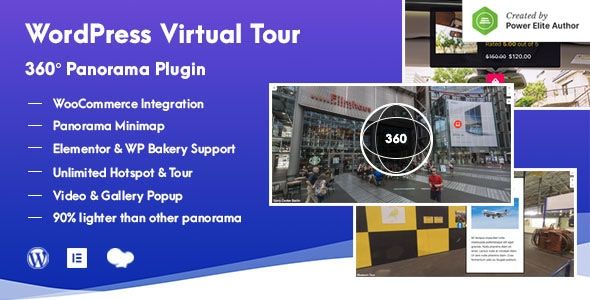
WordPress Virtual Tour 360 Panorama Plugin
- Description
- Reviews
- FAQ
Transform Your Website with Immersive 360° Virtual Tours
In today’s visual-first world, static images are no longer enough to capture your audience’s attention. To truly stand out, you need to offer an interactive, engaging experience. The WordPress Virtual Tour 360 Panorama Plugin is the ultimate tool to bring your spaces and products to life directly on your website.
This powerful plugin allows you to create beautiful, high-resolution 360-degree virtual tours with ease. Guide your visitors through properties, showrooms, or landscapes with interactive hotspots, rich media, and seamless navigation. Stop just showing your customers; start immersing them.
Core Features of the WordPress Virtual Tour 360 Panorama Plugin
Packed with professional-grade features, this plugin gives you everything you need to build a world-class virtual experience. It’s designed for both beginners and developers, offering intuitive controls and deep customization options.
- Interactive Hotspots: Add unlimited hotspots to your panoramic images. Link scenes together, display text, show images and videos, or even embed external content to enrich the user’s journey.
- WooCommerce Integration: Turn your virtual tour into a powerful sales tool. Tag products directly within the 360° view, allowing customers to see item details and add them to the cart without leaving the immersive experience.
- Integrated Floor Plan: Help users navigate complex spaces with an interactive floor plan or map. Show markers for each scene and the current viewing angle for intuitive orientation.
- Visual Tour Builder: No coding required! The user-friendly backend editor allows you to visually build your tour, upload panoramas, connect scenes, and place hotspots with simple drag-and-drop controls.
- Fully Responsive Design: Your virtual tours will look stunning and function perfectly on any device, from large desktops to tablets and smartphones. The responsive layout ensures a seamless experience for every visitor.
- VR Headset Support: Offer a truly immersive experience with support for Virtual Reality headsets like Google Cardboard. A simple click transports your user directly into the scene.
- Page Builder Compatibility: The plugin integrates perfectly with popular page builders like Elementor, WPBakery, and the Gutenberg block editor, allowing you to embed your tours anywhere with a simple shortcode.
A Deeper Dive into What Makes This Plugin a Game-Changer
While the feature list is impressive, three key elements truly set this plugin apart. They work together to transform a simple panorama into a powerful business asset.
Interactive Hotspots & Rich Media Engagement
Hotspots are the heart of any great virtual tour. This plugin gives you complete control to create a dynamic and informative experience. You aren’t limited to just linking one room to another.
You can configure hotspots to open detailed information popups, showcase a gallery of close-up images, or even play a promotional video. This allows you to highlight specific features, provide instructions, or embed powerful calls-to-action directly within the panoramic view, dramatically increasing user engagement.
Seamless WooCommerce Integration for E-Commerce
Imagine letting customers shop your showroom from the comfort of their home. The WordPress Virtual Tour 360 Panorama Plugin makes this a reality with its deep WooCommerce integration. Simply add a special hotspot to any product in your scene.
When a user clicks it, they can see the product name, image, price, and an “Add to Cart” button. This feature is a game-changer for furniture stores, art galleries, real estate staging, and any e-commerce business selling physical products that benefit from being shown in a realistic context.
Intuitive Visual Builder with Floor Plan Navigation
Building a complex tour shouldn’t be complicated. The plugin features a brilliant visual editor that simplifies the entire process. You can see all your scenes laid out, draw connections between them, and manage all your hotspots from one central, easy-to-understand interface.
Combined with the floor plan feature, this creates an unparalleled navigation system. Users can orient themselves with the map, see which direction they are facing via a compass, and jump to any room they wish. This is essential for large real estate properties, hotel tours, or multi-level building showcases.
Who Needs the WordPress Virtual Tour 360 Panorama Plugin?
This versatile tool provides immense value across a wide range of industries. If you need to showcase a physical space or product, this plugin is for you.
- Real Estate Agents & Agencies: Create 24/7 open houses for your listings. Allow potential buyers to explore every room in detail, saving time and attracting more qualified leads.
- Hotels, Resorts & Rentals: Give guests an immersive preview of your rooms, lobby, pool, and amenities. A high-quality virtual tour can significantly boost direct bookings.
- E-commerce Stores: Build virtual showrooms for furniture, cars, apparel, and more. Show your products in a real-world context and increase conversion rates.
- Architects & Interior Designers: Present your portfolio in a dynamic, interactive format. Walk clients through your completed projects or architectural models.
- Museums, Galleries & Venues: Offer virtual exhibitions to a global audience. Showcase your space and attract more visitors for events and exhibits.
- Educational Institutions: Create compelling virtual campus tours for prospective students and their families, highlighting key facilities and campus life.
Why Choose Our Version? The Smart & Affordable Choice
Premium WordPress plugins often come with a high price tag and restrictive “per-site” licensing. This can make it difficult for freelancers, small businesses, and agencies to scale their operations without incurring massive costs.
We offer a better way. We provide the exact same powerful WordPress Virtual Tour 360 Panorama Plugin, complete with all its premium features, but under the freedom of the General Public License (GPL). This is not a cracked or nulled version; it is the original, secure code.
This approach allows us to offer this incredible tool at a fraction of the developer’s price. You get the freedom to innovate and grow your business without being held back by expensive subscriptions or limited licenses.
- Incredible Value: Access a top-tier, professional plugin for a significantly lower cost.
- Freedom and Flexibility: Use the plugin on as many client and personal websites as you need. One purchase, unlimited use.
- Safe and Secure Code: We provide the original, unaltered files directly from the developer. Your website’s integrity is guaranteed.
- Ongoing Updates: You receive access to regular updates, ensuring the plugin remains compatible with the latest WordPress versions and continues to function perfectly.
Frequently Asked Questions
Is this virtual tour plugin compatible with Elementor and WPBakery?
Absolutely. The WordPress Virtual Tour 360 Panorama Plugin is designed to work seamlessly with all major page builders. You can easily embed your created tours into any page, post, or template using a simple shortcode, which is fully supported by Elementor, WPBakery, Beaver Builder, and the native Gutenberg editor.
Can I add products from my WooCommerce store into a virtual tour?
Yes, this is one of the plugin’s most powerful features. You can create special ‘WooCommerce hotspots’ that link directly to products in your store. When a user interacts with the hotspot, it can display product information and an ‘Add to Cart’ button right inside the tour.
How do I receive updates for the WordPress Virtual Tour 360 Panorama Plugin?
After your purchase, you gain access to our dashboard where you can download the latest version of the plugin at any time. We regularly update our repository with the newest releases from the original developer, ensuring you have access to bug fixes, security patches, and new features.
What image formats are supported for the panoramic scenes?
The plugin requires equirectangular panoramic images to function correctly. The recommended format is a high-quality JPG. This is the standard 360° image format produced by most 360-degree cameras and rendering software.
Does the plugin support VR headsets like Google Cardboard?
Yes, it does. The plugin includes a ‘VR Mode’ button that users can press on their mobile devices. This splits the screen for use with VR headsets like Google Cardboard, Samsung Gear VR, and others, offering a truly immersive virtual reality experience.
Is the file I download from you safe to use on my WordPress site?
Yes, 100%. We provide original, untouched files that are distributed under the GPL. The code is identical to what the original developer sells. We do not deal in nulled or modified software, so you can be confident that the plugin is secure and free from any malicious code.
Why is your price so much lower than the developer’s?
Our business model is based on the General Public License (GPL). When you buy from the original developer, you are paying for the plugin and for their direct, one-on-one technical support. We are able to offer the exact same software at a lower price because we don’t offer that direct support, making it an ideal choice for users who are comfortable with WordPress and don’t require hand-holding.
Q: Do I need a license key?
A: No. All products are Pre-Activated. You can use 100% of the Premium features immediately.
Q: Can I use the One-Click Demo Import?
A: Yes, absolutely! We ensure the demo import feature works perfectly.
Q: Can I use the products on multiple websites?
A: Absolutely. The GPL license allows use on unlimited domains.
Q: Are the files safe?
A: Yes. All files are scanned by McAfee and VirusTotal before uploading.
Share Now!
Related Products




Related Products



Same Contributor


Featured Products


