
Breadcrumbs for Elementor
- Description
- Reviews
- FAQ
Improve Your Site’s UX and SEO with Breadcrumbs for Elementor
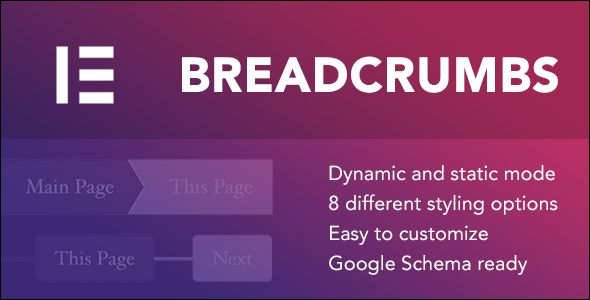
Are your website visitors getting lost in a maze of pages? A confusing user journey leads to high bounce rates and missed conversions. The solution is a clear, intuitive navigation path, and the Breadcrumbs for Elementor plugin is the ultimate tool to create it.
This powerful Elementor widget allows you to add fully customizable and SEO-friendly breadcrumb trails anywhere on your site. Guide your users, improve your site structure, and give your search engine rankings a significant boost. It’s an essential addition for any serious website owner using Elementor.
Key Features at a Glance
Unlock a suite of powerful features designed for maximum impact and ease of use. Here’s what makes Breadcrumbs for Elementor a must-have tool:
- Seamless SEO Plugin Integration: Works flawlessly out-of-the-box with popular SEO plugins like Yoast SEO, Rank Math, and SEOPress.
- Total Design Freedom: Customize every aspect of your breadcrumbs, including typography, colors, spacing, icons, and separators to perfectly match your brand.
- Built-in Schema.org Markup: Automatically adds JSON-LD structured data to your pages, helping search engines understand your content and improving your chances of getting rich snippets.
- Fully Responsive Controls: Fine-tune the appearance of your breadcrumbs on desktop, tablet, and mobile devices for a perfect user experience everywhere.
- Extensive Post Type Support: Provides full support for custom post types, taxonomies, and archives, making it perfect for complex websites.
- Lightweight & Performance-Focused: Built with clean, efficient code to ensure your site remains fast and responsive without any bloat.
- Dynamic Content Ready: Leverage Elementor’s dynamic tags to display breadcrumbs in your theme builder templates for site-wide consistency.
Dive Deeper into Core Features
Let’s explore the three pillars that make this plugin an indispensable part of your WordPress toolkit. These features aren’t just options; they are strategic advantages for your website.
Seamless Integration with Your Favorite SEO Tools
You’ve already spent time configuring your site’s SEO with tools like Rank Math or Yoast SEO. Breadcrumbs for Elementor respects that work. It intelligently detects your active SEO plugin and uses its breadcrumb data automatically.
This means no redundant configuration or conflicts. Your carefully crafted title structures and settings are instantly reflected in the breadcrumb trail. If you don’t use an SEO plugin, its powerful internal generator kicks in, ensuring you always have a perfectly structured navigation path.
Unmatched Customization & Styling Control
Cookie-cutter designs don’t cut it. Your breadcrumbs should be an integrated part of your site’s design, not an afterthought. This widget puts you in complete control, all within the familiar Elementor editor.
You can meticulously adjust:
- Typography: Font family, size, weight, and style for every part of the trail.
- Colors: Set custom colors for text, links, and hover states.
- Spacing & Alignment: Control the spacing between items and align the entire trail left, center, or right.
- Separators: Choose from a library of icons or use custom text as a separator.
- Home Icon: Decide whether to show a ‘Home’ text link, an icon, or both.
This level of detail ensures your breadcrumbs look pixel-perfect on every page, reinforcing your brand’s visual identity.
Boost Your SEO with Automatic Schema Markup
In today’s competitive digital landscape, on-page SEO is critical. Breadcrumbs are not just a UX feature; they are a powerful SEO signal. This plugin automatically generates Schema.org structured data (in JSON-LD format) for your breadcrumb trails.
This special code speaks directly to search engines like Google, clearly explaining the page’s position within your site’s hierarchy. This can lead to enhanced search results, including displaying the breadcrumb trail directly in the search snippets, which increases click-through rates and drives more organic traffic.
Who is Breadcrumbs for Elementor For?
This versatile plugin is a game-changer for a wide range of users. Whether you’re a business owner, a content creator, or a web professional, it provides immense value.
E-commerce Stores
For online shops running on platforms like WooCommerce, clear navigation is directly tied to revenue. Use this plugin to create clear WooCommerce breadcrumbs that guide shoppers from the homepage to categories, sub-categories, and finally to the product. This reduces friction, improves the shopping experience, and helps customers discover more products, ultimately boosting your sales.
Content-Heavy Blogs and News Sites
If you run a blog, magazine, or directory with hundreds of articles, you need a robust site structure. Breadcrumbs help users understand where they are and how content is related. This encourages them to explore more, reduces your bounce rate, and increases average session duration—all positive signals to search engines.
Digital Agencies and Freelancers
Deliver more value to your clients with less effort. Adding professional, custom-styled breadcrumbs is a high-impact feature you can implement in minutes. It enhances the final product, improves the client’s SEO, and showcases your attention to detail, making you look like a star developer.
The Smart Choice for Your WordPress Toolkit
Why choose this GPL-licensed version of Breadcrumbs for Elementor? The answer is simple: it offers unparalleled value, freedom, and security.
We believe in empowering creators. By providing this plugin under the GPL, we give you the freedom to use a premium tool without the premium price tag. You get the exact same powerful features and clean code, sourced directly from the original developer.
This means you can install and use it on as many personal or client websites as you need, without worrying about restrictive licenses or recurring subscriptions. It’s the cost-effective and intelligent way to build your development toolkit, allowing you to invest your resources where they matter most.
Frequently Asked Questions
Does Breadcrumbs for Elementor work with the latest version of Elementor?
Absolutely. The plugin is maintained to ensure full compatibility with the latest versions of both the free Elementor and Elementor Pro. You can use it with confidence, knowing it will integrate smoothly into your existing workflow.
Can I use this plugin with Yoast SEO or Rank Math?
Yes, and it’s one of its best features. The plugin is specifically designed to integrate with the breadcrumb functions of major SEO plugins, including Yoast SEO, Rank Math, and SEOPress. It will automatically use the data from your preferred tool to ensure consistency across your site.
How do I receive updates for this GPL version?
We provide you with regular and timely updates. Whenever the original developer releases a new version, we make it available for you to download from your account. This ensures your site remains secure and you get access to the latest features.
Is the breadcrumb trail mobile-responsive?
Yes. The widget comes with a full set of responsive controls. You can adjust typography, spacing, and even hide certain parts of the breadcrumb trail on mobile or tablet devices to ensure a clean and user-friendly experience on any screen size.
Does this plugin support custom post types (CPTs)?
Yes, it offers excellent support for custom post types and custom taxonomies. Whether you’ve created CPTs for portfolios, listings, or events with tools like ACF or CPT UI, the breadcrumbs will correctly display the hierarchical path for them.
Is it safe to use this GPL version of the plugin?
Your site’s security is our top priority. The plugin file we provide is 100% original, untouched, and free from any malware or modified code. It is the exact same file distributed by the original developer on their official marketplace, offered here under the General Public License (GPL).
Can I customize the separator between the breadcrumb links?
Of course. The Elementor widget gives you full control over the separator. You can choose from a wide range of Font Awesome icons, upload your own SVG, or simply use a text character like ‘>’ or ‘/’. You can also style its size and color independently.
Q: Do I need a license key?
A: No. All products are Pre-Activated. You can use 100% of the Premium features immediately.
Q: Can I use the One-Click Demo Import?
A: Yes, absolutely! We ensure the demo import feature works perfectly.
Q: Can I use the products on multiple websites?
A: Absolutely. The GPL license allows use on unlimited domains.
Q: Are the files safe?
A: Yes. All files are scanned by McAfee and VirusTotal before uploading.
Share Now!
Related Products





Related Products



Same Contributor


Featured Products


