
Knowledgedesk – Knowledge Base WordPress Theme
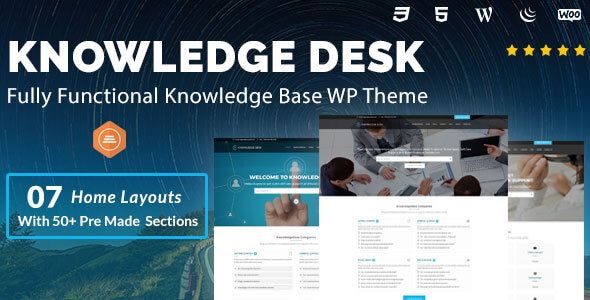
- Description
- Reviews
- FAQ
Build a Smarter Self-Service Support Hub with Knowledgedesk
Are your support channels overflowing with repetitive questions? The Knowledgedesk – Knowledge Base WordPress Theme is your ultimate solution to create a professional, user-friendly help center. Empower your customers to find answers instantly, day or night.
This theme transforms your WordPress site into a powerful support portal. It helps you organize documentation, publish helpful articles, and build a comprehensive knowledge base. The result is happier customers and a significantly lighter workload for your support team.
Knowledgedesk is designed for clarity and speed, ensuring your users can find what they need without any friction. Stop answering the same questions and start building a scalable support system today.
Key Features of the Knowledgedesk Theme
Knowledgedesk is packed with features specifically designed for creating an effective knowledge base. Here’s a quick overview of what makes it stand out:
- Live Ajax Search: Delivers instant search results as users type, providing immediate answers and a superior user experience.
- Article Feedback System: Allows users to vote on whether an article was helpful, giving you valuable insights to improve your content.
- Full bbPress Integration: Seamlessly add a community forum to your support portal, allowing users to help each other and build a community.
- Content Restriction: Easily make your entire knowledge base, or specific articles and categories, accessible only to logged-in users.
- Fully Responsive Design: Your help center will look and function perfectly on desktops, tablets, and smartphones.
- Customizable Branding: Use the powerful theme options panel to change colors, fonts, and layouts to match your brand identity.
- Translation & RTL Ready: Translate your knowledge base into any language, including Right-to-Left languages like Arabic and Hebrew.
Elevate Your Customer Support with Powerful Features
Let’s dive deeper into the core functionalities that make Knowledgedesk the perfect choice for your support website. These features work together to create a seamless and effective self-service experience.
Instant Answers with Live Ajax Search
In a support situation, speed is everything. Knowledgedesk’s Live Ajax Search feature is a game-changer. As a user begins typing their question into the search bar, relevant articles and solutions appear instantly, without needing to reload the page.
This intelligent search functionality dramatically reduces the time it takes for users to find solutions. By providing immediate answers, you improve customer satisfaction and reduce the chance they’ll need to submit a support ticket. It’s a critical tool for any modern help desk or documentation site.
Improve Your Content with Article Feedback
How do you know if your documentation is actually helpful? Knowledgedesk includes a simple yet powerful article feedback system. At the end of each article, users can cast a simple “Yes” or “No” vote on whether the content solved their problem.
This direct feedback is invaluable. You can quickly identify which articles are performing well and which ones need improvement. By focusing your efforts on updating confusing or unhelpful content, you continuously strengthen your knowledge base and reduce future support requests.
Build a Community with bbPress Integration
Sometimes, the best support comes from fellow users. Knowledgedesk integrates beautifully with bbPress, the standard forum plugin for WordPress. This allows you to build a thriving community forum right alongside your knowledge base articles.
This creates a complete support ecosystem. Users can search for official documentation, and if they can’t find an answer, they can ask the community. This fosters user engagement, builds brand loyalty, and creates a repository of user-generated solutions that complements your official content.
Who is the Knowledgedesk Theme For?
Knowledgedesk is a versatile solution perfect for a wide range of individuals and organizations. If you need to provide clear, organized information, this theme is for you.
- Software & SaaS Companies: Create detailed documentation, user guides, and API references. Guide your users from onboarding to advanced feature usage.
- E-commerce Stores: Build a robust FAQ and help center to answer common questions about shipping, returns, payments, and product usage.
- Digital Product Creators: Provide setup instructions, troubleshooting guides, and tutorials for your WordPress themes, plugins, or software.
- Educational Institutions: Host online course materials, student handbooks, and support portals for your faculty and student body.
- Customer Support Agencies: Set up streamlined knowledge bases for multiple clients to improve their customer service efficiency.
- Any Business with Recurring Questions: If you find yourself answering the same questions via email or phone, a knowledge base will save you countless hours.
Why Choose This Version of Knowledgedesk?
You have choices when it comes to WordPress themes. Our goal is to provide you with maximum value, security, and freedom, making professional tools accessible to everyone.
Unbeatable Cost-Effectiveness
We believe that building a professional website shouldn’t break the bank. By offering Knowledgedesk at such an accessible price point, we empower startups, small businesses, and freelancers to create a top-tier support portal without the premium price tag. You get the exact same high-quality theme for a fraction of the cost.
The Freedom to Build and Grow
Our products are distributed under the General Public License (GPL). This means you have the freedom to use the Knowledgedesk theme on as many websites as you wish—for personal or client projects. There are no restrictive single-site licenses, giving you the flexibility to grow without incurring extra costs.
Safe, Secure, and Original Code
Your website’s security is our top priority. The version of Knowledgedesk you download from us is 100% original, untouched, and free from any malware or malicious code. We simply redistribute the authentic software as permitted by the GPL, ensuring you get a safe and reliable product.
Frequently Asked Questions about Knowledgedesk
Is the Knowledgedesk theme responsive and mobile-friendly?
Yes, absolutely. Knowledgedesk is built with a mobile-first approach. It is fully responsive and retina-ready, ensuring your knowledge base looks and works perfectly on all devices, from large desktops to small smartphones.
Can I restrict access to certain articles or categories?
Yes. Knowledgedesk has built-in functionality to set your knowledge base to be public or for members only. You can easily restrict access to the entire site, specific categories, or individual articles to logged-in users, making it perfect for private documentation.
Can I integrate a community forum with Knowledgedesk?
Definitely. The theme is designed for deep integration with the popular and free bbPress plugin. You can create a seamless user experience where your knowledge base articles and community forums exist in one unified support hub.
How do I customize the colors and fonts to match my brand?
Knowledgedesk comes with a user-friendly theme options panel. From your WordPress dashboard, you can easily change colors, upload your logo, adjust fonts, and modify layout settings without writing a single line of code.
Will I receive updates for the Knowledgedesk theme?
Yes. We provide regular and timely updates for the theme. As soon as a new version is released by the original developer, we make it available for you to download from your account on our website, ensuring your site stays secure and up-to-date.
Is this download of Knowledgedesk safe to use on my website?
Absolutely. We guarantee that all our themes and plugins, including Knowledgedesk, are 100% original and free from any viruses, malware, or advertising. The files are sourced directly from the developer and redistributed to you under the GPL.
Do I need a license key to use all the features of Knowledgedesk?
No license key is required to use the core features of the theme. Knowledgedesk is fully functional upon installation. All the features described, like the live search, article feedback, and bbPress integration, will work right out of the box.
Q: Do I need a license key?
A: No. All products are Pre-Activated. You can use 100% of the Premium features immediately.
Q: Can I use the One-Click Demo Import?
A: Yes, absolutely! We ensure the demo import feature works perfectly.
Q: Can I use the products on multiple websites?
A: Absolutely. The GPL license allows use on unlimited domains.
Q: Are the files safe?
A: Yes. All files are scanned by McAfee and VirusTotal before uploading.
Share Now!
Related Products



Related Products



Same Contributor



Featured Products


